Build Reports and Analysis
Overview of the DBDOC build reports
When a project is successfully built, errors are identified by DBDOC.
Most of these errors can be viewed in Hyperview with the Error Browser, and more information for each error is available in the Individual errors documentation.
Some less common errors are documented in other .err files, and other helpful files are also generated.
Build results can be compared with previous builds using Winmerge and Management Of Change (MOC).
Build reports
Many errors can now be viewed and dealt with more easily in Hyperview's error browser. The most significant errors may be identified by sorting by severity. See Individual errors for more information about these.
Each time you build with DBDOC, there are additional error files in the project folder. To find the most recent .ERR files, open the ERROR_FILES folder, then the MOST RECENT folder.. (A file in our build system called ERRFILTER.CFG controls the filtering into these files.)
The error files are grouped as follows:
- Error summary reports, which as of DBDOC 11.2 include a Hotspots Report with a count of each type of hotspot:
- Error messages not included in the error browser
Other information about your build is contained in:
For more information and assistance from GMCL, send an error.7z file for analysis.
General build reports
BuildPlus generates a number of reports from each build of your system. Most are generated as files in the project folder, and some are found in Hyperview, in the table of contents.
AFW# folders: for extracted 800xA afw backup data, and includes OPCTags where relevant, for exported generic OPC Tags
- afw_extractor.err Log file containing all output and subprocess messages from afw_extractor as well as command line statements.
- AC800MSummary.tsv Details what AC 800M modules exist and what kind of configuration they're using.
DECOMPOSER# folders (one for each .ebp file in the build. To see which DECOMPOSER folder refers to each Composer .ebp database, refer to SystemFolders.txt):
- CFGFiles.txt lists all .cfg files for the Composer .ebp database.
- Decomposer.err and Decomposer.err.UNI contain Decomposer errors and warnings as listed in the sub-process window during the build.
- DISDirs.txt lists <ConductorVMS graphics folder name>, "<Description from the folder's console.cfg file>" or is empty if there are no ConductorVMS graphics.
- SPEVersion.txt lists the SPE version information.
- CF, CO, and WB folders containing SPE backup .sql files.
DOC folder: for AC 800M, including doc_file_processing.log
ERRORS folder: contains a MOST RECENT folder, and dated folders for each build (as long as the option to Archive Project Error Files is on). Each folder contains files for errors not appearing in error browser, as well as ZIP.TXT and ERROR.7Z and the dated folders contain archived dmpcfg files.
EXPORTS folder:
- the CFG and CLD folders contain files for comparing modules' specification values. For more information, see Using Config Parser or contact GMCL.
- BLOCKS.DBF contains block, function code and reference information
- FCnnn.TSV and FCnnn.DBF - Extracted specifications from CAD and CLD files files include the sheet name and function code specifications for each function code
- PG2_Graphics.TSV generated for BBA graphics for analysis of file names
- PCU Map: PCU.csv, also described in Hyperview Help
- SPEC.MDB - Used to link the files in an Access database to link the FCnnn.DBF files
- Tags_in_graphics.dbf - A database with a record for each tag in each graphic
- AC800M Tags.tsv, when AC800M files are included
FC folder: contains copies of the function code documentation files, if they were included in the build or added manually
LOGS folder contains a log of each build of the project and a log of all the subprocess messages for the build (when BuildRoot Options checkboxes to log these files are checked).
MOC folder contains management of change files. See Management Of Change (MOC)
PDF folder contains doc.xml files for debugging PDF processing
SPO folder contains deobfuscated forms of SPO .mimic and .bin files for internal use and client support.
TAG folder:
- XLS# folders contain file xlsx2csv_.err which logs information related to processing each xls or xlsx file, and also .csv files extracted from each sheet of the .xls or .xlsx file
- GPI, HGS, HPG folders when these mdb files are built, containing one subfolder for each mdb
- Files in the MDBn and TDTn folders are explained under Extracted and synthesized "flattened" databases
- Other files may include attribute (.att) files if AutoCAD drawings were included in the build.
THUMBNAILS folder contains cached thumbnail images and a thumbnails.log file.
Other build report files
- File_statistics.csv, contains information about the files built into the project
- Blank_CAD.txt - Shows CAD files and CLD sheets that were empty
- SystemFolders.txt (DecomposerDir.txt prior to DBDOC 11.6), which shows which extracted folders (e.g. DECOMPOSERn, AFWn, etc) refer to each source in the system
- Sys_Info.txt, which shows system information such as the graphics and configuration used.
- DBDOC_Components.txt, which shows the versions of DBDOC programs used in the build
- dbtype_processing.txt, which shows status of processing of files with dbtype.exe
- Duplicate_Assyst_Files.txt lists Assyst graphics filenames that are duplicated
- duplicate_urls.txt lists which URLs had duplicates and the amounts of them. Can be found in either MOST RECENT or the dated folders in ERROR_FILES, and also in ERROR.7z.
- Emptyfiles.txt - Shows source files that were empty
- Excluded_Files.txt - Lists all the files that were excluded in the project due to issues during the build.
- F(X)_Specs.txt - List of interesting function generator specifications
- FCList.txt - List of the number of instances of each function code
- mdbtype_processing.txt, which shows status of processing of files with mdbtype.exe
- New_tags.txt - A list of all new tags that have been added since the last build
- newfile.txt - contains the last generated .dbdoc filename
- PGP_Files.nod - contains a list of SPO/PGP files identified by BuildPlus
- TagUsage.csv - Summary of tags used in the system
- Unused Tag Lists - List of tags that are not in any graphic
- Unused-unconfigured_tags.txt - Not on any graphic but not on any CLD or CAD sheet
- Unused-Alarm_tags.txt - Not on any graphic but should alarm
- Unused_Tags.txt - All tags that are not on any graphic and not in the specialized lists
- Global taglists - A master tag list with all the tags in the system
- Unused_symbols.txt - This file lists symbols that are unused by the graphics
- Significant Change Report, found under System Information in Hyperview, this report lists significant change of exception reported values in units and percent change
- Undefined tags lists tags found on graphics but not defined in a database.
- Undefined graphics lists any hotspots that are supposed to link to other documents, but don't.
- Undefined symbols lists missing symbols or sub-models.
- AutoCAD files with tag links found under System Information in Hyperview, described in Hyperview Help documentation
- AutoCAD files with no tag links found under System Information in Hyperview, described in Hyperview Help documentation
- pg2_unidentified_record_types.txt
- pg2_dependencies.txt - Lists the elements used by each graphic. The unindented lines list the graphic name, and the indented lines below each graphic list the elements used by it.
- Short Tags.txt – List of tags that were not matched with text because they are shorter than the minimum tag length on CAD sheets, etc. since the match was explicitly blocked because the tag length was shorter than the minimum tag length (set by the min_tag_length config file command through a custom edit). Can be found in either MOST RECENT or the dated folders in ERROR_FILES, and also in ERROR.7z.
- AutoCAD files with no text found under System Information in Hyperview, described in Hyperview Help documentation
- Index of Non-Block Points, found under System Information in Hyperview, lists points found in databases that have no Loop, PCU, Module and Block information
It is possible to include text files generated by DBDOC in a build.
It may also be possible to extract a list of all IREF's and OREF's into a file. For more information contact GMCL.
FCnnn.DBF - Extracted specifications from CAD and CLD files
During a build, BuildPlus produces a separate FCnnn.DBF file (e.g. FC004.DBF) for each function code used in the system, found in the Exports folder of the project directory. Each includes the sheet name, the tagname, if defined, and all the specifications for that function code. As of DBDOC 11.4, block number 0 and negative blocks are no longer included in these files. It is essentially the same as the FUNCTION CODE INDEX. This report can linked as tables in a Microsoft Access database using SPEC.mdb.
These reports are useful for regulatory reports, analysis of exception report traffic, and countless other applications.
If you want to use these files, but plan to rebuild your project, move these files to another folder before starting the rebuild. (If the files are open during a build, the records will be appended to existing tables rather than getting cleared out before appending. But if this has happened, close the spec.mdb Access database and do the build again.)

SPEC.MDB - Used to link the files in an Access database
SPEC.MDB links the FCnnn files as tables in a Microsoft Access database. If you open spec.mdb with Microsoft Access, you should easily get an idea of the ways you can use this information. In this database you have zero, span, limits, tuning parameters, and so on - all the specs and block numbers in the whole system.
To use these FCnnn.DBF files in any other structure, you should copy them from where they are created, as the FCnnn.DBF files cannot be appended to if active.
F(X) Specs.txt - Diagnostic data file FC 1 spec messages
F(X) Specs.txt (formerly called FC001.txt) lists issues identified by DBDOC for each F(X): Function Generator [FC1]. The same issues are included in individual error messages, based on the type of issue. Examples include:
- X-coordinate adapted - S2 (2850.00) of Module 3,05,04 Block 1308, or Y-coordinate adapted - S9 (-82.31) of Module 3,05,04 Block 1308. See also [029] X coordinate adapted and [030] Y coordinate adapted
- X co-ordinates out of order for F(x) Module 3,05,04 Block 1087. See also [033] X coordinates out of order for F(x)
- F(x) discontinuity (step) in Module 3,06,02 Block 4204 at S10 X value of 1.500. See also [031] F(x) discontinuity
- F(x) Module 3,15,02 Block 8454 uses large spec values: output value may be unexpectedly extreme. See also [034] F(x) uses large spec values
FCList.txt - List of the number of instances of each function code
The FCList.txt file lists the number of times each function code appears in the system.
FC   1        225 FUNCTION GENERATOR                                                FC___1
FC   2        379 MANUAL SET CONSTANT                                               FC___2
FC   3         41 LEAD/LAG                                                          FC___3
FC   4         48 PULSE/POSITIONER                                                  FC___4
FC   6         79 HIGH/LOW LIMIT                                                    FC___6
FC   7         35 SQUARE ROOT                                                       FC___7
FC   8         15 RATE LIMIT                                                        FC___8
FC   9       1167 TRANSFER - ANALOG                                                 FC___9
FC  10        201 HIGH SELECT                                                       FC__10
FC  11         72 LOW SELECT                                                        FC__11
We use this list to find which systems have particular, rare function codes by searching it. It allows us to find the few places in our encounters that need the programming we have done or are considering doing.
This list has helped us solve obscure problems that affect very few clients. This has proven its value.
DBDOC builds all the function codes in your system into Hyperview, and creates a FUNCTION CODE INDEX. For more information see the Function Code Index article in the Hyperview Reference Guide.
TagUsage.csv - Summary of tags used in the system
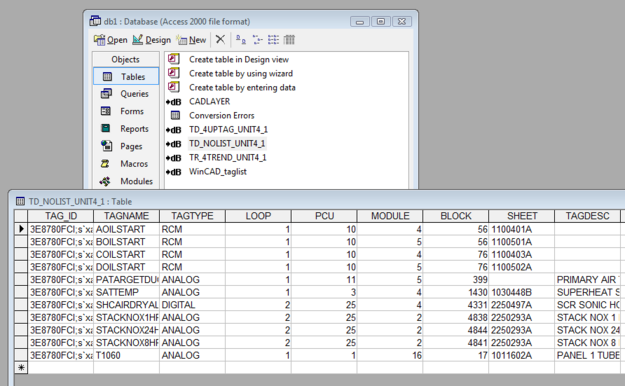
The TagUsage.tsv file is essentially the same as the tag index pages displayed in Hyperview. It allows you to import a tagname, plus the definition of that tag in each of the databases or tag lists you have built. Tags that are listed in the Non-block points index are not included in TagUsage.tsv. It can be found in the EXPORTS folder of your project directory.
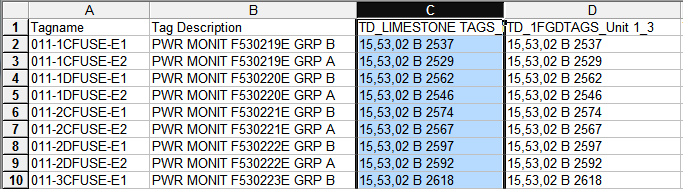
For more information, see the article Tag Index in Hyperview Help.
Emptyfiles.txt - Shows source files that were empty
The Emptyfiles.txt file shows source files in the system that were actually empty. You can cross-check this list for files that might have become corrupted.
Empty file: <D:\BAILEY SITES\PRB_DCS\L1\P40\M2\1400201A.CAD>
Empty file: <D:\BAILEY SITES\PRB_DCS\L1\P40\M2\14002.VFY>
Empty file: <D:\BAILEY SITES\PRB_DCS\L1\CONS61\HELP.DRS\HELPIB1.TXT>
This file can be found in the project folder, or it can be accessed from the System Information section of the Table of Contents in Hyperview.
Blank_CAD.txt - Shows CAD files and CLD sheets that were empty
The Blank_CAD.txt file lists CAD files and CLD sheets that have no function blocks and no significant text. Often, you will find the word "SPARE" on them. These sheets are placeholders that allow parallel names to be developed in different parts of the system.
We actually are willing to let clients have blank sheets handled for no cost, as we adjust the document count down to take them into account.
Blank CAD Sheets Report
Blank Sheets in Module 2,03,02: 1
\\SIRIUS\CLIENT-DATA REVISED\MCBPM#~1\PM1_PR~1\L2\P3\M2\20302E8A.CAD
Blank Sheets in Module 2,03,08: 3
\\SIRIUS\CLIENT-DATA REVISED\MCBPM#~1\PM1_PR~1\L2\P3\M8\2030828A.CAD
\\SIRIUS\CLIENT-DATA REVISED\MCBPM#~1\PM1_PR~1\L2\P3\M8\2030829A.CAD
\\SIRIUS\CLIENT-DATA REVISED\MCBPM#~1\PM1_PR~1\L2\P3\M8\2030873A.CAD
Blank Sheets in Module 2,04,04: 1
\\SIRIUS\CLIENT-DATA REVISED\MCBPM#~1\PM1_PR~1\L2\P4\M4\2040458A.CAD
New_tags.txt - A list of all new tags that have been added since the last build
The new_tags.txt file lists all the new tags that have been added since the last build. It is located in the Exports folder of your project directory.
The intention is to help the user make sure that the tags get transferred to the console database, so that graphics using the tags will work. Use it as a checklist when you have to define tags by hand or export them to transfer them to the console processor.
For example, the following are new tags in a build:
15CEMENTLEVEL
16CEMENTELEVEL
16CEMENTLEVEL
1_2FLAPSTART
1_2TRAVELOVER
1_BESTA_FEEDER
1_COOLERHOTAIR
1_F_PIPE_TEMP
1_PRIMARY_AIR
1ABUNDCEAVAIL
1ABUNDCEOLOAD
Tags_in_graphics.dbf - A database with a record for each tag in each graphic
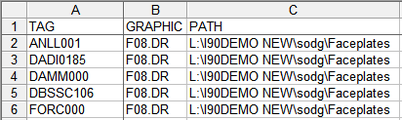
The tags_in_graphics.dbf is a database (found in the Exports folder) with a record for each tag in each graphic. It allows for verification of all graphics on which tags are found. This file includes the folder path for the graphic, to support systems where the same graphic name is used in multiple consoles.
Unused Tag Lists - List of tags that are not in any graphic
Unused Tag Lists:
- List tags that are not in any graphic
- Contain tagname, sheet, loop, PCU, module and block
- Are separated into "unconfigured", "alarm" and "all others"
You should check these for surprises.
- Unused-unconfigured_tags.txt - Not on any graphic but not on any CLD or CAD sheet
- Unused-Alarm_tags.txt - Not on any graphic but should alarm
- Unused_Tags.txt - All tags that are not on any graphic and not in the specialized lists
This file can be built into Hyperview by making a copy of the file, then adding Text files in Wizard, pointing at the project folder. For more information, see the Module: List of Unused Tags article in Hyperview Help.
Unused-unconfigured_tags.txt - Not on any graphic but not on any CLD or CAD sheet
The Unused-unconfigured tags.txt file lists the tags that are in the database, but not found on any graphic, CLD sheet or CAD sheet.
TAGNAME                          LOOP PCU MODULE BLOCK   TAGTYPE              SOURCE
1BESTASETPOINT                      1   1     30     50  Analog               Built
1BFNOXINSTALM                       1   1     30   4033  Digital              Built
1CLINKERTODATE                      1   1     30     86  Analog               Built
1CM1CCOMPSELSW                      1   5      2   9933  RCM                  Built
2BESTASETPOINT                      1   2     22     50  Analog               Not Built
This list is automatically built into the project file. For more information, see the Module:List of Unconfigured Tags article in Hyperview Help.
Unused-Alarm_tags.txt - Not on any graphic but should alarm
The Unused-Alarm tags.txt file lists tags that are not on any graphic but should alarm. DBDOC puts unused tags into this category when they are not on any graphic and the following conditions hold:
- for any tag - where the alarm group value is not zero
- for digitals - the source DO/L block does not have S2=2, which suppresses alarming on a change
- for analogs - the source AO/L block seems to have valid low and / or high limits, where valid means that, given the block range defined by its zero and span values, at least one of the limits is within span units of that range
Here are some analog examples:
- zero = 0.0, span = 100.0, if either limit is between -100.0 and +200.0, we call it an alarm tag
- zero = -50.0 span = 100.0, if either limit is between -150.0 and +150.0, we call it an alarm tag
- zero = 0.0 span = 100.0, if both limits are above +200.0, we will not call it an alarm tag, even though the working range might be +300.0 to +400.0 and the limits set appropriately.
TAGNAME                          LOOP PCU MODULE BLOCK   TAGTYPE              SOURCE
140SCREWLEVELA                      1   1     30   2338  Analog               1013035
140SCREWLEVELB                      1   2     30   2339  Analog               1023035
140SCREWLEVELC                      1   4      8   2394  Analog               1040836
1ABUNDCESTART                       1   5      6   2300  RMCB                 1050635
1BBOTDCESTART                       1   5      6   2400  RMCB                 1050637
1BBUNDCESTART                       1   5      6   2350  RMCB                 1050636
1BCONVEYSEQSW                       1   5      6   2290  RCM                  1050634
1BCONVEYSTART                       1   5      6   2250  RMCB                 1050634
1BESTAHIGHAMP                       1   1      2   8165  Digital              10102B3
This file can be built into Hyperview by making a copy of the file, then adding Text files in Wizard, pointing at the project folder. For more information, see the Module:List of Unused Alarm Tags article in Hyperview Help.
Unused_Tags.txt - All tags that are not on any graphic and not in the specialized lists
The Unused_tags.txt file lists all tags that are not on any graphic and not in the specialized lists.
The basic concept of unused was created to mean that the tag did not appear on any graphic. This has been improved to also require that the tag not have a Primary Display or Alarm Vector entry. The Primary Display and Alarm Vector entries allow a chosen display to be called up from the operator console alarm summary, so we treat the tag as being "used", even though it does not appear on a graphic.
For example:
TAGNAME                          LOOP PCU MODULE BLOCK   TAGTYPE              SOURCE
1BCLIBELTONOFF                      1   5      2   5036  Digital              1050267
1BFAIRSERVICE                       1   1     30   1800  Digital              1013025
1BFALLDRIVESRUN                     1   1     17   6622  Digital              10117A6
1BFCOCORRECT                        1   1     30   3599  Analog               1013060
1BFLAPPULSE                         1   5      6   2812  Digital              1050645
1BFO2SERVICE                        1   1     30   1820  Digital              1013025
1BFSTACKAVAIL                       1   1     17   6459  Digital              10117A3
1BFSTACKRTS                         1   1     17   6471  Digital              10117A3
1BFSTACKRUNFOR                      1   1     17   6472  Digital              10117A3
1BFSTACKRUNREV                      1   1     17   6473  Digital              10117A3
This file can be built into Hyperview by making a copy of the file, then adding Text files in Wizard, pointing at the project folder. For more information, see the Module: List of Unused Tags article in Hyperview Help.
Extracted and synthesized "flattened" databases
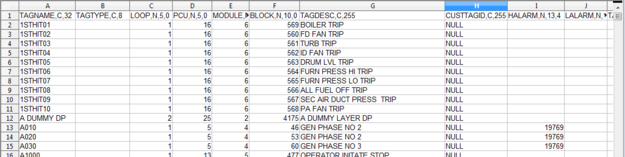
In the project folder, the \TAG\MDBn, \TAG\TDTn and \TAG\XLSn folders contain .dbf files that are flat databases containing all the tags in your consoles and configurations. They can be pretty useful.
- Every tag and trend database we process has had the relational information expanded
- This includes full taglists for Process Portal B, Operate IT and Conductor NT; plus all taglists in Composer and WinTools
- These "flattened" databases show alarm comments, logic states and engineering units as text rather than indexes
- Our synthesized databases can be imported into other database processing tools for further analysis, including Microsoft Access and Excel, that may be useful
Global taglists - A master tag list with all the tags in the system
Master taglists are generated with all the tags in the graphics or configuration system. This is useful for validating server-based approaches, where the tags are distributed among various databases and lists.
Here are the taglists you might encounter:
- 800xA_taglist.dbf - all the tags built into an 800xA console system
- Composer_taglist.dbf - all the tags known to Composer
- ConductorNT_taglist.dbf - all the tags built into a Conductor NT console system
- Generic_taglist.dbf - all the tags known to or used in a system coming from .DBF or .TTG files
- OperateIT-PPB_taglist.dbf - all the tags built into a PPB console system
- WinCAD_taglist.dbf - all the tags known to WinTools
The meaning of these taglists varies with the console. For some systems, this gives you all the tags in the console. However, for others, you must reconcile individual taglists with their consoles.
These lists are useful for studying all the tags. The DBDOC processing of individual consoles is intended to find places where tags are not in the correct taglist for the console.
Unused_symbols.txt - This file lists symbols that are unused by the graphics
This is a list of symbols in each symbol or submodel folder that were not used in the graphics as they were built. It can be used as a list of symbols or submodels to archive. It is also intended to help clean out unused symbols and submodels, and is especially useful for upgrade and conversion projects.
Note that the organization is by folder, so a symbol might be unused in one folder but used in another.
If you are using this list, it is worthwhile combining your symbols into a single folder to be sure that you do not make the mistake of removing a symbol that is used. Alternatively, make sure you do a DBDOC build after cleaning out (archiving, not deleting) the symbols that are unused before concluding you have a good picture of the usage of the symbols in your system.
Unused Symbols/Submodels:
C:\BUILDS\ESA\DECOMPOSER1\CONSOLE SYMBOL:
ANALOG1.dy
ANCBOOL1.dy
ANCREAL1.dy
ANDCSRT1.dy
ANLGCPOP.dy
ANLGCTL1.dy
ANLGCTL2.dy
Significant Change Report - This report lists significant change of exception reported values in units and percent change
During each build, BuildPlus creates a Significant Change Report in the project file, which lists all of the exception report blocks in your system that are used as tags or imported into other PCUs. It shows their significant change value in units and percent change. In the case of imported blocks, it links to where the block is used.
The built-in links to the import blocks are very useful. They allow you to cross-check what significant change is being transferred for the purposes of control and tabulation. A mismatch among inputs in another module can cause grief.
The links for all tags allow you to see how the tag is used to see if the significant change setting is appropriate. Both too small and too big can be problems for your operators in their understanding and operation of the process.
This report is always built into the project file and can be seen in Hyperview under the System Information chapter in the Table of Contents in Hyperview.
Undefined tags - lists tags found on graphics but not defined in a database
During each build, BuildPlus creates an UNDEFINED TAG INDEX, which lists tags that were not found in the database, and links to where they are used on graphics.
This report is always built into the project file, and can be seen in Hyperview under the System Information chapter of the Table of Contents.
For more information, see the Index of Undefined Tags article in Hyperview Help.
Undefined graphics - lists any hotspots that are supposed to link to other documents, but don't
During each build, BuildPlus creates an index of the undefined graphics in your system. It lists and links to any hotspots that are supposed to link to other documents, but don't.
This report is always built into the project file and can be seen in Hyperview under the System Information chapter of the Table of Contents.
For more information see the Index of Unconfigured Graphics article in Hyperview Help.
Undefined symbols - lists missing symbols or sub-models
During each build, BuildPlus creates an index of symbols that don't link anywhere in the Missing Symbols/Submodels file.
This index is always built in Hyperview and can be seen under the System Information chapter of the Table of Contents.
DBDOC will also create a text file listing unused symbols in your system. For more information, see the Unused symbols article in Build Reports Help.
Management Of Change (MOC)
The Management of Change (MOC) analysis allows comparison of two builds to see changes that have taken place. It is automatically executed with each build. MOC shows deleted, added or changed files. MOC now shows entire folders when appropriate. MOC also analyzes all tags in your databases and shows tags that have been modified, added or removed. From BuildPlus | Tools | Project Options, you can select two builds for comparison. If you keep the project files, you can print the old and new versions from a comparison of two builds.
For more information, see also Management of Change Report in Hyperview Help.
Understanding Management of Change
Each time a build is performed, if the MOC tool is enabled, a file is generated called base<date>-
We take special pains with files to suppress access dates in CAD files, for example, looking only for content changes.
The base file contains information about nearly every item in the project:
- CADEWS drawings (.cad) - including Composer CLD files
- Conductor models and submodels (.m1, .m2)
- Graphics (.dis, .dr., .dt)
- Graphics symbols (.dy)
- Database records (excluding PI and XLS databases) (.dbf)
- AutoCAD / MicroStation drawings (.dwg, .dgn, .dxf)
- Applications (.txt, .b90, .ab, .rtu)
- Ladder configuration files (.lad)
Information stored in the base file:
- Name of the project file
- Database records: filename, tag name, CRC
- Other: filename, title / key, timedate, CRC
Changes are reported if:
- a database record is missing, new or its CRC has changed
- a file is missing, new or its CRC has changed (a change in the timedate stamp will not trigger a difference)
Why might you think MOC means "Mismanagement of Change"?
- If you are practicing management of change, MOC shows you what you already know.
- If you actually find an undocumented change, it means you found one that was mismanaged.
Each run of MOC, after the first initial build, will result in the creation of MOC_DIFFERENCES_<date&letter>.TXT. This file will contain the changes detected between the current build and the old build. BuildPlus processes this file to categorize all the changes into the types of differences and presents it in an easy-to-view and easy-to-use Treeview to allow the user to select specific records or files for printing. The Management of Change report is included automatically in the project file.
Using Management of Change with Scheduled Builds
You will notice that your project files are automatically renamed by default with the current date. Again, by default, the Management of Change report (MOC_Differences_<date>.txt) shows you changes between the current build and the previous one.
Thus, to get even more benefit from MOC, use it in conjunction with a regularly scheduled build, so you get a comparison of the previous build automatically.
For more information, see Running scheduled builds in BuildPlus help documentation.
Build reports
Many errors can now be viewed and dealt with more easily in Hyperview's error browser. The most significant errors may be identified by sorting by severity. See Individual errors for more information about these.
Each time you build with DBDOC, there are additional error files in the project folder. To find the most recent .ERR files, open the ERROR_FILES folder, then the MOST RECENT folder.. (A file in our build system called ERRFILTER.CFG controls the filtering into these files.)
The error files are grouped as follows:
- Error summary reports, which as of DBDOC 11.2 include a Hotspots Report with a count of each type of hotspot:
- Error messages not included in the error browser
Other information about your build is contained in:
For more information and assistance from GMCL, send an error.7z file for analysis.
Error summary reports
DBDOC.ERR - A log of the entire build
The DBDOC.ERR file is a record of the entire build. Showing the processing stages in this detail allows us to diagnose problems with files that have problems that we have not encountered before. The reason this "log" is so verbose is that it allows us to find problems at pretty well any phase of our processing.
DBDOC_RESIDUAL.ERR - Any messages that are not included in our documented error messages
The DBDOC RESIDUAL.ERR file contains any messages that are not included in our documented error messages. It also contains our statistics on the build, program versions and information on your build computer that helps us assist you.
DBDOC Kit Version: 10.30
Decomposer Converter      Version r2011-01-11; Build Date Jan 11 2011
Copyright 2000-2004, G. Michaels Consulting Ltd.
Decomposer Unicode version
DBDOC Kit Version: 10.30
hyperlink running with code page 1252
DBDOC_SUMMARY.ERR - Composed of every file that had errors
The DBDOC_SUMMARY.ERR file is the actual error file, composed of every file that had any errors. The verbosity of DBDOC.ERR has been filtered out. Like the other summary files, it also contains the build and system statistics:
- Errors from the database utilities
- Compression Level
- Program versions/kit mismatch info
- Hardware and software configurations
- Your build source locations and types
- Management of Change summary
- Excluded file list
- Decomposer error files
- CIUMon Settings
This is the place you look for all the errors in a single file, information that can be difficult to see in the filtered error files. Sometimes the first error in a file makes sense and is the cause of others, which would otherwise seem inexplicable.
DBDOC Kit Version: 10.30
>>>> FROM: C:\DBDOC_BUILDS\SITE MAIN 50019D-C\ABB Australia\wizard.err -- 2011-01-04 12:00:26 PM
Config file is: C:\Program Files\GMCL\DBDOC\param.txt.
Initialization file is: ABB Australia_WIZINIT.TXT.
Param file is: C:\Program Files\GMCL\DBDOC\filetypes.txt
>>>> FROM: C:\DBDOC_BUILDS\SITE MAIN 50019D-C\ABB Australia\decomposer1\dbebp.log -- 2011-01-31 1:17:16 PM
--mdb_extractor 10.3 work $Name: r2011-01-27b $ (1.0.1.10)
--Initializing Global Objects...
--Running as dbebp
--mdb_extractor running with code page 1252
Individual errors
800xA color not found [INTERNAL 201]
Unable to find 800xA color SODGCyanBlueDark in color definitions
This message means that a call was found for a color in an 800xA graphic that DBDOC did not resolve.
This message shows an issue that the DBDOC build process did not handle. It can be reported to G. Michaels Consulting Ltd. in case it can be fixed.
This error type was originally reported in error file DBDOC-INTERNAL MISSING 800xA COLOR.ERR. Most errors can now be viewed in the Hyperview Error Browser.
Adapt block adapts previous block [CHECK 118]
Adapt block Module 1,01,02 Block 1001 adapts previous Module 1,01,02 Block 125 S3 (1.0)
This message tells you that an adapted specification gets its value from an adapt block with a higher block number.
In the case of redundant modules, there can be a significant error if the adapted specification does not have any value until the subsequent block is calculated. This is the primary reason for this message.
If the module processes blocks in block number order, the minor problem can be that the value of the specification is used before a new value is calculated, which means there is a lag in responding to a change.
Sometimes this message can be ignored, because there are ways of making the block processing not follow block numbers.
The initial value of the adapted specification is reported. If it is not 0.0, it means that a value has been deliberately set as a starting one. "value unavailable" means that the adapted block does not exist.
Adapt block Module 11,01,31 Block 21321 adapts previous Module 11,01,31 Block 21309 S7 (1.11)
Adapt block Module 15,57,03 Block 25437 adapts previous Module 15,57,03 Block 21994 S3 (value unavailable)
This message shows a potential error in the system configuration, although most such errors prove to be harmless. It should be reviewed and hidden, unless it shows an issue that should be addressed.
This error type was originally reported in error file DBDOC-CHECK ADAPT PREVIOUS.ERR. Most errors can now be viewed in the Hyperview Error Browser.
Adapt block does not exist [ERROR 014]
Adapt block Module 1,01,02 Block 1001 does not exist
This message means that an adapt block was expected, but does not exist.
If a block is being adapted that does not exist, some controllers (modules) will load but not go into execute mode.
This message is likely to show an error in the system configuration. It should be reviewed. The issue raised may be in unused logic or graphics, or have other realities that make it a non-issue.
This error type was originally reported in error file DBDOC ADAPT BLOCKS.ERR. Most errors can now be viewed in the Hyperview Error Browser.
Adapt block: Adapted block does not exist [ERROR 021]
Adapt block Module 1,01,02 Block 1001 on drawing 1010200A.CAD: Adapted block 1002 does not exist
This message means that an adapt block is attempting to adapt a block that does not exist.
On-site testing has confirmed that an adapt block continues to adapt its target block / spec, even if it has no input. Since block types cannot be changed, the unintentionally adapted spec is legal, but not likely correct.
As far as we have determined, if you try a cold reload of a block with these specs, the module will not run. You can, however, load the redundant controller and fail over to it with no problem. The error should be fixed to avoid giving you problems when you do not expect them.
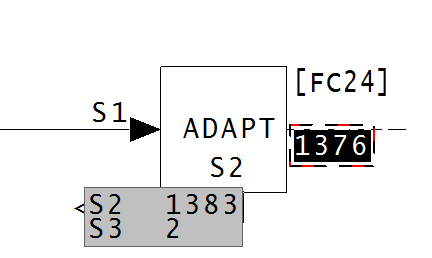
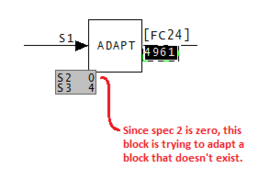
In the above image, the adapt block has an S2 value of 1383, however there is no block 1383 on the same module. This means that no adaptation is available. In the below image, spec 2 is a 0, so there is no block for this adapt block to adapt. Therefore this block is doing nothing.
This message is likely to show an error in the system configuration. It should be reviewed. The issue raised may be in unused logic or graphics, or have other realities that make it a non-issue.
This error type was originally reported in error file DBDOC ADAPT BLOCKS.ERR. Most errors can now be viewed in the Hyperview Error Browser.
Adapt block: Not used [ERROR 019]
Adapt block Module 1,01,02 Block 1001 on drawing 1010200A.CAD: Not used
This message means that an adapt block exists, but is not used because S2 and S3 are both 0.
As far as we have determined, if you try a cold reload of a block with these specs, the module will not run. You can, however, load the redundant controller and fail over to it with no problem. The error should be fixed to avoid giving you problems when you do not expect them.
This message is likely to show an error in the system configuration. It should be reviewed. The issue raised may be in unused logic or graphics, or have other realities that make it a non-issue.
This error type was originally reported in error file DBDOC ADAPT BLOCKS.ERR. Most errors can now be viewed in the Hyperview Error Browser.
Adapt block: Spec out of range [ERROR 020]
Adapt block Module 1,01,02 Block 1001 on drawing 1010200A.CAD: Spec 15 on Module 1,01,02 Block 1002 out of range (FC 25)
This message means that an adapt block has a spec out of range.
On-site testing confirmed that an adapt block continues to adapt its target block / spec, even if it has no input. Since block types cannot be changed, the unintentionally adapted spec is legal, but not likely correct.
Adapt block Module 4,50,02 Block 1529 on drawing 45002P3:
Spec 14 on block 1516 out of range, (function code 40).
Click on the link in the error browser to bring up the CLD/CAD sheet where we have an adapt block issue.
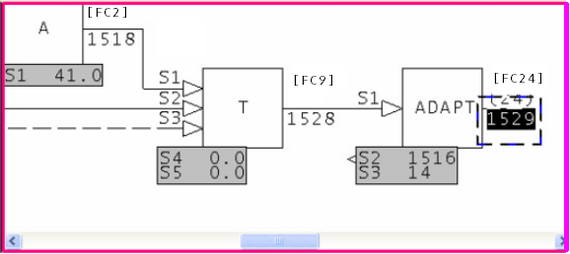
Double click on the hotspot hiding under Spec 2.
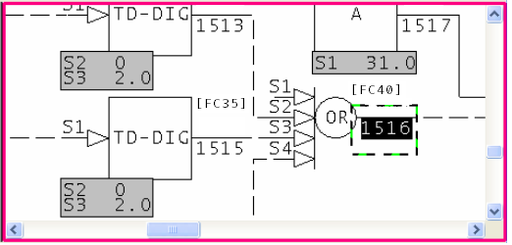
Zoom out and see the MSDVDR block - it is Block 1561.
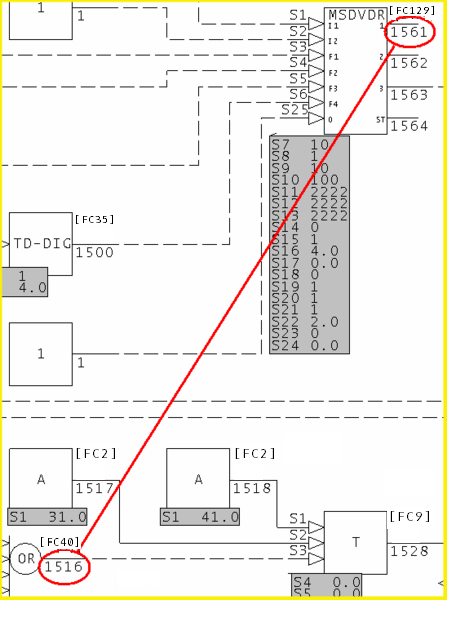
This was an unusual case – DCS Dyslexia.
Many clients have made the most common adapt block error:
Logic containing an adapt block is cloned. The block numbers in the new logic are correctly modified, but spec 2 is missed. This means that it adapts the original.
Resolving the error involves exactly the same steps:
- Find the adapt block.
- Find the adapted block (the target)
- Look on the page of the adapt block for what is probably the intended target.
There are other scenarios – block number errors, changed logic, incorrect values of S3.
This drawing shows more than one, except that it is likely this is actually abandoned logic. Sheet Z9, as the last sheet, is often a boneyard sheet. Here, legal blocks have probably been used badly.
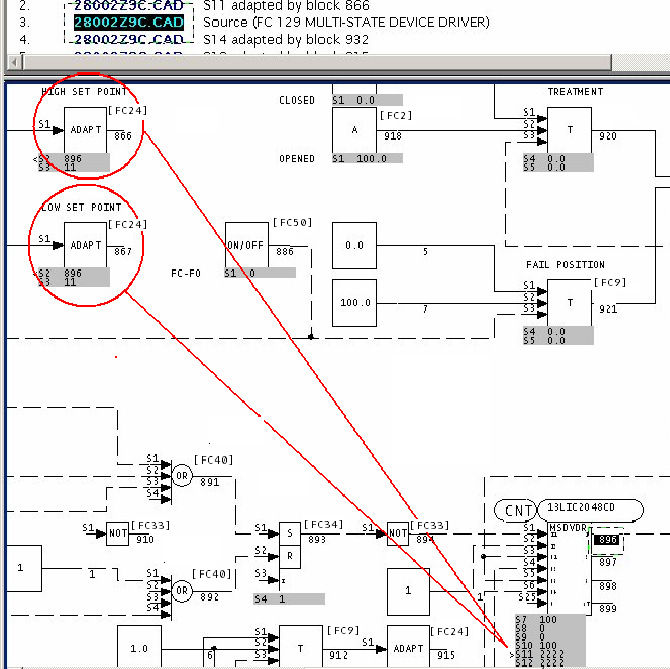
This message is likely to show an error in the system configuration. It should be reviewed. The issue raised may be in unused logic or graphics, or have other realities that make it a non-issue.
This error type was originally reported in error file DBDOC ADAPT BLOCKS.ERR. Most errors can now be viewed in the Hyperview Error Browser.
Adapt type mismatch [ERROR 169]
Adapt type mismatch: Module 1,01,02 Block 1001 adapts Module 1,01,02 Block 1002 S3 (B: Binary) with Module 1,01,02 Block 1000 (Real)
The adapt type mismatch messages often accompany other errors, so the same block can have multiple errors. Also, adapt blocks are very flexible, so mismatches "work". However, these messages may be the only indication of an otherwise impossible to detect error.
See below. It is usually easy to figure out.
Module 1,11,04 block 6269 adapts block 6710 S14 - already adapted (by block 6709).
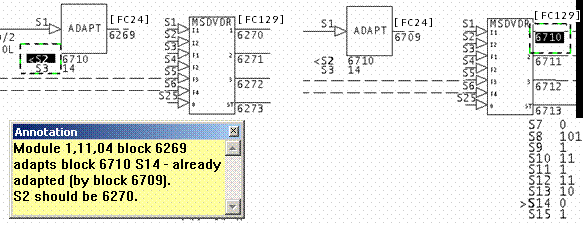
The normal scenario for this error is that S2 of a cloned adapt block has not been changed to match a target, even though the output block number has.
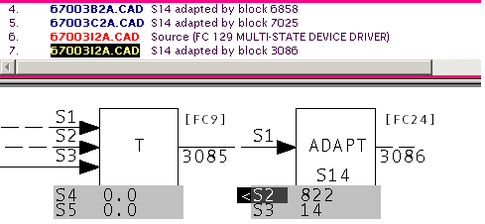
On sheets 67003B2A.CAD and 67003C2A.CAD, we will guess that there are MSDD blocks that do not have S14 adapted by an adapt block on that page. They have been orphaned.
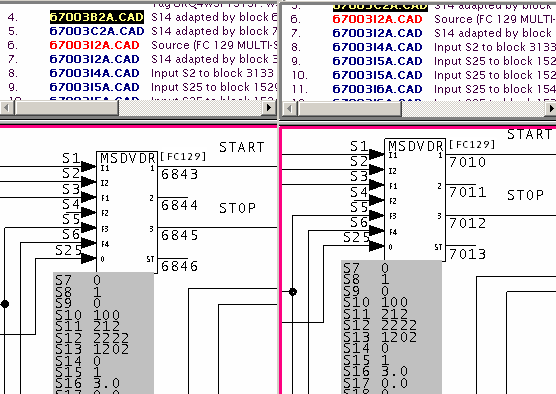
The error here is an interesting one, not quite typical.
First, look at the text of the message:
Adapt block Module 4,50,02 Block 1529 on drawing 45002P3:
Spec 14 on block 1516 out of range, (function code 40).
Click on the link in the error browser to bring up the CLD/CAD sheet where we have an adapt block issue.
Double click on the hotspot hiding under Spec 2.
Zoom out and see the MSDVDR block - it is Block 1561.
This was an unusual case – DCS Dyslexia.
Many clients have made the most common adapt block error:
Logic containing an adapt block is cloned. The block numbers in the new logic are correctly modified, but spec 2 is missed. This means that it adapts the original.
Resolving the error involves exactly the same steps:
- Find the adapt block.
- Find the adapted block (the target)
- Look on the page of the adapt block for what is probably the intended target.
There are other scenarios – block number errors, changed logic, incorrect values of S3.
This drawing shows more than one, except that it is likely this is actually abandoned logic. Sheet Z9, as the last sheet, is often a boneyard sheet. Here, legal blocks have probably been used badly.
This message is likely to show an error in the system configuration. It should be reviewed. The issue raised may be in unused logic or graphics, or have other realities that make it a non-issue.
This error type was originally reported in error file DBDOC ADAPT BLOCKS.ERR. Most errors can now be viewed in the Hyperview Error Browser.
Adapted block on other page [CHECK 044]
Adapted block on different page: Adapt block Module 1,01,02 Block 1001 on 1010200A.CAD modifies Module 1,01,02 Block 3001
This is not an error at all, but a notice requested by our clients. DBDOC eliminates any issues by linking ADAPT blocks to the specs they adapt.
We make a note of these because having the ADAPT block on the same page as the block it adapts is easier to understand.
This message shows a potential error in the system configuration, although most such errors prove to be harmless. It should be reviewed and hidden, unless it shows an issue that should be addressed.
This error type was originally reported in error file DBDOC-CHECK ADAPT PAGE.ERR. Most errors can now be viewed in the Hyperview Error Browser.
Adapted coordinates out of order [INFO 032]
Adapted coordinates out of order for F(x) Module 1,01,02 Block 1001
You may want to check that there are base or design values for the parameters of F(X): Function Generator [FC1] blocks that are adapted. If there are, the graph will be meaningful. Also, the order of processing (adapt block before function block) will not be as important.
This is not usually a significant error. We report them for these reasons:
- They are very hard to find and can be mysterious in operation.
- By making them visible to you, you can see if the actual implementation makes sense by looking at live data
- Since DBDOC will graph the function if the X and Y coordinates make sense, this file allows you to go to the work of finding good "design" values of the specifications so that the DBDOC presentation is useful to a user
- The intent of the adapted function generator should be documented, probably right there on the CLD or CAD sheet
- There might be an error in that a block number is wrong or was reused, with unintended consequences
This message reports system information that is otherwise difficult or impossible to find.
This error type was originally reported in error file DBDOC-INFO ADAPTED COORDINATE.ERR. Most errors can now be viewed in the Hyperview Error Browser.
Adapted rung spec [INFO 061]
Adapted rung spec: Module 1,01,02 Block 1001 S5 is adapted by Module 1,01,02 Block 3001
This message flags places where rung block logic could be changed dynamically. The intent of this message is to flag these operations so you can verify them and keep them in view. We believe the design of the logic should be added to the CLD or CAD sheets so that people can see what is intended. (The only time we have found this message, it was a mistake caused by reusing a block number. The adapt action was not intentional, but resulted because an H//L block had become a rung block.)
This message reports system information that is otherwise difficult or impossible to find.
This error type was originally reported in error file DBDOC-INFO ADAPTED RUNG.ERR. Most errors can now be viewed in the Hyperview Error Browser.
AlarmVector tag has case mismatch - tag is in table [ERROR 138]
AlarmVector tag TagName has case mismatch - TAGNAME is in AlarmVector table
The AlarmVector table in Conductor NT is checked for case variants.
The case usage of the entry in the AlarmVector table in Conductor NT must be uppercase, as Unix is case-sensitive but Microsoft Access is not.
Because the uppercase tagname exists, the non-uppercase entry should be deleted (after you verify that it is calling up the same graphic as the uppercase one). It is being ignored anyway, but alarm vectoring is working because an uppercase version of the tag is in the table.
digestion.xdc
CT22-288A gms graphic:2500
CT22D-121A gms graphic:2700 <==
CT22E-040 gms graphic:2281
...
ZT35Q-047 gms graphic:5936
ct22d-121a gms graphic:2700 <==
di23-000 gms graphic:2282
To trigger block 2700, CT22D-121A, (the one in capital letters), must be present. The gms ct22d-121a, (lower case letters), is ignored. When the lower case gms is the only one present for a particular block number, the block will not trigger. If the capital and lower case instances do not trigger the same block, the upper case one will take effect, but the lower case one will not, so the block attached to it will not trigger.
This message is likely to show an error in the system configuration. It should be reviewed. The issue raised may be in unused logic or graphics, or have other realities that make it a non-issue.
This error type was originally reported in error file DBDOC ALARMVECTOR.ERR. Most errors can now be viewed in the Hyperview Error Browser.
AlarmVector tag has case mismatch - tag is not in table [ERROR 139]
AlarmVector tag TagName has case mismatch - database tag TAGNAME is not in AlarmVector table
The AlarmVector table in Conductor NT is checked for case variants.
The case usage of the entry in the AlarmVector table in Conductor NT must be uppercase, as Unix is case-sensitive but Microsoft Access is not.
Because the uppercase tagname does not exist in the alarm vector table, this entry should be modified to be all uppercase. Right now, it is being ignored and the desired alarm vectoring is not working.
digestion.xdc
CT22-288A gms graphic:2500
CT22D-121A gms graphic:2700 <==
CT22E-040 gms graphic:2281
...
ZT35Q-047 gms graphic:5936
ct22d-121a gms graphic:2700 <==
di23-000 gms graphic:2282
To trigger block 2700, CT22D-121A, (the one in capital letters), must be present. The gms ct22d-121a, (lower case letters), is ignored. When the lower case gms is the only one present for a particular block number, the block will not trigger. If the capital and lower case instances do not trigger the same block, the upper case one will take effect, but the lower case one will not, so the block attached to it will not trigger.
This message is likely to show an error in the system configuration. It should be reviewed. The issue raised may be in unused logic or graphics, or have other realities that make it a non-issue.
This error type was originally reported in error file DBDOC ALARMVECTOR.ERR. Most errors can now be viewed in the Hyperview Error Browser.
AlarmVector tag is not defined in any database associated with console [ERROR 140]
AlarmVector tag TagName (or any case variant) is not defined in any database associated with console
The AlarmVector tag is not defined in any database associated with console.
This message is likely to show an error in the system configuration. It should be reviewed. The issue raised may be in unused logic or graphics, or have other realities that make it a non-issue.
This error type was originally reported in error file DBDOC ALARMVECTOR.ERR. Most errors can now be viewed in the Hyperview Error Browser.
Ambiguous wiring [ERROR 121]
Ambiguous wiring at 1000,1200: multiple wires at sink Module 1,01,02 Block 1001 FC 1 input 0
Wiring has been found that cannot be resolved. The intent of the wiring is not clear and may be in error. DBDOC cannot make the correct connections.
When you see this, use Composer or WinCAD to look at the wiring to find what is confusing and fix it.
This message appears when DBDOC could not figure out the wiring and did not connect blocks to inputs where they are used. In the case below, we can guess that the line circled is really two separate line segments (quite possibly both digital dashed ones) and we could not figure out what to do, though it may be obvious to someone when he actually looks at it, of course.
Ambiguous wiring at 1120,1760: multiple wires at sink
Ambiguous wiring at 4400,5140: multiple wires at sink Module 1,15,03 Block 23776 FC 38 S3
Ambiguous wiring at 6110,4430: multiple wires at sink Module 7,101,04 Block 25785 FC 38 input 2 (old form)
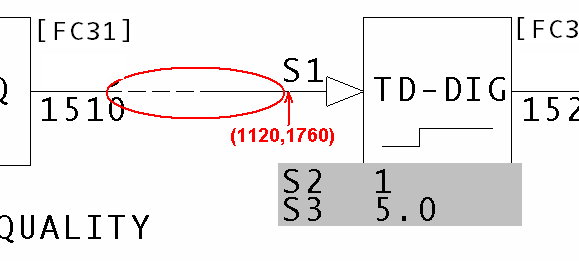
The easiest way to find this error is by searching for its document using the Topic Title Search function. Once on the document, use the Find Coordinates function to find the ambiguous wiring.
This message is likely to show an error in the system configuration. It should be reviewed. The issue raised may be in unused logic or graphics, or have other realities that make it a non-issue.
This error type was originally reported in error file DBDOC AMBIGUOUS WIRING.ERR. Most errors can now be viewed in the Hyperview Error Browser.
APID block illegal decrease flag [ERROR 086]
Advanced PID Module 1,01,02 Block 1001 using block decrease flag with S19=0
This message alerts you to a place where an APID: Advanced PID Controller [FC156] block is misused, based on ABB service bulletins. You will want to verify this block is functioning correctly.
The documentation for APID: Advanced PID Controller [FC156] says: "Note: Do not use the output block increase (or decrease) flag if using the quick saturation recovery option (S19 equals zero)."
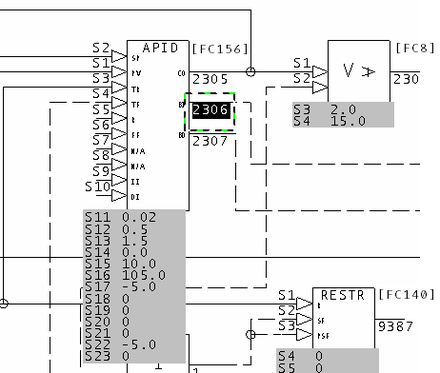
In this example, the Block Increase/Decrease Flag Outputs are in use. The documentation indicates that you should not use the output block increase or decrease flag if the quick saturation recovery option (S19 = 0) is being used.
Advanced PID Module 4,50,02 Block 2380 using block increase flag with S19=0.
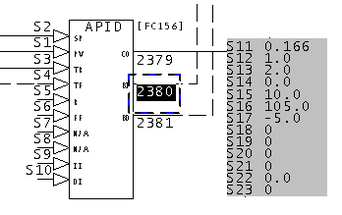
Both Block Increase BI and Block decrease BD outputs are in use, which is contrary to the documentation. S19 = 0, indicating the quick recovery form of the algorithm is being used.
It is possible to change the specifications to eliminate these messages. This should be done in close coordination with a DCS specialist. The important point about the error message is that you can look for hints that problems with outputs and reset are cause by the specs rather than by the inputs.
This message is likely to show an error in the system configuration. It should be reviewed. The issue raised may be in unused logic or graphics, or have other realities that make it a non-issue.
This error type was originally reported in error file DBDOC ADVANCED PID.ERR. Most errors can now be viewed in the Hyperview Error Browser.
APID block illegal increase flag [ERROR 085]
Advanced PID Module 1,01,02 Block 1001 using block increase flag with S19=0
This message alerts you to a place where an APID: Advanced PID Controller [FC156] block is misused, based on ABB service bulletins. You will want to verify this block is functioning correctly.
The documentation for APID: Advanced PID Controller [FC156] says: "Note: Do not use the output block increase (or decrease) flag if using the quick saturation recovery option (S19 equals zero)."
In this example, the Block Increase/Decrease Flag Outputs are in use. The documentation indicates that you should not use the output block increase or decrease flag if the quick saturation recovery option (S19 = 0) is being used.
Advanced PID Module 4,50,02 Block 2380 using block increase flag with S19=0.
Both Block Increase BI and Block decrease BD outputs are in use, which is contrary to the documentation. S19 = 0, indicating the quick recovery form of the algorithm is being used.
It is possible to change the specifications to eliminate these messages. This should be done in close coordination with a DCS specialist. The important point about the error message is that you can look for hints that problems with outputs and reset are cause by the specs rather than by the inputs.
This message is likely to show an error in the system configuration. It should be reviewed. The issue raised may be in unused logic or graphics, or have other realities that make it a non-issue.
This error type was originally reported in error file DBDOC ADVANCED PID.ERR. Most errors can now be viewed in the Hyperview Error Browser.
APID old algorithm and inhibit inputs [ERROR 087]
Advanced PID Module 1,01,02 Block 1001 using old algorithm with inhibit inputs
This message alerts you to a place where an APID: Advanced PID Controller [FC156] block is misused, based on ABB service bulletins. You will want to verify this block is functioning correctly.
The listed firmware revision upgrade documents state that the original algorithms continue to exhibit bugs:
- 188390
- 121995B
- 121705Z
- 121706Z A0 - F3
- 10165
Function Code 156; New Algorithm types:
Specification S18 now accepts additional algorithm types 10, 11, 12, and 13, which are functional replacements of existing types 0, 1, 2, and 3, respectively (i.e., S18=1x executes the new replacement algorithms, S18=0x executes the original algorithms). The original algorithms were kept intact for backward compatibility with existing configurations that may rely on the current behavior. The new replacement APID algorithms correct the following problems (these problems continue to exist in the original algorithms):
- Increase/Decrease Inhibit: When the increase or decrease inhibit is active (Specification S9 = 1, and/or S10 = 1), a rapid, unexpected change in output may occur depending on changing error signal, changing output high and/or low limits (Specification S16 and S17), and the tuning parameters.
- RMAX PV: When transferring RMAX (9E+18) into the PV (Specification S1), the output jumps in the wrong direction. This problem is only evident at RMAX (i.e., for example, 9E+8 does not produce the problem).
NOTE: DBDOC does NOT report a transfer of a dynamic value equal to RMAX PV. The information is included here for your reference.
NOTE: ABB provided this information to a client that will affect people with older MFP modules, MFP02s at revision F5 or earlier.
Function Code 156; Advanced PID Controller (APID): When the algorithm type specification S18 is set to run the new "C" algorithms (S18 = 1x), the block will not accept any on-line configuration changes (for any specification). Also, if S18 is changed from 1x to 0x, the block will accept the change, but the backup module will not come on-line.
Example:
Advanced PID Module 1,11,03 Block 1870 using old algorithm with inhibit inputs.
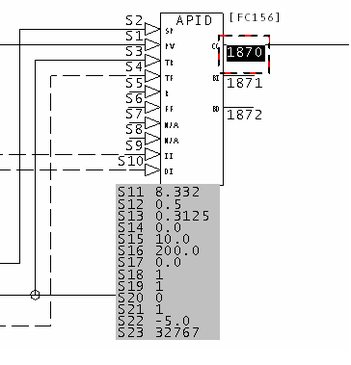
This message is likely to show an error in the system configuration. It should be reviewed. The issue raised may be in unused logic or graphics, or have other realities that make it a non-issue.
This error type was originally reported in error file DBDOC ADVANCED PID.ERR. Most errors can now be viewed in the Hyperview Error Browser.
Assertion failed [INTERNAL 080]
Assertion failed: 1 == 0, file sample.c, line 30
Our programs make assumptions about what they will find in data. This indicates that our compiler encountered data that violated our programming assumptions. If you get this message, please contact us so we can make our DBDOC programs handle the problem.
It would be helpful to us if you sent the file that caused the error to us, along with a screenshot, for analysis.
This message shows an issue that the DBDOC build process did not handle. It can be reported to G. Michaels Consulting Ltd. in case it can be fixed.
This error type was originally reported in error file DBDOC-INTERNAL ASSERTION FAILED.ERR. Most errors can now be viewed in the Hyperview Error Browser.
Attempted ADAPT block redefinition [ERROR 176]
Attempted ADAPT block redefinition: Module 1,01,02 Block 1001 already adapts Module 1,01,02 Block 1002 S2, ignoring new adapt of Module 1,01,02 Block 1004 S3
Adapt block problems reported here include places where two adapt blocks adapt the same specification, and other adapt block issues. Whenever a specification is adapted by more than one block, you should verify that is the intent.
On-site testing has confirmed that an adapt block continues to adapt its target block / spec, even if it has no input. Since block types cannot be changed, the unintentionally adapted spec is legal, but not likely correct.
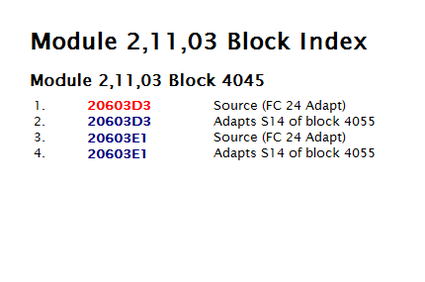
This message is likely to show an error in the system configuration. It should be reviewed. The issue raised may be in unused logic or graphics, or have other realities that make it a non-issue.
This error type was originally reported in error file DBDOC ADAPT BLOCKS.ERR. Most errors can now be viewed in the Hyperview Error Browser.
Bad CAD magic number [INTERNAL 002]
Bad CAD magic number: read 0, expected 1
This message means that a CLD or CAD file was found that we cannot process due to a bad internal value we affectionately call a magic number.
Please try to open the file with your Composer or CAD system. If the file seems to be fine, please send it to us for analysis.
This error can be a symptom of a failure in the blue DBDOC dongle, or in its USB port. Simply moving the dongle to another port might make the error disappear, signalling a USB port failure. If another dongle is available, substitute it and try again. If that works, the dongle has failed and will be replaced free of charge. You can ask GMCL for a replacement dongle at any time at no charge (except for courier cost, if you want it quickly).
This message shows an issue that the DBDOC build process did not handle. It can be reported to G. Michaels Consulting Ltd. in case it can be fixed.
This error type was originally reported in error file DBDOC-INTERNAL INVALID CAD FILE.ERR. Most errors can now be viewed in the Hyperview Error Browser.
Block adapts a block that is already adapted [ERROR 117]
Module 1,01,02 Block 1001 adapts Module 1,01,02 Block 1234 S3 - already adapted (by Module 1,01,02 Block 1002)
This message identifies a place where two adapt blocks adapt the same specification. Whenever a specification is adapted by more than one block, you should verify the intent.
On-site testing has confirmed that an adapt block continues to adapt its target block / spec, even if it has no input. Since block types cannot be changed, the unintentionally adapted spec is legal, but not likely correct.
Module 1,11,04 block 6269 adapts block 6710 S14 - already adapted (by block 6709).
The normal scenario for this error is that S2 of a cloned adapt block has not been changed to match a target, even though the output block number has.
On sheets 67003B2A.CAD and 67003C2A.CAD, we will guess that there are MSDD blocks that do not have S14 adapted by an adapt block on that page. They have been orphaned.
This message is likely to show an error in the system configuration. It should be reviewed. The issue raised may be in unused logic or graphics, or have other realities that make it a non-issue.
This error type was originally reported in error file DBDOC ADAPT BLOCKS.ERR. Most errors can now be viewed in the Hyperview Error Browser.
Block not wired from same function code [CHECK 186]
Block should only be wired by same function code: Module 2,41,31 Block 22100 FC 13 S25 wired from Module 2,41,31 Block 22101 FC 123
There appears to be a block connected to an input that fails to follow the documented rules for the connections.
This message shows a potential error in the system configuration, although most such errors prove to be harmless. It should be reviewed and hidden, unless it shows an issue that should be addressed.
This error type was originally reported in error file DBDOC-CHECK INPUT WIRING.ERR. Most errors can now be viewed in the Hyperview Error Browser.
Block number on unwired input [COSMETIC 098]
No wired input: Module 1,01,02 Block 1001 FC 1 has static input from block 0 (should be 5)
This message means that a block has been found that has no input attached to it. You normally can ignore these messages as a cosmetic issue.
We have seen that this condition can be caused in WinCAD and DOS CADEWS by connecting a source to a F(x) block, then deleting the line. The result is that S1 has a value 0. Composer restores the value to 5.
With some older firmware revisions, it is possible that the configuration will compile cleanly, but will not run when it is loaded into the module.
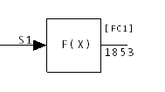
This message shows a cosmetic issue that is probably not an error. It may be used to make the system tidier.
This error type was originally reported in error file DBDOC-COSMETIC NO WIRED INPUT.ERR. Most errors can now be viewed in the Hyperview Error Browser.
Block number too high [ERROR 322]
Block number too high for Module 1,01,02 Block 20000. Maximum block number for this module is 9998.
This block is not in the valid block number range for its module.
This message is likely to show an error in the system configuration. It should be reviewed. The issue raised may be in unused logic or graphics, or have other realities that make it a non-issue.
This error type was originally reported in error file '. Most errors can now be viewed in the Hyperview Error Browser.
Block out of range [ERROR 167]
Block 12345 out of range (0-9998) for Module 1,01,02 Block 1234 (FC 37)
This message means that the value of a block is smaller or larger than the allowed value range.
It is possible that a spec has been entered incorrectly.
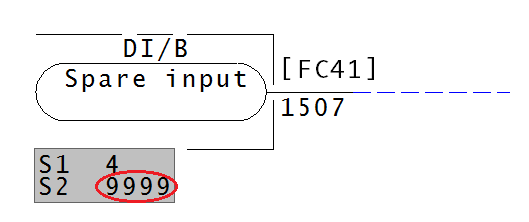
Block must be between 0-9998.
This message is likely to show an error in the system configuration. It should be reviewed. The issue raised may be in unused logic or graphics, or have other realities that make it a non-issue.
This error type was originally reported in error file DBDOC SPEC OUT OF RANGE.ERR. Most errors can now be viewed in the Hyperview Error Browser.
Block: no source, imported [ERROR 110]
No source: Module 3,32,04 Block 7630 imported - module built
This message shows you that a block is being imported from a module that was built, but the block does not exist in the CAD or CLD files. The CLD/CAD sheets for that module were built, so the block reference appears to be an error.
Example:
No source: Module 1,10,02 Block 1733 imported - module built
If the blocks actually exist, this message tells you that they are not in the files you built with DBDOC. Sometimes, this means the CAD or CLD files are not up to date.
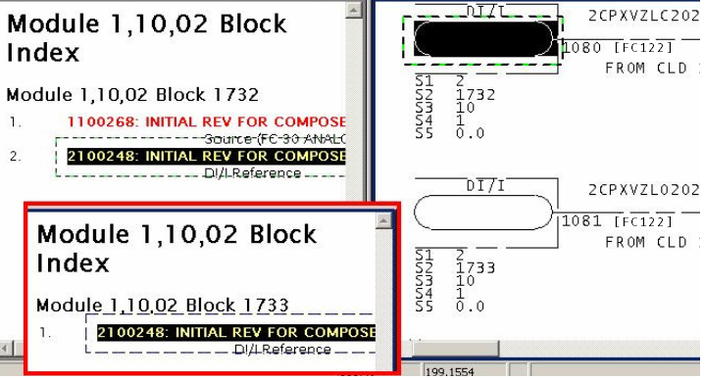
The other possibility is that the module CAD or CLD files are simply a stub and there are no configuration drawings for the blocks. If the blocks actually exist, you can use BuildPlus/Tools/Project Options/Define Blocks with External Sources to define them and eliminate the error message.
This message is likely to show an error in the system configuration. It should be reviewed. The issue raised may be in unused logic or graphics, or have other realities that make it a non-issue.
This error type was originally reported in error file DBDOC BLOCK IMPORTED SOURCE NOT FOUND.ERR. Most errors can now be viewed in the Hyperview Error Browser.
Block: no source, imported - module not built [ERROR 265]
No source: Module 1,01,02 Block 1001 imported - module not built
This message means that a block is being imported from a module that was not built.
Blocks may be from modules that you have not included in this build, in which case this file gives you a check list.
External systems may put values on blocks that are seen by the loop as coming from an indicated module that does not actually exist.
There are three circumstances that generate this message:
1. The block comes from an external source like PI or FDI.
Example:
--Generating index: Module 2,01,08 Block Index - module not built
 No source: Module 2,01,08 Block 1350 imported - module not built
 No source: Module 2,01,08 Block 3131 imported - module not built
 No source: Module 2,01,08 Block 3220 imported - module not built
 No source: Module 2,01,08 Block 3222 imported - module not built
 No source: Module 2,01,08 Block 3227 imported - module not built
 No source: Module 2,01,08 Block 3229 imported - module not built
 No source: Module 2,01,08 Block 3236 imported - module not built
 No source: Module 2,01,08 Block 3239 imported - module not built
 No source: Module 2,01,08 Block 3275 imported - module not built
 No source: Module 2,01,08 Block 5017 imported - module not built
Here we can see that the first and last blocks are well off on their own, meaning they may be orphans, and potential errors. The middle section of consecutive blocks are probably correct, but should be checked anyway.
2. The block comes from a module that was not built.
Sometimes there are multiple INFI 90 systems in a plant. When you build all your systems together, DBDOC will check them against each other and many of these messages will disappear.
3. The error block has an incorrect specification.
In BuildPlus, use BuildPlus/Tools/Project Options/Define Blocks with External Sources to define blocks that do not exist to eliminate the messages if they are valid references. Input the Loop, PCU, Module and Block Range info for external blocks that actually exist.
This message is likely to show an error in the system configuration. It should be reviewed. The issue raised may be in unused logic or graphics, or have other realities that make it a non-issue.
This error type was originally reported in error file DBDOC BLOCK IMPORTED MODULE NOT BUILT.ERR. Most errors can now be viewed in the Hyperview Error Browser.
Block: no source, used - module not built [ERROR 352]
No source: Module 1,01,02 Block 1001 used in configuration
This error indicates a block is present in configuration but does not have a source.
This message is likely to show an error in the system configuration. It should be reviewed. The issue raised may be in unused logic or graphics, or have other realities that make it a non-issue.
This error type was originally reported in error file '. Most errors can now be viewed in the Hyperview Error Browser.
Blocks have been overlaid [CHECK 225]
Blocks have been overlaid: Module 1,16,03 Block 419 (FC 62) and Module 1,16,03 Block 423 (FC 62) overlaid at 2500,1640
This messages tells you that a block or reference has been placed on top of another.
There are several blocks of the same value overlapping. If one is deleted and Hyperview was refreshed, then there would be another directly underneath.
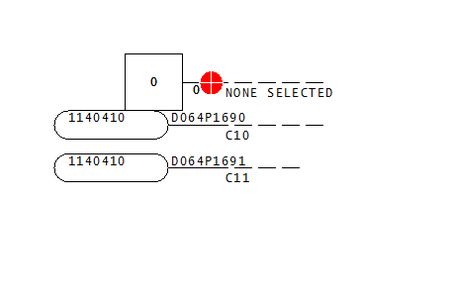
This message shows a potential error in the system configuration, although most such errors prove to be harmless. It should be reviewed and hidden, unless it shows an issue that should be addressed.
This error type was originally reported in error file DBDOC-CHECK OVERLAID.ERR. Most errors can now be viewed in the Hyperview Error Browser.
Bogus source for block zero [BUILD 180]
Bogus source for block zero on 2330500A.CAD
This message means that the CLD/CAD sheet contains a block that puts an output block on block 0, which is illegal.
This can be caused by using function code blocks in diagrams. For example, dropping NOT blocks on a picture looked good in one system, but caused many useless messages.
--Generating index: Module 2,01,02 Block Index
Bogus source for block zero on 199030A.CAD
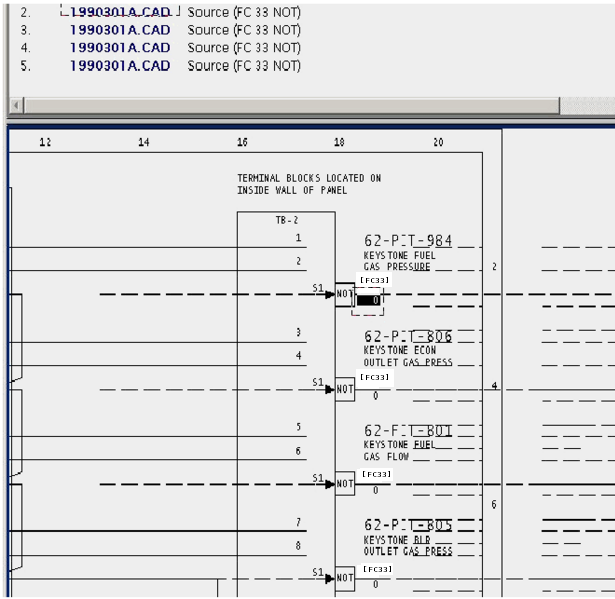
This message usually shows an error in the build setup. Contact us for assistance configuring your build.
This error type was originally reported in error file DBDOC-BUILD BOGUS BLOCK ZERO.ERR. Most errors can now be viewed in the Hyperview Error Browser.
Both 0 and 1 have same descriptor [CHECK 064]
H8XA-FDSMTHR (Module 1,08,02 Block 10554) [W7 START OF HOUR] has descriptor "ZERO" for both 0 and 1 [Tag: H8XA-FDSMTHR (W7 START OF HOUR)]
This message identifies digital tags that have the same text descriptor for both 0 and 1 values.
This message is not generated if both text descriptors are blank.
Sometimes this message is the result of files locked in processing threads. In those cases you can ignore this message.
Example:
H8XA-FDSMTHR (Module 1,08,02 Block 10554) [W7 START OF HOUR] has descriptor "ZERO" for both 0 and 1 [Tag: H8XA-FDSMTHR (W7 START OF HOUR)]
Because of the duplicate descriptors, Hyperview will not display which is actually MANUAL.
This message shows a potential error in the system configuration, although most such errors prove to be harmless. It should be reviewed and hidden, unless it shows an issue that should be addressed.
This error type was originally reported in error file DBDOC-CHECK DUPLICATE DESCRIPTOR.ERR. Most errors can now be viewed in the Hyperview Error Browser.
Broken connection [ERROR 345]
Broken connection from v26M1030Ctrl_Dil to variable reference
This message is likely to show an error in the system configuration. It should be reviewed. The issue raised may be in unused logic or graphics, or have other realities that make it a non-issue.
This error type was originally reported in error file '. Most errors can now be viewed in the Hyperview Error Browser.
Building multiple 800xA consoles into one project file not yet supported [INTERNAL 200]
GRAPHIC: Building multiple 800xA consoles into one project file not yet supported in BCS_StationM72363AD348D045 ({7FD44C07-2CBE-47EE-8AE4-6E33889B5FC2})
This message means that references were found that appear to refer to multiple 800xA consoles, a feature that DBDOC does not yet support.
This message shows an issue that the DBDOC build process did not handle. It can be reported to G. Michaels Consulting Ltd. in case it can be fixed.
This error type was originally reported in error file DBDOC-INTERNAL MULTIPLE 800XA CONSOLES.ERR. Most errors can now be viewed in the Hyperview Error Browser.
CADNames cannot be opened [ERROR 10044]
CADNames cannot be opened: Failed to Load Existing CADNames
This error may indicate an issue with sibling projects.
This message is likely to show an error in the system configuration. It should be reviewed. The issue raised may be in unused logic or graphics, or have other realities that make it a non-issue.
This error type was originally reported in error file Decomposer.err. Most errors can now be viewed in the Hyperview Error Browser.
Can't find ProgID for GUID-named dependency [INTERNAL 203]
Can't find ProgID for GUID-named dependency {41FBEF11-A4CD-44A5-8DD0-BEC7A7371838} in INFI90HarmonDA49A02A21F94 ({4995961D-59A9-40DF-AD79-CDEF5DD9544C})
This message means that a reference could not be resolved. This can occur in systems with 800xA graphics.
Contact us for assistance resolving this message.
This message shows an issue that the DBDOC build process did not handle. It can be reported to G. Michaels Consulting Ltd. in case it can be fixed.
This error type was originally reported in error file DBDOC-INTERNAL UNRESOLVED REFERENCE.ERR. Most errors can now be viewed in the Hyperview Error Browser.
Can't open DBF file RESOLVE.DBF [BUILD 10001]
Can't open DBF file RESOLVE.DBF: The dbf file was not found
This message means the file could not be opened for the reason given.
Sometimes this message may be resolved if the project is rebuilt. If a rebuild does not correct the issue, please check the file with the appropriate tools and send the file to us if it appears to be valid.
This message usually shows an error in the build setup. Contact us for assistance configuring your build.
This error type was originally reported in error file DBDOC-BUILD FILE OPEN FAILURE.ERR. Most errors can now be viewed in the Hyperview Error Browser.
Cannot determine target [CHECK 347]
Cannot determine target, too many potential matches at 0,0
This message shows a potential error in the system configuration, although most such errors prove to be harmless. It should be reviewed and hidden, unless it shows an issue that should be addressed.
This error type was originally reported in error file '. Most errors can now be viewed in the Hyperview Error Browser.
Cannot import error database [INTERNAL 289]
Cannot import Error Database DECOMPOSER1\error.db
Hyperlink was unable to use the error information from another build system component, such as decomposer.
This may be caused by a version mismatch, or an older copy of an error.db file.
This message shows an issue that the DBDOC build process did not handle. It can be reported to G. Michaels Consulting Ltd. in case it can be fixed.
This error type was originally reported in error file DBDOC-INTERNAL ERROR DATABASE.ERR. Most errors can now be viewed in the Hyperview Error Browser.
Choosing description for XRefObjID [CHECK 10029]
Choosing description XRef Description for XRefObjID 45
This message covers situations where multiple descriptions exist for the same cross-reference element in a Composer project. This is cosmetic in the sense that Composer links source output and the destination input without comment.
For people, however, this situation is a problem. The message means that Automation Architect is capable of linking the two descriptions shown, and does so. If you look at printed sheets, you could not guess this.
Cleaning these out involves finding the two entries in the XRefObjID table in the project.EBP file and deleting one of them.
Just like Composer, DBDOC cannot tell which one to use. We have chosen one description to work with, so we are consistent. The user must decide which is the correct one.
This message shows a potential error in the system configuration, although most such errors prove to be harmless. It should be reviewed and hidden, unless it shows an issue that should be addressed.
This error type was originally reported in error file DBDOC-CHECK XREFOBJID.ERR. Most errors can now be viewed in the Hyperview Error Browser.
Circular inhibit [CHECK 181]
Circular inhibit: tags 1FW/YS002OA and 1FW/YS004 inhibit each other
Circular alarm inhibits have been detected. Alarm inhibit action may be unpredictable.
In the database for a graphics system, two tags inhibit each other. That is, if one goes into alarm, it is supposed to inhibit alarms on the other. The actual effect is not necessarily predictable and probably cannot be counted on. Unreliable operation of alarm inhibits is not desirable for the operators.
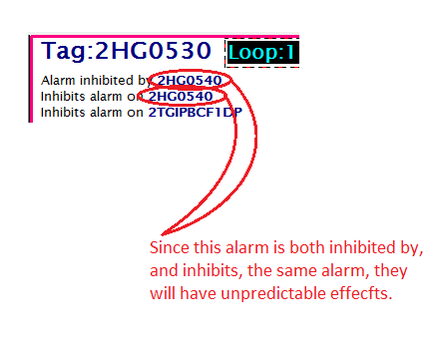
This message shows a potential error in the system configuration, although most such errors prove to be harmless. It should be reviewed and hidden, unless it shows an issue that should be addressed.
This error type was originally reported in error file DBDOC-CHECK CIRCULAR INHIBIT.ERR. Most errors can now be viewed in the Hyperview Error Browser.
Circular reference [CHECK 184]
Circular reference: Module 3,07,02 Reference: COMP FW FLOW A BQ [Module 3,07,02: 3070277A.CAD]TS)
This message means that the CLD/CAD sheet contains an IREF that feeds an OREF of the same name. This is legal, but misleading.
This message shows a potential error in the system configuration, although most such errors prove to be harmless. It should be reviewed and hidden, unless it shows an issue that should be addressed.
This error type was originally reported in error file DBDOC-CHECK CIRCULAR REFERENCE.ERR. Most errors can now be viewed in the Hyperview Error Browser.
Circular symbol inclusion [CHECK 182]
Circular symbol inclusion F
A symbol is including itself as a symbol. DBDOC does not understand how this works and thus interprets it as an error.
This message shows a potential error in the system configuration, although most such errors prove to be harmless. It should be reviewed and hidden, unless it shows an issue that should be addressed.
This error type was originally reported in error file DBDOC-CHECK CIRCULAR SYMBOL INCLUSION.ERR. Most errors can now be viewed in the Hyperview Error Browser.
Circular symbol inclusion of tag [CHECK 183]
Circular symbol inclusion TagF included by G
A symbol includes itself. DBDOC interprets this as an error.
This message shows a potential error in the system configuration, although most such errors prove to be harmless. It should be reviewed and hidden, unless it shows an issue that should be addressed.
This error type was originally reported in error file DBDOC-CHECK CIRCULAR SYMBOL INCLUSION.ERR. Most errors can now be viewed in the Hyperview Error Browser.
CLD file has not been recompiled. [INFO 10022]
Uncompiled CLD file EBYMA3C.CLD (Module 1,32,02: 1320274 - A,B,D,G CLAVES CPV) - 4 sheets - Tue Sep 03, 2013 18:18:00 has not been recompiled in Module 1,32,02 file EBYJ2M0.CFG Tue Jul 30, 2013 18:47:00 [Module 1,32,02: 1320274 - A,B,D,G CLAVES CPV - A CLAVE]
The CLD file indicated was changed after the module was compiled. The Composer system has not compiled and validated the work.
For some people, common practice is to save after making a manual switch change, so these uncompiled CLD files might not indicate that actual changes were made.
This message reports system information that is otherwise difficult or impossible to find.
This error type was originally reported in error file DBDOC-INFO CLD FILES NOT COMPILED.ERR. Most errors can now be viewed in the Hyperview Error Browser.
Completely unconnected wire [ERROR 340]
Completely unconnected wire from (4128, 1280) to (8288, 3712)
This message indicates a wire is defined with both of its ends unconnected.
This message is likely to show an error in the system configuration. It should be reviewed. The issue raised may be in unused logic or graphics, or have other realities that make it a non-issue.
This error type was originally reported in error file '. Most errors can now be viewed in the Hyperview Error Browser.
Connection to unconfigured variable [ERROR 342]
Connection for IW1.40.13.1 to unconfigured variable C06_Vibration.x35LSH8490_IO
This message is likely to show an error in the system configuration. It should be reviewed. The issue raised may be in unused logic or graphics, or have other realities that make it a non-issue.
This error type was originally reported in error file '. Most errors can now be viewed in the Hyperview Error Browser.
Connection wired in Composer only [INTERNAL 170]
Wired in Composer only: Module 1,01,02 Block 1001 wired to Module 1,01,02 Block 1005 S5
We have found a situation in the Composer wiring tables we cannot reconcile. The message with "Wired in Composer only" can show a place where DBDOC did not make a connection.
Examples we have found so far involve lines that have a connector on the end of an input arrow, or that have an output directly connected to an input with no line connecting them.
Composer wiring problem: references with downstream connections never got a block source
Wired in drawing only: Module 50,155,02 Block 20050 wired to Module 50,155,02 Block 20051 S1
Wired in Composer only: Module 2,05,02 Block 20130 wired to Module 2,05,02 Block 20089 S2
Reference TRIP CONTACT?: 3
This message shows an issue that the DBDOC build process did not handle. It can be reported to G. Michaels Consulting Ltd. in case it can be fixed.
This error type was originally reported in error file DBDOC-INTERNAL COMPOSER WIRING.ERR. Most errors can now be viewed in the Hyperview Error Browser.
Connection wired in drawing only [INTERNAL 171]
Wired in drawing only: Module 1,01,02 Block 1001 wired to Module 1,01,02 Block 1005 S5
We have found a situation in the Composer wiring tables we cannot reconcile.
Example:
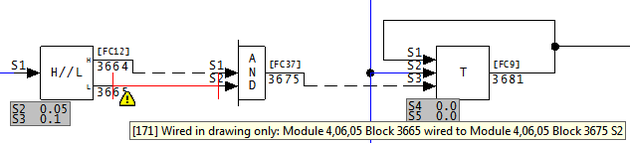
Note that DBDOC has drawn the missing connection in red. Examples we have found so far involve lines that have a connector on the end of an input arrow, or that have an output directly connected to an input with no line connecting them.
Composer wiring problem: references with downstream connections never got a block source
Wired in drawing only: Module 50,155,02 Block 20050 wired to Module 50,155,02 Block 20051 S1
Wired in Composer only: Module 2,05,02 Block 20130 wired to Module 2,05,02 Block 20089 S2
Reference TRIP CONTACT?: 3
This message shows an issue that the DBDOC build process did not handle. It can be reported to G. Michaels Consulting Ltd. in case it can be fixed.
This error type was originally reported in error file DBDOC-INTERNAL COMPOSER WIRING.ERR. Most errors can now be viewed in the Hyperview Error Browser.
Continuous exception reports generated [ERROR 145]
Continuous exception reports generated by Module 10,05,02 Block 3900 (FC 30): Significant change value is 0.0
The block shown will generate an exception report on any change of value. This may be intentional, but can also be an error.
If a value comes from some external source and is rarely changed, this technique assures that the change will be immediately deployed to graphics and other import blocks. After that, the static input means that no extraneous exception reports will occur.
On the other hand, if the input is a dynamic analog value, it may well change every time it is read. This means that an exception report will typically be generated every second, which is why this is brought to your attention.
These messages are only generated when exception reports occur. Exception reports actually do not occur from all exception report blocks. They are generated only on two conditions:
- the block is enrolled in a database in a CIU serving a console or historian
- the block is imported by an exception report importing block
Example:
--Scanning drawing A050292: AS-SHIPPED
Continuous exception reports generated by Module 10,05,02 Block 3900 (FC 30):  Significant change value is 0.0
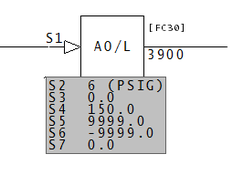
This message is likely to show an error in the system configuration. It should be reviewed. The issue raised may be in unused logic or graphics, or have other realities that make it a non-issue.
This error type was originally reported in error file DBDOC CONTINUOUS EXCEPTION REPORTS.ERR. Most errors can now be viewed in the Hyperview Error Browser.
Control character in tag description [INFO 323]
Unexpected control character 0x0A (line feed) in description of tag TAGNAME in database tags.csv
A control character, also known as a non-printing character, was found in a tag description.
This message reports system information that is otherwise difficult or impossible to find.
This error type was originally reported in error file DBDOC-INTERNAL MESSAGE.ERR. Most errors can now be viewed in the Hyperview Error Browser.
Could not locate batch include file [BUILD 252]
Could not locate batch include file: Data.TXT
The include file for your Batch file can't be found due to how the project is specified.
This message usually shows an error in the build setup. Contact us for assistance configuring your build.
This error type was originally reported in error file DBDOC-BUILD BATCH NO INCLUDE FILE.ERR. Most errors can now be viewed in the Hyperview Error Browser.
Couldn't open font file [BUILD 192]
Couldn't open font definition file Test Font -- using defaults
This message means that an AutoCAD or MicroStation file uses a font definition file that could not be opened.
This message usually shows an error in the build setup. Contact us for assistance configuring your build.
This error type was originally reported in error file DBDOC-BUILD FONT PROBLEM.ERR. Most errors can now be viewed in the Hyperview Error Browser.
DAANG alarm control not an integer [ERROR 090]
DAANG block Module 11,03,04 Block 427 S20 value is truncated to zero (check for mis-configuration)
This message means that S20 on the DAANG block has a real value where an integer is expected. Alarming may not be working correctly.
If the value of S20 is something other than one of the values associated with a bit, or a sum of several bits, the alarm will not work
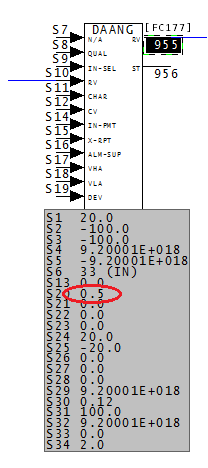
This message is likely to show an error in the system configuration. It should be reviewed. The issue raised may be in unused logic or graphics, or have other realities that make it a non-issue.
This error type was originally reported in error file DBDOC DAANG SPECS.ERR. Most errors can now be viewed in the Hyperview Error Browser.
DAANG both de-alarm and return alarm [ERROR 089]
DAANG block Module 11,03,04 Block 427 S20 has both de-alarm and return alarm set, return alarm overrides
This message means that one aspect of alarming has been overridden. Alarming may not be configured correctly.
When the value of S20 is a sum of both 32 and 64, (among other things), then both bit 5 and bit 6 are active. Bit 5, de-alarm enabled, and bit 6, return alarm enabled, cannot co-exist. Therefore, when both 32 and 64 are in the S20 value, bit 6 overrides bit 5.
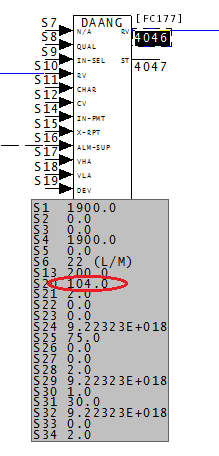
In this case, the value of S20 is 104.0, the sum of 64, 32, and 8, (bits, 6, 5, and 3).
This message is likely to show an error in the system configuration. It should be reviewed. The issue raised may be in unused logic or graphics, or have other realities that make it a non-issue.
This error type was originally reported in error file DBDOC DAANG SPECS.ERR. Most errors can now be viewed in the Hyperview Error Browser.
DAANG illegal alarm control [ERROR 088]
DAANG block Module 11,03,04 Block 427 S20 value out of range (0-1023): 2048
This message means that the DAANG block S20 value is smaller or larger than the allowed value range.
It is possible that a spec has been entered incorrectly.
This message is likely to show an error in the system configuration. It should be reviewed. The issue raised may be in unused logic or graphics, or have other realities that make it a non-issue.
This error type was originally reported in error file DBDOC SPEC OUT OF RANGE.ERR. Most errors can now be viewed in the Hyperview Error Browser.
DAANG suspicious alarm period [ERROR 091]
DAANG block Module 11,03,04 Block 427 S31 value suspicious (please verify period for time-based alarms)
This message means that time based alarming may not be configured correctly.
This message is likely to show an error in the system configuration. It should be reviewed. The issue raised may be in unused logic or graphics, or have other realities that make it a non-issue.
This error type was originally reported in error file DBDOC DAANG SPECS.ERR. Most errors can now be viewed in the Hyperview Error Browser.
Data type mismatch [ERROR 094]
Data type mismatch: Module 1,01,02 Block 1001 (FC 25) S1 expects type Real but is wired from Module 1,01,02 Block 3456 type Digital
This message says that we found a block where the source and import block types do not match. These might not work and could identify an error.
Example:
Data type mismatch: Module 1,99,11 Block 222 (FC 30) S1 expects type Real but is wired from Module 1,99,11 Block -1 type Undefined

This message is likely to show an error in the system configuration. It should be reviewed. The issue raised may be in unused logic or graphics, or have other realities that make it a non-issue.
This error type was originally reported in error file DBDOC ILLEGAL IMPORT.ERR. Most errors can now be viewed in the Hyperview Error Browser.
Database has no records [ERROR 290]
Database cannot be opened: FILE1234.G
A database has been included in the build that has no records. Either there never were any, or a problem has occurred with the current version of a database file.
The error message is found in the following context:
--Scanning database file MASTERTG.csv Database cannot be opened: F:\...\CTS 01\TAG\MASTERTG.csv ST:Database Statistics: ST:Name : MASTERTG.csv ST:Type : Tag ST:Records : 0 ST:Fields : 0 Database is empty
If the database normally works, the extraction of this instance would appear to have failed. If the extraction is from a .XLS or .XLSX file, it means that there were no records extracted that we could process.
This message is likely to show an error in the system configuration. It should be reviewed. The issue raised may be in unused logic or graphics, or have other realities that make it a non-issue.
This error type was originally reported in error file DBDOC-BUILD FILE OPEN FAILURE.ERR. Most errors can now be viewed in the Hyperview Error Browser.
Descriptor empty [CHECK 015]
Output reference descriptor empty at 1000,1000
The input or output reference mentioned has no text in it. This suggests that the module will not compile properly and is probably not fully operational.
Examples:
Input reference descriptor empty at 1760,1845
Output reference descriptor empty at 1760,2025
This message shows a potential error in the system configuration, although most such errors prove to be harmless. It should be reviewed and hidden, unless it shows an issue that should be addressed.
This error type was originally reported in error file DBDOC-CHECK EMPTY REFERENCE.ERR. Most errors can now be viewed in the Hyperview Error Browser.
DIOFCSpec associated with unknown FC [INFO 10014]
DIOFCSpec associated with unknown FC 209. Please contact GMCL
DIOFCSpec associated with unknown FC. Please contact GMCL
This message reports system information that is otherwise difficult or impossible to find.
This error type was originally reported in error file Decomposer.err. Most errors can now be viewed in the Hyperview Error Browser.
Discarding description for XRefObjID [CHECK 10030]
Discarding description XRef Description for XRefObjID 45
This message covers situations where multiple descriptions exist for the same cross-reference element in a Composer project. This is cosmetic in the sense that Composer links source output and the destination input without comment.
For people, however, this situation is a problem. The message means that Automation Architect is capable of linking the two descriptions shown, and does so. If you look at printed sheets, you could not guess this.
Cleaning these out involves finding the two entries in the XRefObjID table in the project.EBP file and deleting one of them.
Just like Composer, DBDOC cannot tell which one to use. We have chosen one description to work with, so we are consistent. The user must decide which is the correct one.
This message shows a potential error in the system configuration, although most such errors prove to be harmless. It should be reviewed and hidden, unless it shows an issue that should be addressed.
This error type was originally reported in error file DBDOC-CHECK XREFOBJID.ERR. Most errors can now be viewed in the Hyperview Error Browser.
Display not found [CHECK 197]
Display DuPont Chambers:BRCSTA:Main View in Process_DCSSTAT01-GR not found (not configured) at 643,867 on Process_DCSSTAT01-GR [Process_DCSSTAT01-GR]
The graphic calls for another graphic which was not found. This is not really an error, but is a weakness for the operators using the graphic system. In Hyperview, go to "MISSING GRAPHICS / Index of Unconfigured Graphics" in the "System Information" Chapter to see where these graphics are referenced.
The usual sources of this error are:
- Failure to build all graphics in the DBDOC document. If the graphic is not built, the DBDOC process will not find it. This is normally the case when there are a lot of messages in this file.
- Graphics becoming obsolete and being eliminated, without correction of other graphics that call for the obsolete graphic.
- Graphics being planned and anticipated that have not yet been built or installed.
- Errors in pop-ups.
When there are a lot of these errors showing up, it normally means that you did not get all your graphics built or you are dealing with graphics that are not used. It suggests that operator graphic keys and touchpoints may be "dead" because those graphics are not in the system.
You can find where the graphic is linked using either the Audit Window or the Index of Unconfigured Graphics in the System Information chapter.
This message shows a potential error in the system configuration, although most such errors prove to be harmless. It should be reviewed and hidden, unless it shows an issue that should be addressed.
This error type was originally reported in error file DBDOC-CHECK MISSING DISPLAYS.ERR. Most errors can now be viewed in the Hyperview Error Browser.
Display with GUID not found [CHECK 198]
Display {9B314B0F}_INH:Faceplate (GUID {9B314B0F}_INH:Faceplate) not found (not configured)
The 800xA AFW (PPA) graphic calls for another graphic which was not found. This is not really an error, but is a weakness for the operators using the graphic system. In Hyperview, go to "MISSING GRAPHICS / Index of Unconfigured Graphics" in the "System Information" Chapter to see where these graphics are referenced.
This message shows a potential error in the system configuration, although most such errors prove to be harmless. It should be reviewed and hidden, unless it shows an issue that should be addressed.
This error type was originally reported in error file DBDOC-CHECK MISSING DISPLAYS.ERR. Most errors can now be viewed in the Hyperview Error Browser.
Document defined in another chapter [INFO 188]
Document x already defined in chapter y
This message means that DBDOC is building the same file in twice from the same source. This can result from building files both as standard SODG Symbols and as user symbols in the case of SODG graphics, or as both models and submodels in Conductor NT, Operate IT and Process Portal B graphics.
Rebuild the project including the file only once.
Examples:
--Parsing configuration file C:\DBDOC_BUILDS\SITE MAIN G-P\LMS\LMS.cfg
Document CAB01.mhd already defined in chapter Module 3,14,00.
Document CAB0120A.CAD already defined in chapter Module 3,14,00.
Document CAB0121B.CAD already defined in chapter Module 3,14,00.
Document CAB0122B.CAD already defined in chapter Module 3,14,00.
Document CAB0123B.CAD already defined in chapter Module 3,14,00.
We can see in this example that Module 3,14,00 was added twice.
-Parsing configuration file C:\DBDOC_BUILDS\SITE MAIN D-F\Domtar\Domtar.cfg
Document XREF.IDX already defined in chapter SODGSYM Symbols.
Document ANALOG1.DY already defined in chapter SODGSYM Symbols.
Document ANCBOOL1.DY already defined in chapter SODGSYM Symbols
In this example, a large number of SODG symbols have been built twice.
This message reports system information that is otherwise difficult or impossible to find.
This error type was originally reported in error file DBDOC-INFO FILE SELECTION.ERR. Most errors can now be viewed in the Hyperview Error Browser.
doVector called with non-string second argument [INTERNAL 244]
doVector called with non-string second argument
The file contains submodels that we do not understand enough. Please send us information to help us add the support needed.
The numeric second argument appears to indicate that a Conductor NT technique was used in a Process Portal B graphic without being converted to call the graphic by name instead of number.
This message shows an issue that the DBDOC build process did not handle. It can be reported to G. Michaels Consulting Ltd. in case it can be fixed.
This error type was originally reported in error file DBDOC-INTERNAL STRANGE ARGUMENTS.ERR. Most errors can now be viewed in the Hyperview Error Browser.
doVector() called with numeric 2nd argument [INTERNAL 243]
doVector() called with numeric second argument 0 - vectoring link may not have been converted to use name
The file contains submodels that we do not understand enough. Please send us information to help us add the support needed.
The numeric second argument appears to indicate that a Conductor NT technique was used in a Process Portal B graphic without being converted to call the graphic by name instead of number.
This message shows an issue that the DBDOC build process did not handle. It can be reported to G. Michaels Consulting Ltd. in case it can be fixed.
This error type was originally reported in error file DBDOC-INTERNAL STRANGE ARGUMENTS.ERR. Most errors can now be viewed in the Hyperview Error Browser.
Duplicate Bus Import Reference [ERROR 349]
Bus import reference for Module 1,01,01 on ABC.CAD when already imported on 123.CAD
This error indicates a bus import for the same block in two different modules.
This message is likely to show an error in the system configuration. It should be reviewed. The issue raised may be in unused logic or graphics, or have other realities that make it a non-issue.
This error type was originally reported in error file '. Most errors can now be viewed in the Hyperview Error Browser.
Duplicate global OREF [CHECK 190]
Duplicate global OREF 'BNR 5 A/R TAGOUT': Module 1,25,10 Block 3952, Module 1,26,10 Block 3952
The output references listed here are duplicated. Composer will rename the duplicate references to (Copy1...), (Copy2...), etc. when combining into a single Composer project. You may wish to change the reference first.
If you plan to convert this project to a single Composer project in the future, you will have to resolve each of these.
If you are building multiple Composer projects, this message will show you references that will need to be changed to allow you to merge the projects.
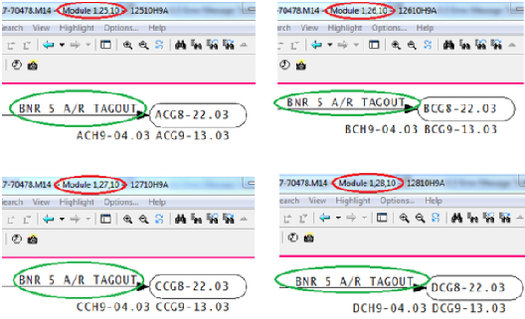
This message shows a potential error in the system configuration, although most such errors prove to be harmless. It should be reviewed and hidden, unless it shows an issue that should be addressed.
This error type was originally reported in error file DBDOC-CHECK DUPLICATE GLOBAL OREF.ERR. Most errors can now be viewed in the Hyperview Error Browser.
Duplicate local OREF [CHECK 296]
Duplicate local OREF 'ABC-123'
There are two OREF definitions with the same text in the same module. This is an error.
This message shows a potential error in the system configuration, although most such errors prove to be harmless. It should be reviewed and hidden, unless it shows an issue that should be addressed.
This error type was originally reported in error file DBDOC-CHECK DUPLICATE GLOBAL OREF.ERR. Most errors can now be viewed in the Hyperview Error Browser.
Duplicate RPC Use [ERROR 353]
Tag ABC123 found on rack 3 position 1 channel 4 when it is already defined for DEF456
This error indicates that multiple transfers were found in the PLC with the same rack, position, and channel numbers.
This message is likely to show an error in the system configuration. It should be reviewed. The issue raised may be in unused logic or graphics, or have other realities that make it a non-issue.
This error type was originally reported in error file '. Most errors can now be viewed in the Hyperview Error Browser.
Duplicate source [ERROR 092]
Duplicate source for Module 1,01,02 Block 1001 on 1010200A.CAD
A block appears with this message if it appears to have more than one source. This is a rare message that points to a bad build or to bad CLD/CAD sheets. The message means that more than one block exists in the module with the block number indicated.
Sometimes this creeps in when someone uses a spare block and forgets to take it off the "boneyard" page. We do not know what happens in this situation. It is certainly possible that it is generally harmless.
Duplicate source for Module 1,13,13 Block 160 on 11313 CIS07 14D04 TU only
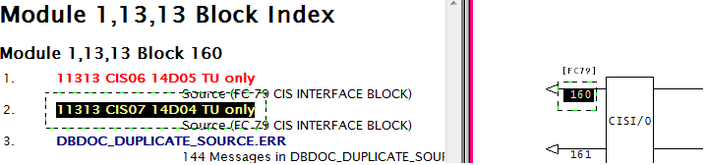
This message is likely to show an error in the system configuration. It should be reviewed. The issue raised may be in unused logic or graphics, or have other realities that make it a non-issue.
This error type was originally reported in error file DBDOC DUPLICATE SOURCE.ERR. Most errors can now be viewed in the Hyperview Error Browser.
Duplicate station tag [INFO 189]
Duplicate station tag abc for am91v904
This message means that a station tag (tagname@PV, for example) has been found in a second database where it has a different block number.
This usually suggests that inappropriate databases have been built together.
This message reports system information that is otherwise difficult or impossible to find.
This error type was originally reported in error file DBDOC-INFO DUPLICATE STATION TAG.ERR. Most errors can now be viewed in the Hyperview Error Browser.
Duplicate tag in database [ERROR 103]
Duplicate tag TAGNAME in database: 'PMTag.csv' - duplicate ignored
This message means that during the scanning of the various databases a duplicate tagname was found. DBDOC depends on a unique tagname corresponding to a unique block number in a module. Any duplicate entries for that tagname are ignored.
If you get this error, you will need to use your ABB database tools to resolve it. Ask for our help if you wish. You presumably will be unpleasantly surprised when you find additional instances of the same tagname.
This message is likely to show an error in the system configuration. It should be reviewed. The issue raised may be in unused logic or graphics, or have other realities that make it a non-issue.
This error type was originally reported in error file DBDOC TAG MISMATCH.ERR. Most errors can now be viewed in the Hyperview Error Browser.
Dynamic definition undefined [INTERNAL 277]
Possible dynamic definition VAR15 undefined in FileName.G at 1234
A possible dynamic reference was encountered but the associated dynamic is undefined.
This error can be triggered by a problem in the data or by an Unknown Access Code Error (273)
This message shows an issue that the DBDOC build process did not handle. It can be reported to G. Michaels Consulting Ltd. in case it can be fixed.
This error type was originally reported in error file DBDOC-INTERNAL SPLUS-PGP.ERR. Most errors can now be viewed in the Hyperview Error Browser.
EbVector references unknown graphic [CHECK 216]
EbVector references unknown graphic COMMON_WATERRI_AnnunciatorPB
A link on the PPB graphic has been specified to a display that was not built. Either the file itself was not included in the DBDOC build or the graphic has not been updated. In Hyperview, go to "MISSING GRAPHICS / Index of Unconfigured Graphics" in the "System Information" chapter to see where these graphics are referenced.
This message shows a potential error in the system configuration, although most such errors prove to be harmless. It should be reviewed and hidden, unless it shows an issue that should be addressed.
This error type was originally reported in error file DBDOC-CHECK MISSING DISPLAYS.ERR. Most errors can now be viewed in the Hyperview Error Browser.
Element outside configured bounds [INTERNAL 202]
Drawing element Block (Type) is outside configured bounds (left=300, top=1500), ignoring
This message means that an 800xA drawing element was found positioned outside the boundaries of the graphic. Both DBDOC and the graphics processor for 800xA will not necessarily handle out-of-bounds elements properly.
This message shows an issue that the DBDOC build process did not handle. It can be reported to G. Michaels Consulting Ltd. in case it can be fixed.
This error type was originally reported in error file DBDOC-INTERNAL ELEMENT OUTSIDE BOUNDS.ERR. Most errors can now be viewed in the Hyperview Error Browser.
Enhanced trend has illegal S2 value [ERROR 024]
Enhanced Trend: Module 1,01,02 Block 1001 has illegal S2 value 20
The indicated enhanced input is not a supported type. The documentation indicates that this is a configuration error.
From the documentation for ETREND: Enhanced Trend [FC179]:
S2 (Input block type) Identifies type of input to be trended.
- 0 = function code 30, analog exception report
- 1 = function code 45, digital exception report
- 2 = function code 62, remote control memory
- 3 = function code 68, remote manual set constant
- 4 = function code 80, control station
- 5 = function code 123, device driver
- 6 = function code 129, multi state device driver
- 7 = function code 136, remote motor control
- 8 = function code 177, data acquisition analog
- 9 = function code 211, data acquisition digital
Enhanced Trend: Module 1,01,02 Block 1136 has illegal S2 value 50
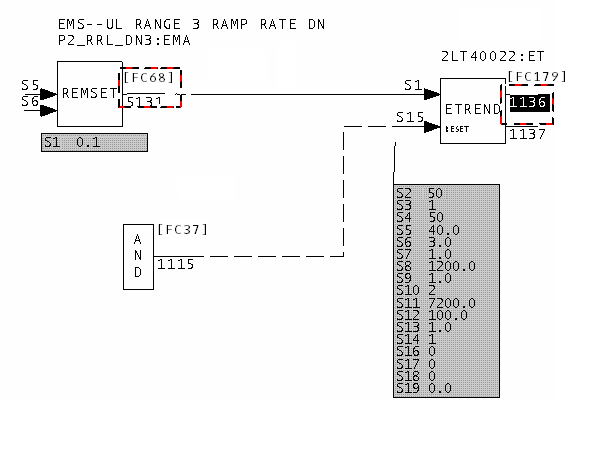
This message is likely to show an error in the system configuration. It should be reviewed. The issue raised may be in unused logic or graphics, or have other realities that make it a non-issue.
This error type was originally reported in error file DBDOC ENHANCED TREND.ERR. Most errors can now be viewed in the Hyperview Error Browser.
Enhanced trend: S1 wired from wrong function code [ERROR 025]
Enhanced Trend: Module 1,01,02 Block 1001 S1 is wired from FC 30 Module 1,01,02 Block 1002 but S2 1 specifies FC 45
The indicated enhanced input is not a supported type. The documentation indicates that this is a configuration error.
From the documentation for ETREND: Enhanced Trend [FC179]:
S2 (Input block type) Identifies type of input to be trended.
- 0 = function code 30, analog exception report
- 1 = function code 45, digital exception report
- 2 = function code 62, remote control memory
- 3 = function code 68, remote manual set constant
- 4 = function code 80, control station
- 5 = function code 123, device driver
- 6 = function code 129, multi state device driver
- 7 = function code 136, remote motor control
- 8 = function code 177, data acquisition analog
- 9 = function code 211, data acquisition digital
The block addressed in S1 must match the input block type in S2 or a configuration error will result.
Enhanced Trend: Module 1,01,02 Block 1136 S1 is wired from FC 68 Module 1,01,02 Block 5131
but S2 0 specifies FC 30
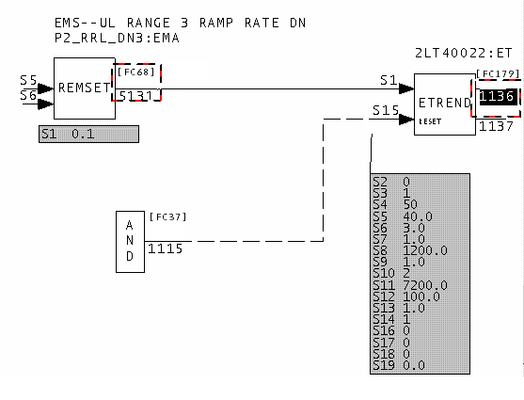
In this case, S1 is coming from the wrong type of block or S2 should be 3.
This message is likely to show an error in the system configuration. It should be reviewed. The issue raised may be in unused logic or graphics, or have other realities that make it a non-issue.
This error type was originally reported in error file DBDOC ENHANCED TREND.ERR. Most errors can now be viewed in the Hyperview Error Browser.
Error count exceeded [BUILD 60000]
Error count for Error #123 (CError) exceeded
The build contains a very large number (>300) of the error message specified. Because of this, not all of them are shown in the error browser.
(We believe no one would walk through the whole list, but they are listed in DBDOC_SUMMARY.ERR and DBDOC.ERR.)
This message usually shows an error in the build setup. Contact us for assistance configuring your build.
This error type was originally reported in error file DBDOC-BUILD ERRORS LIMITED.ERR. Most errors can now be viewed in the Hyperview Error Browser.
External output reference is unreachable [ERROR 10015]
External output reference is unreachable for IREF REFERENCE on Module 1,01,02 Block 1001: cannot import from 1,2
An IREF is used in the project that has an invalid output reference source.
This message will be generated if text on an import block refers to a global reference that exists, but that cannot be imported by the import function code.
The significance is that only the specs on the block are being used to make the connection.
This message tells you that an IREF (Input Reference) exists in the Composer project. However, the function block cannot import it, because it is outside the scope of what it can import.
--Parsing file H:\...\EBY45EB.CLD... CAD Names: 2300251A.CAD
External output reference is unreachable for IREF **1AOIK CB CLSD on Module 2,30,02 Block 1652:
cannot import from Loop 2 PCU 20.
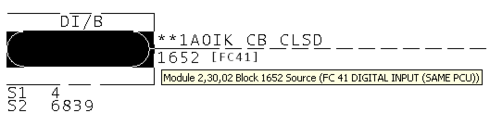
Here is the actual source, as determined by the specifications.
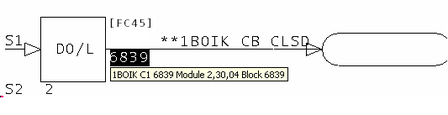
Here is the source that the input reference indicates.
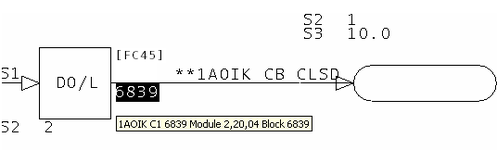
--Parsing file H:\...\EBY3DAC.CLD... CAD Names: 2320454A.CAD
External output reference is unreachable for IREF L30D_MSG on Module
2,32,04 Block 1584: cannot import from Loop 2 PCU 22."
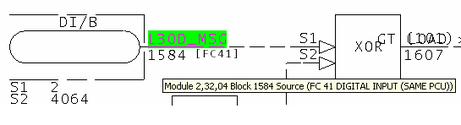
Here is the block that is being imported.
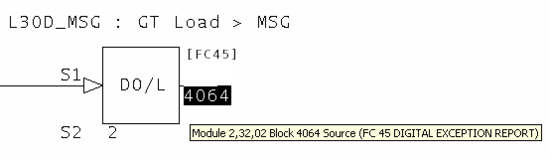
Here is the source indicated by the input reference L30D_MSG.
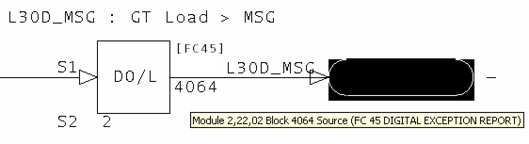
It is possible to see how Composer, in being robust enough to import files from WinCAD, also allows errors to persist in the input references.
This message is likely to show an error in the system configuration. It should be reviewed. The issue raised may be in unused logic or graphics, or have other realities that make it a non-issue.
This error type was originally reported in error file DBDOC UNREACHABLE OREF.ERR. Most errors can now be viewed in the Hyperview Error Browser.
External output reference not found [CHECK 10008]
External output reference does not exist for IREF REFERENCE on Module 1,01,02 Block 1001
An IREF is used in the project that had no matching External OREF. This can arise in a conversion from WinCAD, for example, when the input reference text on an AI/I reference is the same as that on OREF that distributes its value through the module.
The significance is that only the specifications on the block are being used to make the connection.
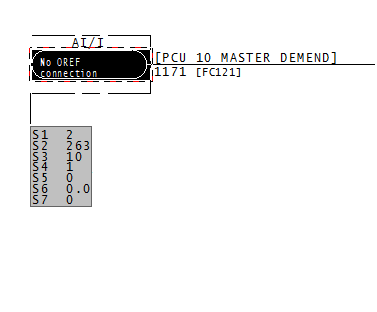
This message shows a potential error in the system configuration, although most such errors prove to be harmless. It should be reviewed and hidden, unless it shows an issue that should be addressed.
This error type was originally reported in error file DBDOC-CHECK MISSING EXTERNAL OREF.ERR. Most errors can now be viewed in the Hyperview Error Browser.
F(x) discontinuity (step) [CHECK 031]
F(x) discontinuity (step) in Module 1,01,02 Block 1001 at S2 X value of 1.000
This message means that there is a step discontinuity in an F(x) function. This can lead to unexpected results if it is not intentional.
The function generator can legitimately give discontinuous results. Sometimes, as in the case of "dead bands" this is intentional. When the input is in a particular range, the output is set to an arbitrary value (often 0.0) because the sensor simply is not workable at that range.
In physical processes, discontinuities are rare. In most F(x) blocks with discontinuities, there is actually an error, often a result of typographical mistakes.
Example:
F(x) discontinuity (step) in Module 1,16,06 Block 4216 at S8 X value of 460.000.
( S2, S3)        439.0          0.0
( S4, S5)        440.0        150.0
( S6, S7)        460.0        150.0
( S8, S9)        460.0        143.0
(S10,S11)        480.0        143.0
(S12,S13)        480.0        143.0
The F(x) graph looks like this:
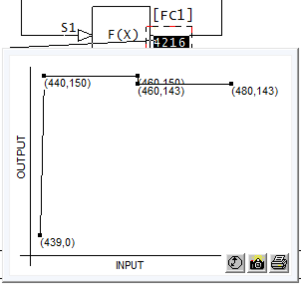
This message shows a potential error in the system configuration, although most such errors prove to be harmless. It should be reviewed and hidden, unless it shows an issue that should be addressed.
This error type was originally reported in error file DBDOC-CHECK DISCONTINUOUS FUNCTION.ERR. Most errors can now be viewed in the Hyperview Error Browser.
F(x) graph is flat [INFO 035]
F(x) Module 1,01,02 Block 1001 graph is flat - value 1.0
The function entered gives the same output for all inputs. This may result from adding the capability to do non-linear adjustment of inputs that ended up not needing adjustment. There may also be examples where the function has a very low non-zero slope (for example related to monitoring equipment life). Flat functions identified by DBDOC with this message have a slope of less than 1E-5.
Example:
--Post Processing drawing 11002B9A.CAD
F(x) Module 1,01,02 Block 1320 graph is flat - value 1.00.
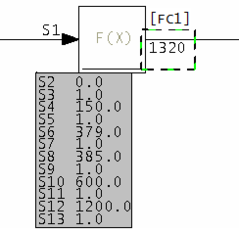
Notice that the Y value is 1.0 for all values of the input X value – that is, a constant.
This message reports system information that is otherwise difficult or impossible to find.
This error type was originally reported in error file DBDOC-INFO FLAT FUNCTION.ERR. Most errors can now be viewed in the Hyperview Error Browser.
F(x) graph is flat (unwired) [COSMETIC 036]
F(x) Module 1,01,02 Block 1001 graph is flat but unwired - value 7.5E-005
The function entered gives the same output (constant value stated) for all input values. This may not be what you want. Since the block is unwired, it has no affect on the process. Whether or not it should be wired is another question.
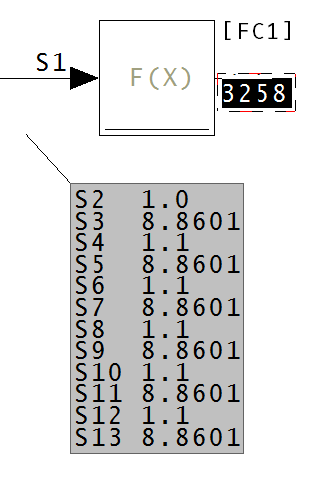
Since the y value for all values x is constant, (in the case of the above diagram, 8.8601),
the output of this block will be, under any conditions, the constant.
This message shows a cosmetic issue that is probably not an error. It may be used to make the system tidier.
This error type was originally reported in error file DBDOC-COSMETIC UNWIRED FLAT FUNCTION.ERR. Most errors can now be viewed in the Hyperview Error Browser.
F(x) uses large values and may not clamp output [ERROR 034]
F(x) Module 1,01,02 Block 1001 uses large spec values: output value may be unexpectedly extreme
This message indicates the F(X): Function Generator [FC1] uses large specification values in some of the Y entries (i.e. S3, S5, S7, S9, S11, and/or S13). These values are used and the result is often not what people expect.
Possible problems:
- Output is not clamped (held at a constant value for increasing input values) as is often expected
- The mathematically calculated function generates an output value that can be wrong
Example:
--Scanning drawing ABC.CAD
F(x) Module 1,01,31 Block 22150 uses large spec values:
output value may be unexpectedly extreme
Check that the function is not intended to clamp the output, for example, as this message usually means that the output approaches the input value as the inputs get larger. This may not be what you want.
This message is generated when Y is not equal to 0 and the absolute value of any X or Y is >=4.0E06.
This message is likely to show an error in the system configuration. It should be reviewed. The issue raised may be in unused logic or graphics, or have other realities that make it a non-issue.
This error type was originally reported in error file DBDOC-CHECK LARGE SPECS USED.ERR. Most errors can now be viewed in the Hyperview Error Browser.
Failed to locate field indices -- not a database? [BUILD 220]
Failed to locate field indices -- not a tag database?
This message indicates that the type of database processing that has been chosen is inappropriate in some way. Each type of special database processing depends on certain fields being found in the database. If they are not, the intended linking cannot work.
Please check the database processing you have chosen. If it seems correct, send us the generated error.zip and a zipped copy of the database giving these messages. We regularly add to the things we support.
This message usually shows an error in the build setup. Contact us for assistance configuring your build.
This error type was originally reported in error file DBDOC-BUILD DATABASE FIELD.ERR. Most errors can now be viewed in the Hyperview Error Browser.
Failed to locate field name [BUILD 221]
Failed to locate field name TWOTEXT
This message indicates that the type of database processing that has been chosen is inappropriate in some way. Each type of special database processing depends on certain fields being found in the database. If they are not, the intended linking cannot work.
Please check the database processing you have chosen. If it seems correct, send us the generated error.zip and a zipped copy of the database giving these messages. We regularly add to the things we support.
This message usually shows an error in the build setup. Contact us for assistance configuring your build.
This error type was originally reported in error file DBDOC-BUILD DATABASE FIELD.ERR. Most errors can now be viewed in the Hyperview Error Browser.
Failed to open file [BUILD 006]
Failed to open file sample.txt: 2
This message means a file could not be opened for the reason given.
Sometimes this message may be resolved by rebuilding the project. If a rebuild does not correct the issue, please check the file with the appropriate tools and send the file to us if it appears to be valid.
This message usually shows an error in the build setup. Contact us for assistance configuring your build.
This error type was originally reported in error file DBDOC-BUILD FILE OPEN FAILURE.ERR. Most errors can now be viewed in the Hyperview Error Browser.
Failed to read header [BUILD 001]
Failed to read header
DBDOC failed to read the header. We should have the problem file sent to us to be checked.
This message usually shows an error in the build setup. Contact us for assistance configuring your build.
This error type was originally reported in error file DBDOC-BUILD FILE OPEN FAILURE.ERR. Most errors can now be viewed in the Hyperview Error Browser.
Failed to read library directory [INTERNAL 013]
Failed to read library SAMPLE directory record
DBDOC failed to read a library directory record.
This message shows an issue that the DBDOC build process did not handle. It can be reported to G. Michaels Consulting Ltd. in case it can be fixed.
This error type was originally reported in error file DBDOC-INTERNAL UNDOCUMENTED.ERR. Most errors can now be viewed in the Hyperview Error Browser.
Failed to read record [INTERNAL 004]
Failed to read in record
DBDOC failed to read a record.
This message shows an issue that the DBDOC build process did not handle. It can be reported to G. Michaels Consulting Ltd. in case it can be fixed.
This error type was originally reported in error file DBDOC-INTERNAL UNDOCUMENTED.ERR. Most errors can now be viewed in the Hyperview Error Browser.
Failed to reseek to start [INTERNAL 005]
Failed to reseek to start of file
DBDOC failed to reseek to the start of the file.
This message shows an issue that the DBDOC build process did not handle. It can be reported to G. Michaels Consulting Ltd. in case it can be fixed.
This error type was originally reported in error file DBDOC-INTERNAL UNDOCUMENTED.ERR. Most errors can now be viewed in the Hyperview Error Browser.
FC126 S3 Exceeds 4 Linked Blocks [ERROR 318]
Module 1,27,02 Block 1196 FC126 if S2 = 1, S3 cannot link more than 4 Blocks
For function code 126 block chains, if Conversion mode spec S2 = 1, or 2, linked block spec S3 cannot chain more than 4 blocks together (including the starting block).
This message is likely to show an error in the system configuration. It should be reviewed. The issue raised may be in unused logic or graphics, or have other realities that make it a non-issue.
This error type was originally reported in error file '. Most errors can now be viewed in the Hyperview Error Browser.
FC225 S5 must be 1 for FC228 [ERROR 311]
FC225 Module 1,27,02 Block 1196 is part of a chain controlled by an FC228 FDD block, so S5(=0) must be 1
This FC225 IOC/DOUT is in an FDD chain (FC228). S5 must be 1 for exception reporting to work with older firmware.
The Harmony Function Code Manual says:
- S5
- (Readback enable) The output channels can have optional readback hardware present. This specification must match the hardware configuration with respect to whether this option is enabled.
- 0 = disable readback
- 1 = enable readback
- This option must always be enabled for foreign device definition (function code 228) channels.
- PDP800, CI850, and CI800: Not used
From the client informing us of this problem:
- Basically, exception reporting doesn’t work. So, if you were historizing or using the tags in a console (graphics) you won’t be able to get the actual state changes.
Further investigation indicates that the problem affects only the value displayed or fed into subsequent logic. Also, the problem is eliminated (as is the need for S5=1) if the BRC firmware is level M5 or above and the Gateway (S800 IO FC 227) is at least G5. If this is the case, there is no problem. ABB Case ABB20161007E0252 covers the details. It is not known if ABB clients were directly informed of this problem.
If the firmware revisions are not as indicated, the problem can exist.
This message is likely to show an error in the system configuration. It should be reviewed. The issue raised may be in unused logic or graphics, or have other realities that make it a non-issue.
This error type was originally reported in error file DBDOC CHAINED FC PROBLEM.ERR. Most errors can now be viewed in the Hyperview Error Browser.
Fewer fields than substitutions [BUILD 222]
Fewer fields than substitutions: 0<1
This message indicates that the type of database processing that has been chosen is inappropriate in some way. Each type of special database processing depends on certain fields being found in the database. If they are not, the intended linking cannot work.
Please check the database processing you have chosen. If it seems correct, send us the generated error.zip and a zipped copy of the database giving these messages. We regularly add to the things we support.
This message usually shows an error in the build setup. Contact us for assistance configuring your build.
This error type was originally reported in error file DBDOC-BUILD DATABASE FIELD.ERR. Most errors can now be viewed in the Hyperview Error Browser.
File contains a space in its name [COSMETIC 213]
File D:\GRAPHICS\BLOWERS_OVERVIEW_REV3 .M1 contains a space in its name
This message means that the file contains a space in its name. M1 or M2 type files will not work if they have spaces in their names.
Graphx systems – Conductor NT and Process Portal B – do not accept spaces in the filenames, thus these files will not work. The usual situation is that a second file has been created with no spaces in the filename, making this file obsolete.
This message shows a cosmetic issue that is probably not an error. It may be used to make the system tidier.
This error type was originally reported in error file DBDOC-COSMETIC SPACE IN FILENAME.ERR. Most errors can now be viewed in the Hyperview Error Browser.
File version unknown [INTERNAL 271]
Tokenization Failed: File Version Unknown in ABC12345
The version of the PGP/S+ file is not supported.
This message shows an issue that the DBDOC build process did not handle. It can be reported to G. Michaels Consulting Ltd. in case it can be fixed.
This error type was originally reported in error file DBDOC-INTERNAL SPLUS-PGP.ERR. Most errors can now be viewed in the Hyperview Error Browser.
Font file not found [BUILD 191]
Font file Test Font not found
This message means that an AutoCAD or MicroStation file uses a font that has not been found in the set of fonts given to the DBDOC build.
This message usually shows an error in the build setup. Contact us for assistance configuring your build.
This error type was originally reported in error file DBDOC-BUILD FONT PROBLEM.ERR. Most errors can now be viewed in the Hyperview Error Browser.
Frozen import block [ERROR 093]
Duplicate off-module reference (AI/I, AI/I) to Module 1,01,02 Block 1002: 1020205A.CAD and 1020208A.CAD
This message indicates that the same exception report value is being imported into a module twice.
This is a serious problem if the import block is in use, because one of the values is always frozen. When you switch to the redundant module, as you do for a configuration change, the one that was working freezes and the other begins working.
In the case of analog blocks, the value will 'flat-line'. In the case of digital inputs, the imported value will simply fail to respond to a change in the source. This can be catastrophic.
You can find these in Hyperview by searching for the block then clicking on the exception report import blocks that are in the same module.
Example 1 (both import blocks used): DBDOC identifies these situations, since one of the import blocks is always frozen.
Duplicate off-module reference (DI/I, DI/I) to Module 2,05,02 Block 2713:
20202Y8: Composer Initial Revision and 20202Z2: Composer Initial Revision
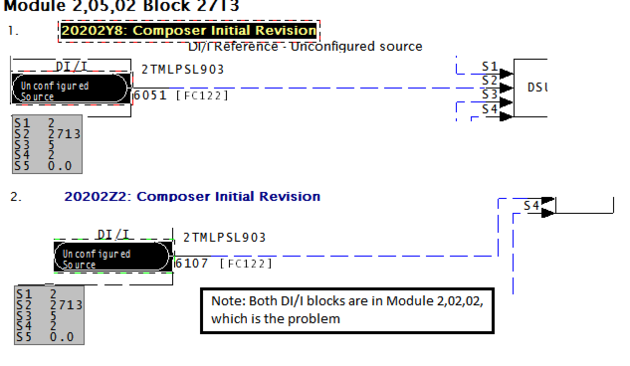
Example 2 (one import block used, one not used): DBDOC identifies these situation, since there is a 50-50 chance that the unwired block will have live data and the wired one will be frozen.
Duplicate off-module reference (DI/I, DI/I) to Module 7,27,02 Block 35: 20102Y3A.CAD and 20102ZZA.CAD
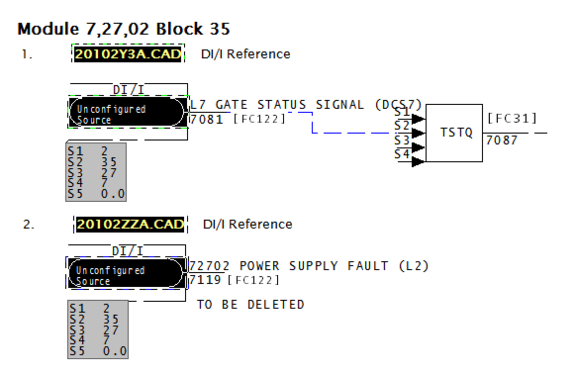
Example 3 (both import blocks not used): There is no DBDOC error message for this situation, because there is no harm possible.
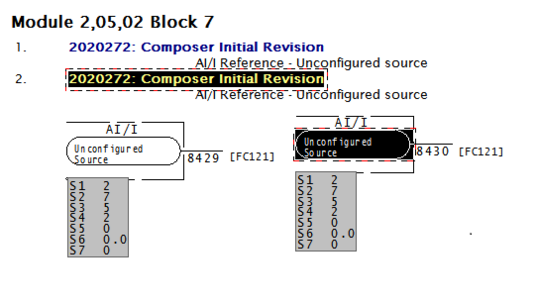
This message is likely to show an error in the system configuration. It should be reviewed. The issue raised may be in unused logic or graphics, or have other realities that make it a non-issue.
This error type was originally reported in error file DBDOC FROZEN EXCEPTION REPORT INPUT.ERR. Most errors can now be viewed in the Hyperview Error Browser.
Function block chain loop [ERROR 325]
Chained function block link from Module 1,27,02 Block 1196 to Module 1,27,02 Block 1197 is part of a loop
The chain of function blocks which this link is part of has a loop.
This message is likely to show an error in the system configuration. It should be reviewed. The issue raised may be in unused logic or graphics, or have other realities that make it a non-issue.
This error type was originally reported in error file DBDOC-INTERNAL MESSAGE.ERR. Most errors can now be viewed in the Hyperview Error Browser.
Function block disabled [ERROR 297]
Module 1,01,02 Block 1001 FC3 disabled by spec values
A lead/lag F(t) FC 3 or rate limiter H//L FC 8 has been disabled by the enabling specification S2 being defaulted to the disabled state 0.
This error is generated when these conditions are met:
- S1 is wired (greater than 9 is sufficient)
- S2 is 0
- S3 and S4 are NOT both 0.0
since both blocks feed the input to the output and do nothing if the above conditions are met.
If the block output can be found to be unused, the message is suppressed.
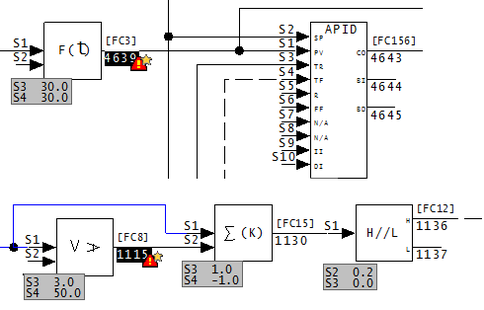
- The first example shows a lead/lag block in a control circuit that is intended to soften the dynamics of process variable changes. This fails to work because the block action is disabled by default.
- The second similarly shows that the amount of rate limiting is intended to be monitored, but this monitoring fails for the same reason.
This message is likely to show an error in the system configuration. It should be reviewed. The issue raised may be in unused logic or graphics, or have other realities that make it a non-issue.
This error type was originally reported in error file DBDOC FUNCTION DISABLED. Most errors can now be viewed in the Hyperview Error Browser.
Gain spec is adapted [INFO 119]
Gain spec is adapted: S3 of Module 1,05,03 Block 6168 FC 16 adapted by Module 1,05,03 Block 6189
This message indicates a gain spec is adapted.
Verify that the intent of the logic is to have the gain controlled by an Adapt block. It is well worthwhile putting a valid default on the gain, too, to make validation against the design value possible if that is appropriate.
The intent of this message is to help you find all the instances of this in your system, so you can document then for future reference.
This message reports system information that is otherwise difficult or impossible to find.
This error type was originally reported in error file DBDOC-INFO GAIN SPEC ADAPTED.ERR. Most errors can now be viewed in the Hyperview Error Browser.
Got lost parsing file [INTERNAL 10007]
Got lost parsing file: expected a C record and got 4660
This message means that a file contains information that DBDOC cannot handle.
This message shows an issue that the DBDOC build process did not handle. It can be reported to G. Michaels Consulting Ltd. in case it can be fixed.
This error type was originally reported in error file DBDOC-INTERNAL NON-LOCAL EXIT.ERR. Most errors can now be viewed in the Hyperview Error Browser.
Graphic link target is null [INTERNAL 291]
Target is "null" for graphic link at 1000,2000 on GRAPHIC [X=2377.23,Y=100.45]
This link does not have a target graphic. Both the DBDOC coordinates and the 800xA X and Y coordinates are given.
The objective of this message is to show you visually, with a red coordinate ball, where a graphic link is set to be null. Both the DBDOC coordinates and the 800xA X and Y coordinates are given.
The DBDOC coordinates "at 1000,2000" show you where the red ball is. You can double-click on it to hide it, in fact. The 800xA coordinates [X=2377.23,Y=100.45] show you where 800xA had the null link.
This may be a broken link, or it may be an unused link.
This message shows an issue that the DBDOC build process did not handle. It can be reported to G. Michaels Consulting Ltd. in case it can be fixed.
This error type was originally reported in error file DBDOC-INTERNAL PG2.ERR. Most errors can now be viewed in the Hyperview Error Browser.
Harmony I/O block illegally wired [ERROR 095]
Harmony I/O Module 1,01,02 Block 1001 FC 228 S2 wired from IREF NoSource with no source: module will compile but not run
This message means that the function block indicated cannot have an unwired input. If it does, Composer will allow it, but it will not run.
This undocumented issue was found by Ready Engineering when they inadvertently configured some Harmony I/O with empty input references.
Module 1,30,05 Block 198 FC 228 S3 wired from IREF (NB-1-30-05-01.08)with no source:
module will compile but not run.
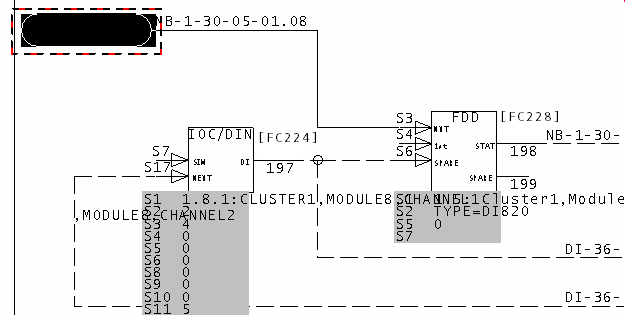
This message is likely to show an error in the system configuration. It should be reviewed. The issue raised may be in unused logic or graphics, or have other realities that make it a non-issue.
This error type was originally reported in error file DBDOC CHAINED FC PROBLEM.ERR. Most errors can now be viewed in the Hyperview Error Browser.
History tag references tag not in database [ERROR 253]
History tag ABC123 references ABC123.<tagatom> (not found in any database)
Only Conductor NT systems can produce this message.
The history database refers to a tag that does not exist in the tag database associated with this console. The history tag has not been defined, although it is shown. Note that trend definitions are also affected. Since this history tag has no meaning, there is clearly a problem with any trend group that references it.
Example:
History tag CBTE01 references CBTE01.C_APV (not found in any database).
The Historical Tag can have any legitimate name, including CBTE01. However, the "Tag Atom" entry must refer to a legitimate database value. In this case, the problem is that there is no database tag "CBTE01", which means that Tag Atom "CBTE01.C_APV" is erroneous. If the entry in Tag Atom were changed to have the "CBTE-01" in the name, there would be no error.
Usually, this message comes because no such tag is in the database at all, often because it did exist but was deleted. DBDOC checks that the tag name and tag atom make sense.
In the example, the error refers to an invalid Historical Tag, not a missing one. The other form of the error is, of course, to name a trend tag that does not exist at all. To resolve that error, you either eliminate the trend tag entry in the Trend Configuration section, or you correct the spelling of the Trend Tag entry in the Trend group.
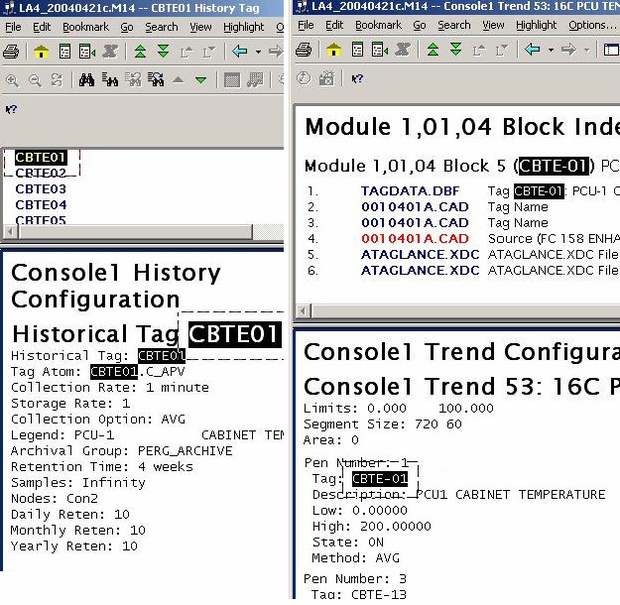
This message is likely to show an error in the system configuration. It should be reviewed. The issue raised may be in unused logic or graphics, or have other realities that make it a non-issue.
This error type was originally reported in error file DBDOC HISTORY TAG.ERR. Most errors can now be viewed in the Hyperview Error Browser.
Ignoring adapted Block 0 [ERROR 082]
Ignoring Block 0 adapted by Module 1,01,02 Block 1001
This message means that an adapt block is adapting a Block 0 block. DBDOC ignores Block 0 configuration.
On-site testing has confirmed that an adapt block continues to adapt its target block / spec, even if it has no input. Since block types cannot be changed, the unintentionally adapted spec is legal, but not likely correct.
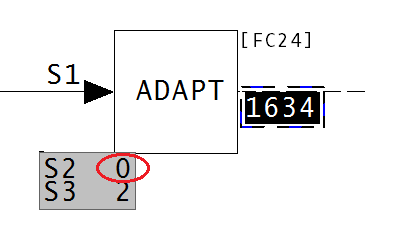
This message is likely to show an error in the system configuration. It should be reviewed. The issue raised may be in unused logic or graphics, or have other realities that make it a non-issue.
This error type was originally reported in error file DBDOC ADAPT EXECUTE ERROR.ERR. Most errors can now be viewed in the Hyperview Error Browser.
Illegal adapt block, spec 3 is 0 [ERROR 116]
Ignoring Module 1,01,02 Block 1001 spec 0 adapted by Module 1,01,02 Block 1234
This message means that an adapt block is adapting a spec 0.
On-site testing confirms that an adapt block continues to adapt its target block / spec, even if it has no input. Since block types cannot be changed, the unintentionally adapted spec is legal, but not likely correct.
This message is likely to show an error in the system configuration. It should be reviewed. The issue raised may be in unused logic or graphics, or have other realities that make it a non-issue.
This error type was originally reported in error file DBDOC ADAPT BLOCKS.ERR. Most errors can now be viewed in the Hyperview Error Browser.
Illegal import (not exception-reported) [ERROR 129]
Illegal import: Module 1,01,02 Block 1001 on sheet 1010200A.CAD imports Module 1,06,06 Block 1234 (not exception-reported)
This message says that we found a block that is being imported illegally. If a block that is not an exception report is being imported from the loop, it will not work.
Example:
Illegal import: AI/L Reference on sheet 1470304A.CAD imports Module 1,10,02 Block 1010
(not exception-reported)
This example shows the attempt to use an AI/L block to import the output of a F(x) FC 1 block, which is not an exception report.
Often, this error leads to uncovering unused or reused logic. Blocks are sometimes used without the knowledge that their values are being imported in another module, PCU or loop. You get a check for this situation on every DBDOC build.
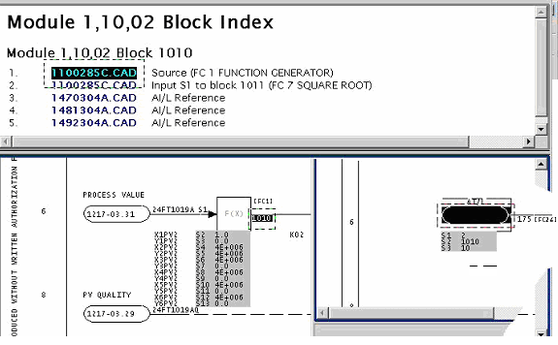
Illegal import: DI/L Reference on sheet 10404X1A.CAD imports Module 1,03,02 Block 4129
(not exception-reported).
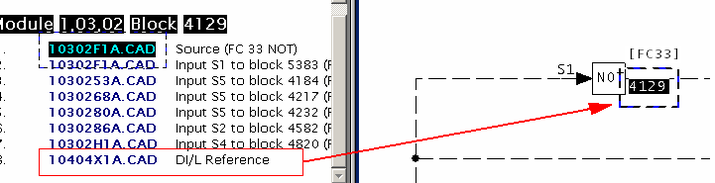
This message is likely to show an error in the system configuration. It should be reviewed. The issue raised may be in unused logic or graphics, or have other realities that make it a non-issue.
This error type was originally reported in error file DBDOC ILLEGAL IMPORT.ERR. Most errors can now be viewed in the Hyperview Error Browser.
Illegal import (different loop) [ERROR 130]
Illegal import: Module 1,01,02 Block 1001 on sheet 1010200A.CAD attempts to import Module 1,06,06 Block 1234 (different loop)
This message says that we found a block that is being imported illegally. These imports will not work.
We have not found any instances of this error in any of our test builds. If you should get this error, please contact GMCL. This will allow us to test the error in greater detail, and help identify the problems you may be having. Thank you for your patience.
This message is likely to show an error in the system configuration. It should be reviewed. The issue raised may be in unused logic or graphics, or have other realities that make it a non-issue.
This error type was originally reported in error file DBDOC ILLEGAL IMPORT.ERR. Most errors can now be viewed in the Hyperview Error Browser.
Illegal import (full status ignored) [CHECK 132]
Extended status not imported: DI/L Reference on drawing 10104 BUS/LOOP INPUTS - LOOP DIGITAL02 imports DADIG from Module 1,03,06 Block 1240
This message is a warning that the second output of a DAANG or DADIG block (full extended status information) is not being used.
Note that DAANG blocks have an extended status that cannot be imported by AI/L and AI/I functions. You must use DAANG/I to import it.
Example:
Extended status not imported: DI/L Reference on drawing 10104 BUS/LOOP INPUTS - LOOP DIGITAL02
imports DADIG from Module 1,04,02 Block 760
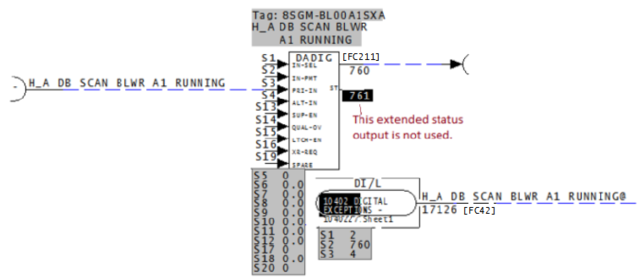
This message shows a potential error in the system configuration, although most such errors prove to be harmless. It should be reviewed and hidden, unless it shows an issue that should be addressed.
This error type was originally reported in error file DBDOC-CHECK ILLEGAL IMPORT.ERR. Most errors can now be viewed in the Hyperview Error Browser.
Illegal import (type mismatch) [ERROR 131]
Data type mismatch: Module 1,06,06 Block 1244 on drawing 1060621A.CAD attempts to import analog value from Module 1,01,02 Block 1001
This message says that we found a block that is being imported illegally. Source and import block types do not match. These imports might not work. They often show a configuration error.
Example:
Data type mismatch: DI/L Reference on drawing 3070341 attempts to import analog value
from Module 3,05,03 Block 287
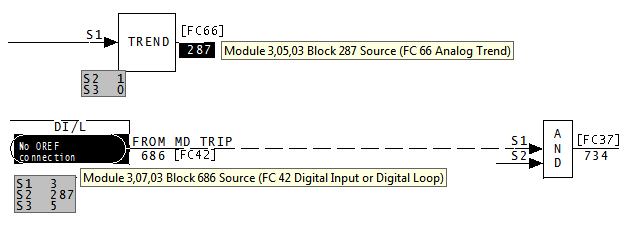
This message is likely to show an error in the system configuration. It should be reviewed. The issue raised may be in unused logic or graphics, or have other realities that make it a non-issue.
This error type was originally reported in error file DBDOC ILLEGAL IMPORT.ERR. Most errors can now be viewed in the Hyperview Error Browser.
Illegal module value [INTERNAL 066]
Illegal value for module parameter 3569275""
DBDOC has encountered an illegal value for a module parameter.
This message shows an issue that the DBDOC build process did not handle. It can be reported to G. Michaels Consulting Ltd. in case it can be fixed.
This error type was originally reported in error file DBDOC-INTERNAL UNDOCUMENTED.ERR. Most errors can now be viewed in the Hyperview Error Browser.
Illegal spec value: should be 0 or 1 [ERROR 149]
Illegal spec value for Module 1,01,02 Block 1001 (FC 79): trip spec S4 has value 3, should be 0 or 1
The specification shown is not legal, according to the documentation. We cannot tell you if the module will trip on failure or not.
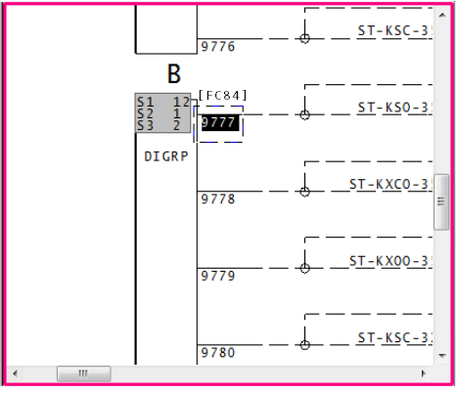
The value S3 in DIGRP: Digital Input Group [FC84] should be either 0 or 1. The action on value 2 is not documented. The value of S3 should be set to the correct value for failing the module or switching to the redundant controller on a failure. What it does right now is not clear.
This message is likely to show an error in the system configuration. It should be reviewed. The issue raised may be in unused logic or graphics, or have other realities that make it a non-issue.
This error type was originally reported in error file DBDOC ILLEGAL SPEC VALUE.ERR. Most errors can now be viewed in the Hyperview Error Browser.
Illegal spec value: Spec S7 from 0 - 100 [ERROR 146]
Illegal spec value for Module 2,31,07 Block 2446 (FC 30): Spec S7 has value -100000, should be 0.0 to 100.0
The specification shown is not a legal value, according to the documentation.
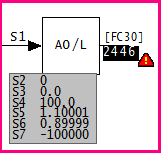
In the case of S7 of AO/L: Analog Exception Report [FC30], we can guess that the block will not properly handle exception reports.
The message always means that the specification violates the limits that are documented. In the FC 30 example, the value of S7 tells how much change causes an exception report. We have to guess that a negative value is the same as 0.0, and will cause an exception report anytime the input changes. The default value is 1 (%) and the value of S7 should be corrected.
This message is likely to show an error in the system configuration. It should be reviewed. The issue raised may be in unused logic or graphics, or have other realities that make it a non-issue.
This error type was originally reported in error file DBDOC ILLEGAL SPEC VALUE.ERR. Most errors can now be viewed in the Hyperview Error Browser.
Import from same PCU [ERROR 128]
Import from same PCU: Module 1,01,02 Block 1001 Module 1,01,02 Block 1001 imports DADIG/I Reference from same PCU (OK in Plant loop)
This message means that an exception report input is being attempted from the PCU that the module is in. In an INFI Loop system, you cannot import an exception report input from the same PCU. In INFI Loop, this causes an "NPMError" when the module is started. Since this worked in Plant Loop, this has at times been a significant problem.
Example:
Import from same PCU: DI/I Reference Module 5,43,03 Block 3926 imports Module 5,43,05 Block 698
from same PCU (OK in Plant loop)
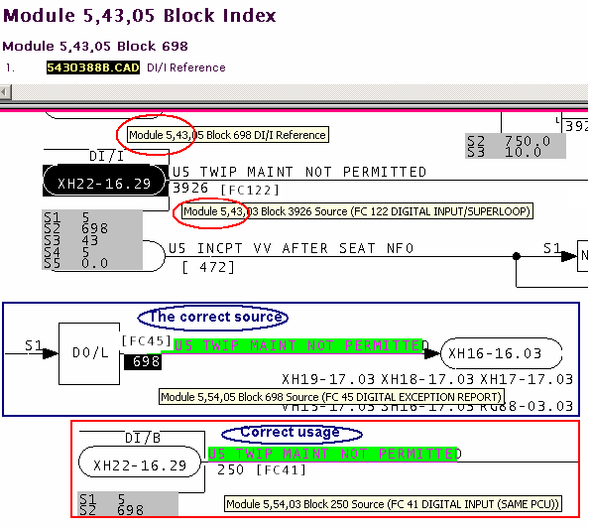
In this case, the error actually points to incorrect parameters that had not been detected.
This message is likely to show an error in the system configuration. It should be reviewed. The issue raised may be in unused logic or graphics, or have other realities that make it a non-issue.
This error type was originally reported in error file DBDOC IMPORT FROM SAME PCU.ERR. Most errors can now be viewed in the Hyperview Error Browser.
Import information [ERROR 255]
Import information: AI/I Reference on drawing L8102AM-11 imports station PV from Module 21,28,06 Block 1880
Using an AI/I or AI/L reference to import an M/A MFC/P: Control Station [FC80] block yields the PV (process value), the value on Specification S1. This means that any such import should be checked to ensure this is what is intended.
Importing the output of a Station (FC 80) gives the Process Value (PV) instead of the Output (OP). This can be misleading. We have found instances where the designer clearly intended to be importing the Output Value. You should verify any imports like this to make sure the PV is what is intended.
The example tells a story because the error was corrected in one unit but not in its clone. Here we see the two units side by side. On the left is unit 1, where the error was corrected by adding block 9930. On the right is unit 2, which was cloned from unit 1 but the error was never corrected.
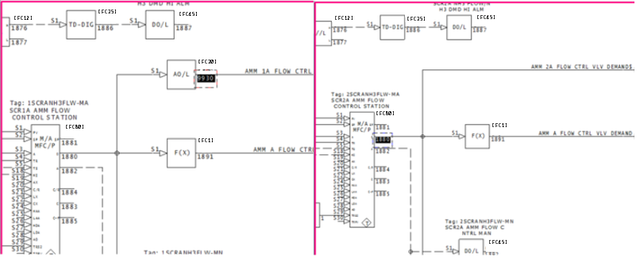
Here we see the AI/I references for units 1 and 2. Unit 1 on the left is importing from block 9930. Unit 2 on the right is still importing from S1 of block 1880

Sometimes it is important to investigate not only why an error appeared in one unit, but why it didn't in another.
This message is likely to show an error in the system configuration. It should be reviewed. The issue raised may be in unused logic or graphics, or have other realities that make it a non-issue.
This error type was originally reported in error file DBDOC-CHECK IMPORT STATION PV NOT OUTPUT.ERR. Most errors can now be viewed in the Hyperview Error Browser.
Import Module Status is wired but non-functional [CHECK 174]
Input Module Status on Module 1,01,02 Block 28600 (FC 132) is wired but non-functional
When linked, AIS/FBS: Analog Input/Slave [FC132] blocks report status only on the first block. This message warns you that testing of the second and third blocks is occurring. This means you will not get a status indication.
Applies to AIS/FBS: Analog Input/Slave [FC132] blocks.
When multiple blocks are attached together in sequence, the outputs of the earlier blocks are incorporated into the later ones. This means that the earlier blocks need not also be attached to the use of the last block in the chain. Because of this, the earlier block is ignored by the use.
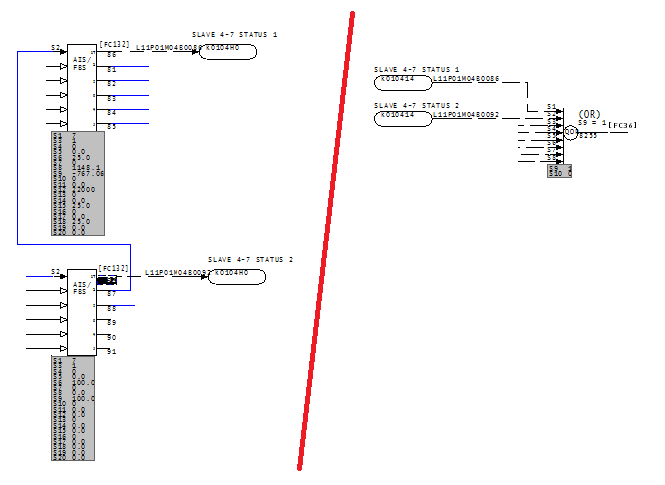
This message shows a potential error in the system configuration, although most such errors prove to be harmless. It should be reviewed and hidden, unless it shows an issue that should be addressed.
This error type was originally reported in error file DBDOC-CHECK AIS NON-FUNCTIONAL STATUS.ERR. Most errors can now be viewed in the Hyperview Error Browser.
Import out of range [ERROR 336]
DIL/B Reference Module 1,01,02 Block 1001 imports out-of-range Module 1,01,10 Block 10000 (maximum block 9998)
This message is likely to show an error in the system configuration. It should be reviewed. The issue raised may be in unused logic or graphics, or have other realities that make it a non-issue.
This error type was originally reported in error file DBDOC-INTERNAL UNDOCUMENTED.ERR. Most errors can now be viewed in the Hyperview Error Browser.
Included image was not found [CHECK 294]
Included image Data.jpg was not found
Included image a.bmp was not found
The DBDOC build system was unable to find an image which is included in one or more of your files.
DBDOC looks for Symphony Plus or PGP graphics, .jpg, .gif and .png images:
- in the exact path specified by the Symphony Plus or PGP graphics;
- in the path specified in the Configuration Wizard
- in a path starting with the location of the Symphony Plus or PGP graphics then within the display folder matching the path specified in the graphic.
To resolve this error for Symphony Plus or PGP graphics, open the Configuration Wizard and add the correct file path to the missing .jpg, .gif and .png images.
DBDOC also looks for .bmp files identified in AutoCAD files, in the location of the corresponding AutoCAD file. To resolve this error for AutoCAD files, move or copy the .bmp files to the locations of the AutoCAD files.
This message shows a potential error in the system configuration, although most such errors prove to be harmless. It should be reviewed and hidden, unless it shows an issue that should be addressed.
This error type was originally reported in error file DBDOC-CHECK INCLUDED FILE.ERR. Most errors can now be viewed in the Hyperview Error Browser.
Inconsistent LPM data [ERROR 10020]
Inconsistent LPM data for Module 1,01,02 Block 12455 FC 45, output 3: GlobalIRef (Module 1,03,04)
These messages cover situations where IREF text exists on an off-module input, but the reference text is already used as a local OREF reference.
This can arise in a conversion from WinCAD when the text on a local reference is the same as that needed on a global OREF required by an import block. Before Composer, the text on the import function code was not looked at.
The use of the same reference text in both a local reference and a global one is not valid. It would not be allowed in Composer, but can be imported. There may be no problem with the logic, but it is not robust. Either local or global reference should be made unique. As it is, there is no robust connection by way of Composer, because the text cannot be resolved.
Example:
--Parsing file E:\EBY45EB.CLD...
No legal LPM match found for IREF **1AOIK CB CLSD on output 1.
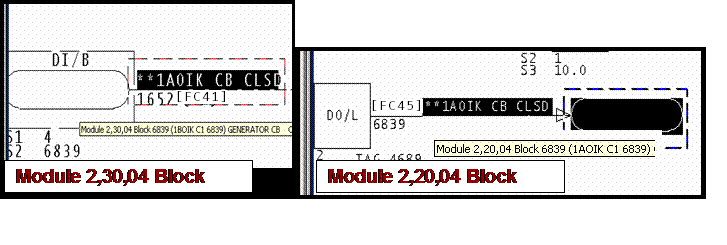
In the example, it is possible that the real problem is that the DI/B import block, which is restricted to Loop 2 PCU 30, should actually be replaced with a DI/L block that can import by exception report from Module 2,20,04 Block 6839. Examination of the logic is required to find out how to resolve the problem.
This message is likely to show an error in the system configuration. It should be reviewed. The issue raised may be in unused logic or graphics, or have other realities that make it a non-issue.
This error type was originally reported in error file DBDOC LPM REFERENCE PROBLEM.ERR. Most errors can now be viewed in the Hyperview Error Browser.
Increasing drawing height [COSMETIC 023]
Increasing height of drawing 1010904 to 2580
The sheet's border was too narrow. During DBDOC processing, we extend the CLD/CAD sheet to be big enough so that we can show all the drawing elements.
This message can mean that someone converted the WinCAD project to Composer without reconciling errors or printing the sheets. Composer might throw in a default border for them.
This is not an error, but you can probably find the border that DBDOC could not find for your next rebuild.
We also find that some users of Composer make a SPARE sheet on a CLD for blocks on that CLD that they no longer are using. They do not worry about making it
pretty, as they intend to consolidate the spare blocks eventually.
This message shows a cosmetic issue that is probably not an error. It may be used to make the system tidier.
This error type was originally reported in error file DBDOC-COSMETIC NO BORDER.ERR. Most errors can now be viewed in the Hyperview Error Browser.
Increasing drawing width [COSMETIC 022]
Increasing width of drawing 1010901 to 2580
The sheet's border was too narrow. During DBDOC processing, we extend the CLD/CAD sheet to be big enough so that we can show all the drawing elements.
This message can mean that someone converted the WinCAD project to Composer without reconciling errors or printing the sheets. Composer might throw in a default border for them.
This is not an error, but you can probably find the border that DBDOC could not find for your next rebuild.
We also find that some users of Composer make a SPARE sheet on a CLD for blocks on that CLD that they no longer are using. They do not worry about making it pretty, as they intend to consolidate the spare blocks eventually.
This message shows a cosmetic issue that is probably not an error. It may be used to make the system tidier.
This error type was originally reported in error file DBDOC-COSMETIC NO BORDER.ERR. Most errors can now be viewed in the Hyperview Error Browser.
Inhibit tag not found [ERROR 348]
Inhibit tag for ABC123 not found: {01234567-89ab-cdef-0123-456789abcdef}
DBDOC will attempt to find and replace the ID in the INHBTAG field of your database with the name of the corresponding tag. This error indicates it was not able to find the tag with the given ID.
This message is likely to show an error in the system configuration. It should be reviewed. The issue raised may be in unused logic or graphics, or have other realities that make it a non-issue.
This error type was originally reported in error file '. Most errors can now be viewed in the Hyperview Error Browser.
Input list attempts to import nonexistent block 9999 [ERROR 334]
Module 1,01,02 Block 1009 imports nonexistent Module 1,01,10 Block 9999 (should be set to 31999 to be spare)
The imported blocks are set by specifications:
This message is likely to show an error in the system configuration. It should be reviewed. The issue raised may be in unused logic or graphics, or have other realities that make it a non-issue.
This error type was originally reported in error file DBDOC-INTERNAL UNDOCUMENTED.ERR. Most errors can now be viewed in the Hyperview Error Browser.
Input list attempts to import out-of-range block 9999 [ERROR 335]
Module 1,01,02 Block 1009 imports out-of-range Module 1,01,10 Block 9999 (must be set to 31999 to be spare)
This message is likely to show an error in the system configuration. It should be reviewed. The issue raised may be in unused logic or graphics, or have other realities that make it a non-issue.
This error type was originally reported in error file DBDOC-INTERNAL UNDOCUMENTED.ERR. Most errors can now be viewed in the Hyperview Error Browser.
Input list imports block 9999 [CHECK 333]
Module 1,01,02 Block 1009 imports Module 1,01,10 Block 9999, but may have been meant to be spare
This message shows a potential error in the system configuration, although most such errors prove to be harmless. It should be reviewed and hidden, unless it shows an issue that should be addressed.
This error type was originally reported in error file DBDOC-INTERNAL UNDOCUMENTED.ERR. Most errors can now be viewed in the Hyperview Error Browser.
Input wiring expected - Harmony [CHECK 187]
Harmony I/O FC (222-225, 229) block expected: Module 1,99,10 Block 22561 FC 11 S4 wired from Module 1,99,10 Block 22562 FC 229
This message means that the function code expected to find a Harmony block, but did not.
This message shows a potential error in the system configuration, although most such errors prove to be harmless. It should be reviewed and hidden, unless it shows an issue that should be addressed.
This error type was originally reported in error file DBDOC-CHECK INPUT WIRING.ERR. Most errors can now be viewed in the Hyperview Error Browser.
Inputs have been overlaid [CHECK 226]
Blocks have been overlaid: Module 1,16,03 Block 419 FC 62 S1 and Module 1,16,03 Block 423 FC 62 S7 overlaid at 2500,1640
This message tells you that an input has been placed on top of another input. In the case of negative block numbers, it may be of no consequence, but we show the message just in case it is important.
Example:
Blocks have been overlaid: Module 1,16,03 Block 22419 FC 62 S1
and Module 1,16,03 Block 22423 FC 62 S7 overlaid at 2500,1640
This message was triggered by a set of spare blocks.
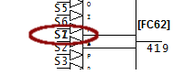
This message shows a potential error in the system configuration, although most such errors prove to be harmless. It should be reviewed and hidden, unless it shows an issue that should be addressed.
This error type was originally reported in error file DBDOC-CHECK OVERLAID.ERR. Most errors can now be viewed in the Hyperview Error Browser.
Integrator disabled by spec value [ERROR 298]
Module 1,01,02 Block 1001 integrator disabled by S4 value
This INTEG: Integrator [FC166] block has a value of zero for S4, so it will never output anything but the preprogrammed initial value on S3.
An integrator block with S4 unwired gets the default value 0 applied to that specification. This means that the output is the value of what is wired to S3, and it does not integrate. If the integrator is intended to function, a constant [1] (or a Boolean signal) must be wired to S4.
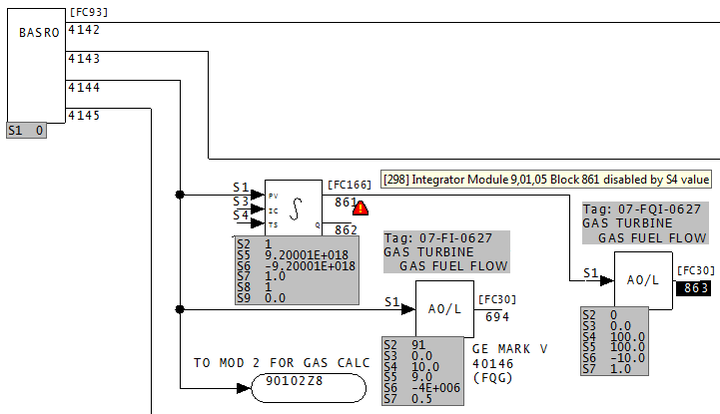
This message is likely to show an error in the system configuration. It should be reviewed. The issue raised may be in unused logic or graphics, or have other realities that make it a non-issue.
This error type was originally reported in error file DBDOC FUNCTION DISABLED. Most errors can now be viewed in the Hyperview Error Browser.
Internal error: get_block() non-block tag [INTERNAL 049]
Internal error: get_block() called on non-block tag FUNCTION_0131_
If you get this message, please contact us to make sure there are no problems with the build.
This message shows an issue that the DBDOC build process did not handle. It can be reported to G. Michaels Consulting Ltd. in case it can be fixed.
This error type was originally reported in error file DBDOC-INTERNAL GET BLOCK.ERR. Most errors can now be viewed in the Hyperview Error Browser.
Internal error: Unknown hotspot [INTERNAL 016]
Internal error: unknown hotspot type 99
DBDOC has encountered an internal error.
This message shows an issue that the DBDOC build process did not handle. It can be reported to G. Michaels Consulting Ltd. in case it can be fixed.
This error type was originally reported in error file DBDOC-INTERNAL UNDOCUMENTED.ERR. Most errors can now be viewed in the Hyperview Error Browser.
Invalid block number on line [INTERNAL 246]
Invalid block number on line 0
This message says that DBDOC found an invalid block it can't interpret.
If DBDOC is unable to interpret a block in your system, please contact GMCL so we can look into the problem.
This message shows an issue that the DBDOC build process did not handle. It can be reported to G. Michaels Consulting Ltd. in case it can be fixed.
This error type was originally reported in error file DBDOC-INTERNAL INVALID NUMBER.ERR. Most errors can now be viewed in the Hyperview Error Browser.
Invalid CAD file: Too short [INTERNAL 010]
Invalid CAD file: too short (124 bytes)
This message means that a CLD/CAD file was found that we cannot process because the CLD/CAD file is too short.
Please try to open the file with your Composer or CAD system. If it seems to be fine, send it to us for analysis. If not, there may be a problem to be addressed at your end.
This message shows an issue that the DBDOC build process did not handle. It can be reported to G. Michaels Consulting Ltd. in case it can be fixed.
This error type was originally reported in error file DBDOC-INTERNAL INVALID CAD FILE.ERR. Most errors can now be viewed in the Hyperview Error Browser.
Invalid CAD file: Zero length [INTERNAL 009]
Invalid CAD file: zero length
This message means that a CAD file was found that we cannot process.
Please try to open the file with your CAD system. If it seems to be fine, send it to us for analysis. If not, there may be a problem to be addressed at your end.
This message shows an issue that the DBDOC build process did not handle. It can be reported to G. Michaels Consulting Ltd. in case it can be fixed.
This error type was originally reported in error file DBDOC-INTERNAL INVALID CAD FILE.ERR. Most errors can now be viewed in the Hyperview Error Browser.
Invalid header or bad magic number [INTERNAL 10011]
Invalid header or bad magic number - ABCDEF01 23456789 - skipping file
This message identifies a file that we cannot process. Please send us a copy of it if it has no apparent problems in your system.
This message shows an issue that the DBDOC build process did not handle. It can be reported to G. Michaels Consulting Ltd. in case it can be fixed.
This error type was originally reported in error file DBDOC-INTERNAL SKIPPING.ERR. Most errors can now be viewed in the Hyperview Error Browser.
Invalid loop number for block [INTERNAL 247]
Invalid loop number 256 for Module 2,40,31 Block 21581
This message says that DBDOC found an invalid loop number it can't interpret.
The maximum value for a loop number is 255. if the value is greater than 255, DBDOC cannot interpret it.
This message shows an issue that the DBDOC build process did not handle. It can be reported to G. Michaels Consulting Ltd. in case it can be fixed.
This error type was originally reported in error file DBDOC-INTERNAL INVALID NUMBER.ERR. Most errors can now be viewed in the Hyperview Error Browser.
Invalid loop: high byte used [INTERNAL 248]
Invalid loop number 256: using high byte (1) for Module 2,40,31 Block 21581
This message means DBDOC found a loop number it can't interpret. We have used the high byte, which might be correct.
This message shows an issue that the DBDOC build process did not handle. It can be reported to G. Michaels Consulting Ltd. in case it can be fixed.
This error type was originally reported in error file DBDOC-INTERNAL INVALID NUMBER.ERR. Most errors can now be viewed in the Hyperview Error Browser.
Invalid record length [INTERNAL 003]
Invalid record length 512
This message means that a CLD/CAD file was found that we cannot process.
Please try to open the file with your Composer or CAD system. If the file seems to be fine, please send it to us for analysis.
This message shows an issue that the DBDOC build process did not handle. It can be reported to G. Michaels Consulting Ltd. in case it can be fixed.
This error type was originally reported in error file DBDOC-INTERNAL INVALID CAD FILE.ERR. Most errors can now be viewed in the Hyperview Error Browser.
Invalid Specification status condition [ERROR 354]
Module 1,01,02 Block 1001 FC226 S1 value ABC is not a valid status condition
The specification, which is supposed to be a status condition label, is not valid
This message is likely to show an error in the system configuration. It should be reviewed. The issue raised may be in unused logic or graphics, or have other realities that make it a non-issue.
This error type was originally reported in error file '. Most errors can now be viewed in the Hyperview Error Browser.
IREF does not have an input [ERROR 096]
IREF NoSource does not have an input in Module 1,01,02
This message means that if you compile the modules, you would have no source for the indicated IREF. The OREF needed to resolve an IREF was not found.
The module would not compile under Composer, WinCAD or DOS CADEWS. Best practice is to define the output reference first, then add the input references. Sometimes these messages show places where the output references were deleted.
If the OREF does exist, look for a gap in the wiring. Also, you may get a message telling you the connection is wired in Composer only.
Example:
IREF FV-40223A does not have an input.
In the example, see that OREF "PV-40223A" must have existed at one time to make the cross-reference work, but it no longer can be found.
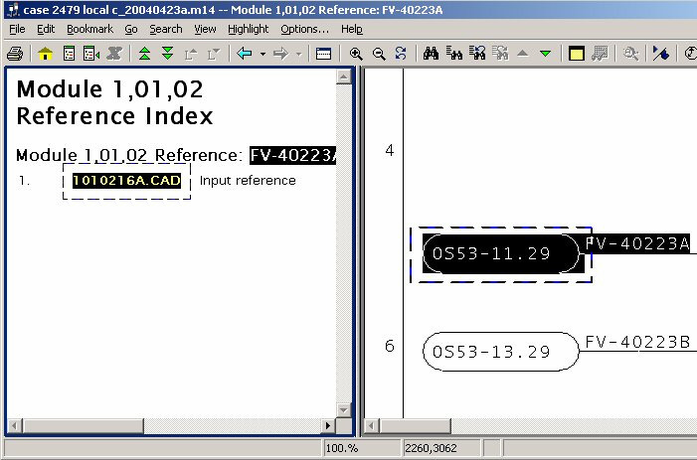
This message is likely to show an error in the system configuration. It should be reviewed. The issue raised may be in unused logic or graphics, or have other realities that make it a non-issue.
This error type was originally reported in error file DBDOC IREF HAS NO INPUT.ERR. Most errors can now be viewed in the Hyperview Error Browser.
IREF GlobalIRef import mismatch [INFO 10019]
IREF GlobalIRef makes Module 1,01,02 Block 12455 FC 45 import Module 1,01,02 Block 12455 instead of Module 1,01,02 Block 12455
These messages are special. They show that in the CLD file, the input reference text forces the importing of a block that is not the same as what the specifications indicate.
This suggests that nobody checked the block that is being imported, having Composer make the connection to an existing valid external reference.
The only way to check them is to walk through the old and new blocks and see either patterns or reasons for the differences. Here are the four possibilities:
- The WinCAD reference was correct, but changed to a correct reference in Composer.
- The WinCAD reference was wrong, but the Composer reference using the IREF makes a correct reference, eliminating an error that did exist.
- The WinCAD reference was correct, but the Composer reference using the IREF makes an incorrect reference, causing an error that did not exist.
- The WinCAD reference and the Composer IREF reference are both wrong, which is not very likely.
Cloning logic in Composer can also cause this message as follows:
- Blocks are created without valid reference text, then copied. The specs will be duplicated.
- Input reference text is added to the blocks, but the output references to not yet exist. The block numbers remain in the import block specs.
- The output references are created, allowing Composer to resolve the links.
In this case, the message tells you that it is possible that the import text is not correct, as it was not entered after the output reference was created.
Removing and reentering the input reference text should make the message disappear.
Example:
Parsing file H:\CLIENT~1\BAR\ACTIVE~1\EBY3FF5.CLD...
IREF **1D VVP HP STEAM makes Module 2,20,02 Block 1631 FC 26 import Module 2,53,04 Block 3678
instead of Module 2,53,04 Block 3684.
This Composer diagnostic tells you that the input reference on an import block overrides the specifications in the block that used to be there. As shown here, it can indicate an error. The output reference is wrong.
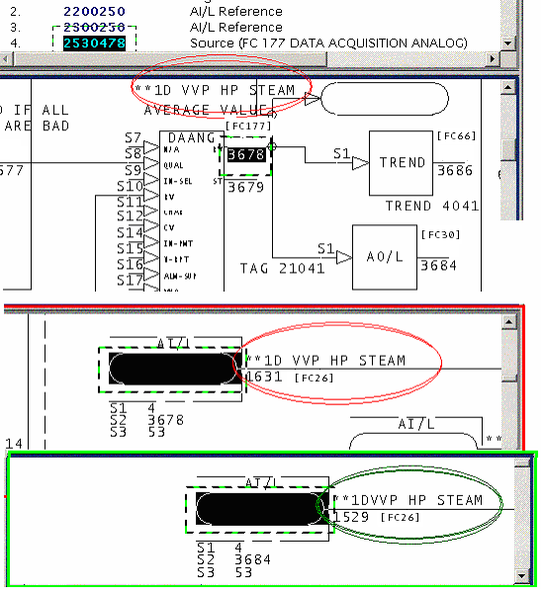
This message reports system information that is otherwise difficult or impossible to find.
This error type was originally reported in error file DBDOC-INFO OVERRIDDEN SPEC.ERR. Most errors can now be viewed in the Hyperview Error Browser.
IRef not found in IRefRes table: set to blank [INTERNAL 10013]
IRef (EBY12AB.CLD,17,0) not found in IRefRes table: description set to blank
This message indicates that the Composer project .EBP file is corrupted. The IREF indicated was looked for in the table of reference data extracted from Composer and not found.
The CLD file contains a key (GUID - Globally Unique IDentifier) that should have been found in the master reference table, but was not. Composer might have techniques for repairing this.
This message shows an issue that the DBDOC build process did not handle. It can be reported to G. Michaels Consulting Ltd. in case it can be fixed.
This error type was originally reported in error file DBDOC-INTERNAL MESSAGE.ERR. Most errors can now be viewed in the Hyperview Error Browser.
IRef not found in IRefRes table: skipping [INTERNAL 10012]
IRef (EBY12AB.CLD,17) not found in IRefRes table: skipping
This message means we cannot handle a file. Please look at it with the real tools and determine if it seems legitimate. If so, send it to us. There are still surprises out there.
This message identifies a file that we cannot process. Please send us a copy of it if it has no apparent problems in your system.
Note: if the file DBDOC-CHECK_FILE_OPEN_FAILURE is also present, sometimes they may both be resolved if the project is rebuilt from the Wizard stage.
File x contains no records -- skipping
Blank MTEXT record on line nnnn -- skipping
Invalid magic number ... corrupt file will be skipped
Skipping database TRUSAGE.DBF
File x contains no records
Non-local exit from file D:\FOGBUGZ TEST DATA\SMM\SMM\MODELS\SUBMODELS\U1TOPBAR.m1
Error parsing submodel U1TOPBAR, skipping
This message shows an issue that the DBDOC build process did not handle. It can be reported to G. Michaels Consulting Ltd. in case it can be fixed.
This error type was originally reported in error file DBDOC-INTERNAL SKIPPING.ERR. Most errors can now be viewed in the Hyperview Error Browser.
Legacy err message [INTERNAL 10005]
Legacy err message
This is a catch-all category for unconverted Decomposer messages. All Composer problems must be solved in files from which Decomposer synthesizes CAD sheets.
Messages stating that a file cannot be opened will disappear where they are meaningless.
This message shows an issue that the DBDOC build process did not handle. It can be reported to G. Michaels Consulting Ltd. in case it can be fixed.
This error type was originally reported in error file Decomposer.err. Most errors can now be viewed in the Hyperview Error Browser.
Legacy fatal message [INTERNAL 10006]
Legacy fatal message
This is a catch-all category for unconverted Decomposer messages.
This message shows an issue that the DBDOC build process did not handle. It can be reported to G. Michaels Consulting Ltd. in case it can be fixed.
This error type was originally reported in error file DBDOC-INTERNAL UNDOCUMENTED.ERR. Most errors can now be viewed in the Hyperview Error Browser.
Legacy warning message [INTERNAL 10004]
Legacy warning message
This is a catch-all category for unconverted Decomposer messages.
This message shows an issue that the DBDOC build process did not handle. It can be reported to G. Michaels Consulting Ltd. in case it can be fixed.
This error type was originally reported in error file DBDOC-INTERNAL UNDOCUMENTED.ERR. Most errors can now be viewed in the Hyperview Error Browser.
Library missing [COSMETIC 026]
Library SAMPLE missing: included 10 times
This message gives you a count of the number of sheets that calls the missing library. This is a cosmetic issue because no shapes are actually called from the library.
We include this message to avoid creating a large number of cosmetic messages.
The message probably appears because the root path for the library location was used.
To make DBDOC use the user libraries located in the modules, start from the Wizard and mark the user library query as omitted. If you do this, then DBDOC uses the same rules as WinCAD – it looks in the module folder for the library requested, moving up the tree to the root. This will catch the libraries where the INFI 90 system compilation finds them.
This message shows a cosmetic issue that is probably not an error. It may be used to make the system tidier.
This error type was originally reported in error file DBDOC-COSMETIC LIBRARY NOT FOUND.ERR. Most errors can now be viewed in the Hyperview Error Browser.
Linked Block Already Linked [ERROR 317]
Module 1,27,02 Block 1196 FC117 S12 = Module 1,28,03 Block 2222 FC117 is already linked to Module 1,09,01 Block 4444 FC117
With function code block chains, the next, or linked block address cannot be attached to any other block.
This message is likely to show an error in the system configuration. It should be reviewed. The issue raised may be in unused logic or graphics, or have other realities that make it a non-issue.
This error type was originally reported in error file '. Most errors can now be viewed in the Hyperview Error Browser.
Linked Block Connected To Self [ERROR 319]
Module 1,27,02 Block 1196 FC117 S12 = Module 1,27,02 Block 119 cannot be linked to itself
A function code block cannot be linked to itself.
This message is likely to show an error in the system configuration. It should be reviewed. The issue raised may be in unused logic or graphics, or have other realities that make it a non-issue.
This error type was originally reported in error file '. Most errors can now be viewed in the Hyperview Error Browser.
Linked Block Has Wrong FC [ERROR 316]
Module 5,07,09 Block 3640 FC119 S12 = Module 5,07,09 Block 3667 FC42 must be FC119
With certain function code block chains, the next, or linked block address must be a specific function code.
This message is likely to show an error in the system configuration. It should be reviewed. The issue raised may be in unused logic or graphics, or have other realities that make it a non-issue.
This error type was originally reported in error file '. Most errors can now be viewed in the Hyperview Error Browser.
Live wire not connected [CHECK 199]
Live wire from Module 4,10,03 Block 4250 (FC 80) does not connect to anything -
(3380,2340) (3380,2260) (3560,2260) on 41003H1D.CAD
Sometimes, a line is left attached to a source that is no longer used. Deleting the line will eliminate the message. Also this message could be saying that a signal has no connection at the coordinates shown. This message means that a signal was processed that did not end up being fed anywhere.
It could mean that a signal has no connection at the coordinates shown, but there are number of possible cosmetic causes as well:
- A common cause is that an IREF is used to bring a visual line from an external diagram to what looks like an input on an AI: Analog Input [FC27] or DI: TCS Digital Input [FC43] block. There is actually no input for these blocks, so the message may be ignored in these cases.
- Sometimes, a line is left attached to a source that is no longer used. Deleting the line will eliminate the message.
- They may tell you that a signal is brought out from the named IREFs but not used. This shows up if people delete logic without deleting the IREFs that feed it.
In this example, the wire from (3380,2340) to (3380,2260) does not connect with the wire from (3380,2260) to (3560,2260):
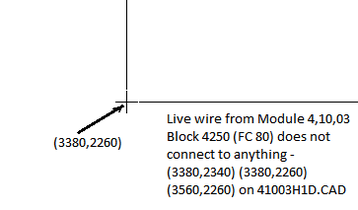
This message shows a potential error in the system configuration, although most such errors prove to be harmless. It should be reviewed and hidden, unless it shows an issue that should be addressed.
This error type was originally reported in error file DBDOC-CHECK LIVE WIRE.ERR. Most errors can now be viewed in the Hyperview Error Browser.
Loop out of range [ERROR 164]
Loop 261 out of range (0-250) for Module 1,01,02 Block 1234 (FC 37)
This message means that the value of the loop is smaller or larger than the allowed value range.
It is possible that a spec has been entered incorrectly.
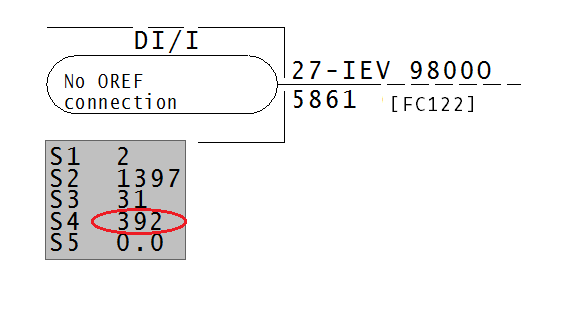
Loop must be between 0-250.
This message is likely to show an error in the system configuration. It should be reviewed. The issue raised may be in unused logic or graphics, or have other realities that make it a non-issue.
This error type was originally reported in error file DBDOC SPEC OUT OF RANGE.ERR. Most errors can now be viewed in the Hyperview Error Browser.
M1 display file not found (not configured) [CHECK 195]
M1 display file ADFS not found (not configured) in USFa_INTK01N_m
The graphic calls for another graphic which was not found. This is not really an error, but is a weakness for the operators using the graphic system.
This message shows a potential error in the system configuration, although most such errors prove to be harmless. It should be reviewed and hidden, unless it shows an issue that should be addressed.
This error type was originally reported in error file DBDOC-CHECK MISSING DISPLAYS.ERR. Most errors can now be viewed in the Hyperview Error Browser.
Macro is present in multiple libraries [INFO 10031]
Macro MACRO is present in both SHAPE and MACROS libraries (EBY1234.MCR, EBY5678.MCR)
This message is designed to improve the development of DBDOC by asking you to collaborate with us. We would like to better understand duplicated macros and shapes, so if you can explain how the messages for your system got there, and anything meaningful, please let us know.
This message reports system information that is otherwise difficult or impossible to find.
This error type was originally reported in error file DBDOC-INFO MULTIPLE MACROS.ERR. Most errors can now be viewed in the Hyperview Error Browser.
Missing associated file [INTERNAL 285]
Associated variable (or dynamic) file for Data.G not found
The file containing variable (.VAR) or dynamic (.DIAG) definitions for a graphic was not found. The missing file is needed to properly link hotspots on this graphic.
This message shows an issue that the DBDOC build process did not handle. It can be reported to G. Michaels Consulting Ltd. in case it can be fixed.
This error type was originally reported in error file DBDOC-INTERNAL SPLUS-PGP.ERR. Most errors can now be viewed in the Hyperview Error Browser.
Missing definitions file [INTERNAL 292]
Missing definitions file tagtypes.csv
File tagtypes.csv is missing from DBDOC program files. This usually indicates that there is a problem with your DBDOC installation. Please contact us for help fixing it.
This message shows an issue that the DBDOC build process did not handle. It can be reported to G. Michaels Consulting Ltd. in case it can be fixed.
This error type was originally reported in error file DBDOC-INTERNAL BAD DBDOC FILE.ERR. Most errors can now be viewed in the Hyperview Error Browser.
Missing dynamic target [INTERNAL 275]
The dynamic IDPT_VAR1 in FILE1234.G has no link target
A graphic is trying to link to a tag but does not specify which tag to link to.
This message shows an issue that the DBDOC build process did not handle. It can be reported to G. Michaels Consulting Ltd. in case it can be fixed.
This error type was originally reported in error file DBDOC-INTERNAL SPLUS-PGP.ERR. Most errors can now be viewed in the Hyperview Error Browser.
Missing graphic target [INFO 314]
M1 display file graphic: does not have a target defined at 0,0,,0,0 in testStack
The target for a vector is missing.
This message reports system information that is otherwise difficult or impossible to find.
This error type was originally reported in error file DBDOC-INTERNAL UNDOCUMENTED.ERR. Most errors can now be viewed in the Hyperview Error Browser.
Missing LBR Report [INTERNAL 000]
Missing LBR Report
This message says that a CLD/CAD sheet called for a user library that was not found. This is a cosmetic issue because no shapes are actually called from the library.
The message probably appears because the root path for the library location was used.
To make DBDOC use the user libraries located in the modules, start from the Wizard and mark the user library query as omitted. If you do this, then DBDOC uses the same rules as WinCAD – it looks in the module folder for the library requested, moving up the tree to the root. This will catch the libraries where the INFI 90 system compilation finds them.
This message shows an issue that the DBDOC build process did not handle. It can be reported to G. Michaels Consulting Ltd. in case it can be fixed.
This error type was originally reported in error file DBDOC-INTERNAL UNDOCUMENTED.ERR. Most errors can now be viewed in the Hyperview Error Browser.
Missing M1 not defined [CHECK 267]
M1 display file graphic:302 not defined in testStack
This message means that the graphic indicated calls for another graphic, which was not found.
The usual sources of this error are:
- Failure to build all graphics in the DBDOC document. If the graphic is not built, the DBDOC process will not find it. This is normally the case when there are a lot of messages in this file.
- Graphics becoming obsolete and being eliminated, without correction of other graphics that call for the obsolete graphic.
- Graphics being planned and anticipated that have not yet been built or installed.
- Errors in pop-ups.
When there are a lot of these errors showing up, it normally means that all the graphics needed were not built, or the graphics are not used. It suggests that operator graphic keys and touchpoints may be "dead" because those graphics are not in the system. In Hyperview, go to "MISSING GRAPHICS / Index of Unconfigured Graphics" in the "System Information" Chapter to see where these graphics are referenced.
You can find where the graphic is linked using either the Audit Window or the Index of Unconfigured Graphics in the System Information chapter.
This message shows a potential error in the system configuration, although most such errors prove to be harmless. It should be reviewed and hidden, unless it shows an issue that should be addressed.
This error type was originally reported in error file DBDOC-CHECK MISSING DISPLAYS.ERR. Most errors can now be viewed in the Hyperview Error Browser.
Missing string introducer [INFO 10040]
Missing string introducer at offset 4660
This overview intentionally left blank, by order of Geoff Michaels.
This message reports system information that is otherwise difficult or impossible to find.
This error type was originally reported in error file DBDOC-INTERNAL NON-LOCAL EXIT.ERR. Most errors can now be viewed in the Hyperview Error Browser.
Missing symbol or sub-model [BUILD 099]
Missing symbol or sub-model MISSING
This message means that a call was found for a symbol or sub-model DBDOC did not find when the graphic was being compiled. Our DBDOC picture of the graphic may not be valid if you have missing symbols or submodels.
The usual sources of this error are:
- Failure to include all symbols used in the DBDOC paths
- The symbol may be obsolete, but the graphics using it are unchanged
- The symbol may have been lost or not shipped by a supplier
We suggest you find these missing symbols and then rerun the wizard to include the symbols into the system.
Example:
 --Scanning graphic 6-CAS002.DR
Missing symbol or sub-model S-PVALVR.
Missing symbol or sub-model S-PVALVU.
DBDOC makes links to these missing symbols for you. For the example above, you can see this here.
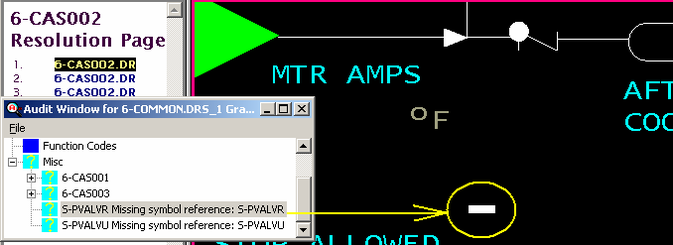
The Missing Symbols Index lists all missing symbols, and each symbol has a list and link to the graphics it is supposed to be found on. DBDOC thus makes it easy to find where these symbols are on the graphic so you can solve the problem that the missing symbol represents.
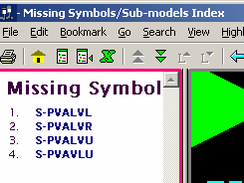
If you end up with numerous missing symbols, it is probable that your build is not configured properly. Work with us to resolve the problem so DBDOC will be the most use to you.
This message usually shows an error in the build setup. Contact us for assistance configuring your build.
This error type was originally reported in error file DBDOC-BUILD MISSING SYMBOL.ERR. Most errors can now be viewed in the Hyperview Error Browser.
Module mismatch: does not match module in file [ERROR 10021]
Module mismatch: Module 1,01,02 Block 12455 FC 45 module 4 for IREF GlobalIRef (S5) does not match module 6 in file -- skipping
The input reference refers to a module that is not the one indicated by the module specification (S2) in an AIL/B or DIL/B function.
This message means that the input reference refers to a module that is not the one indicated by the module specification (S2) in an AIL/B or DIL/B function.
--Parsing file E:\...\RI_UNI~4\EBY1E5C.CLD...
Module 8 for IREF MILL GROUP F IN SERVICE~ (S3) does not match module 0 (S2) in file -- skipping.
Module 4 for IREF ANY W.U. VLV IN SERVICE~ (S3) does not match module 2 (S2) in file -- skipping.
Module 4 for IREF EF ANY IGN OR W.U. TRIPPED~ (S4) does not match module 2 (S2) in file -- skipping.
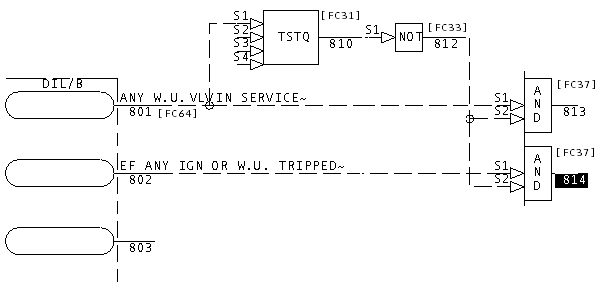
Looking at the logic, you can see that what has happened is that an unused DI/L block has been put on a boneyard sheet. The natural outputs, blocks 813 and 814, are not used anywhere else.
When you run into a DBDOC error message of this type, it makes sense to get rid of the offending text eventually in a safe, effective manner. In this Composer case, the reference text should be deleted, which would make the messages go away.
This message is likely to show an error in the system configuration. It should be reviewed. The issue raised may be in unused logic or graphics, or have other realities that make it a non-issue.
This error type was originally reported in error file DBDOC IREF DOES NOT MATCH MODULE.ERR. Most errors can now be viewed in the Hyperview Error Browser.
Module mismatch: does not match Module in file -- skipping [ERROR 10038]
Module mismatch: Module 1,01,02 Block 12455 FC 45 Module 1,01,02 for IREF GlobalIRef (S5) does not match Module 1,02,04 in file -- skipping
This message means we cannot handle a file. Please look at it with the your tools and determine if it seems legitimate. If so, send it to us. There are still surprises out there.
The input reference refers to a module that is not the one indicated by the module specification.
This message is likely to show an error in the system configuration. It should be reviewed. The issue raised may be in unused logic or graphics, or have other realities that make it a non-issue.
This error type was originally reported in error file DBDOC IREF DOES NOT MATCH MODULE.ERR. Most errors can now be viewed in the Hyperview Error Browser.
Module out of range [ERROR 166]
Module 42 out of range (0-32) for Module 1,01,02 Block 1234 (FC 37)
This message means that the value of a module was smaller or larger than the allowed value range.
A common cause is that S2 is the intended value for the module and S1 is intended block value.
This error can trigger other errors:
Module 8713 out of range for Module 2,50,04 Block 1699 (FC 121).
Module 8605 out of range for Module 2,50,04 Block 1698 (FC 121).
Internal error in LPMToString: module 713 out of range
Note that 713 is the lower part of the specious value of S1=module=8713. Correcting the value of S1 and S2 (swapping them) will fix the Internal error, too.
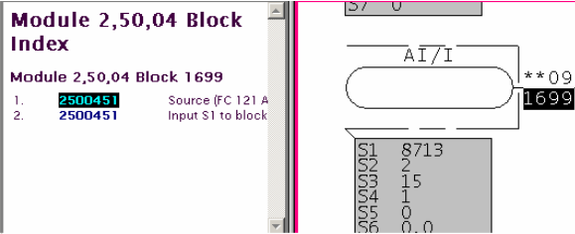
Module must be between 0-32.
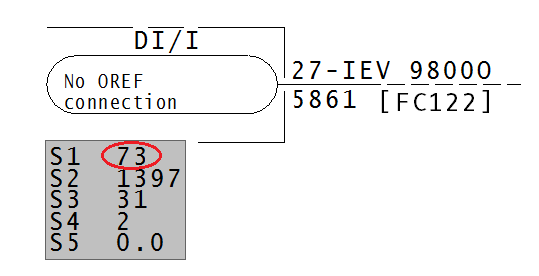
This message is likely to show an error in the system configuration. It should be reviewed. The issue raised may be in unused logic or graphics, or have other realities that make it a non-issue.
This error type was originally reported in error file DBDOC SPEC OUT OF RANGE.ERR. Most errors can now be viewed in the Hyperview Error Browser.
More than one input to connector [ERROR 106]
More than one input to connector at 1240,2310: Module 1,01,02 Block 1001 (FC 1) and IREF (REFERENCE)
This message means that signals from more than one source are being brought into a connector at the coordinates indicated. This message is often cosmetic.
Opening up the sheet in Composer or WinCAD will allow you to remove the extraneous lines and connectors until a single path remains.
When this message mentions two different sources, it is clear that only one works. You can find out which one and resolve accordingly.
--Scanning drawing 9570357A.CAD
More than one input to connector at 1600,2600: Block 1788 (FC 129) and Block 1788 (FC 129).
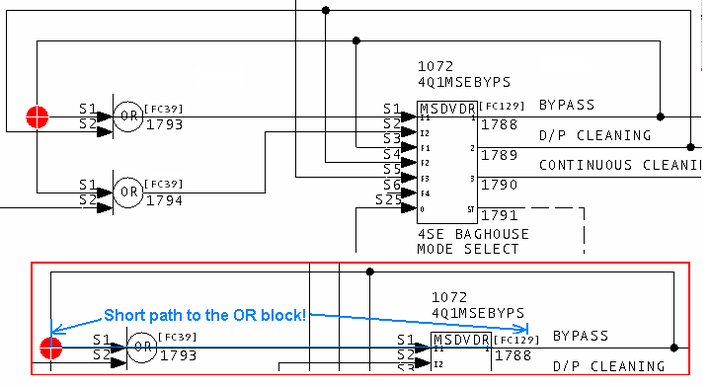
You can see that the extraneous line from block 1788 to S1 of block 1793 causes this message.
It appears that the signal from the two function codes shown are coming into a connector at the coordinates indicated. More than one input to connector at 6860,5960: Block 1606 (FC 30) and Block 1607 (FC 66).
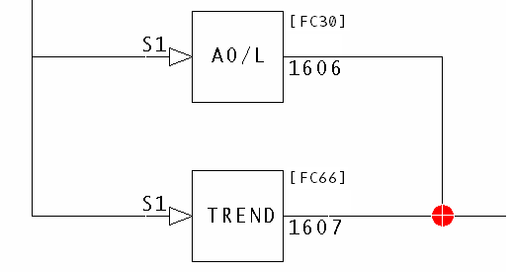
This message is likely to show an error in the system configuration. It should be reviewed. The issue raised may be in unused logic or graphics, or have other realities that make it a non-issue.
This error type was originally reported in error file DBDOC MULTIPLE INPUT.ERR. Most errors can now be viewed in the Hyperview Error Browser.
Multilevel alarms disabled [ERROR 062]
Multilevel alarms configured but disabled for Module 11,03,04 Block 427 FC 177 [1-LI-1067-M]
This message tells you that a DAANG block appears to be configured to support multilevel alarming, but it is disabled.
There are a number of specific parameter values required to make DAANG: Data Acquisition Analog [FC177] blocks work. This message tells you that one or more of the 2nd high, 3rd high, 2nd low and 3rd low alarms are specified by non-zero values of S22, S23, S26 and S27 and that it seems that the extra alarm limits are intended to be in use.
Bit 2 - Value 4 - Multilevel alarming enable:
- 0 = one high level alarm, one low level alarm
- 1 = three high level alarms, three low level alarms
If the alarm differences are configured, and S20 does not have Bit 2 set, we warn you that multilevel alarming is not enabled.
Example:
Multilevel alarms configured but disabled for Module 11,01,04 Block 427 FC 177.
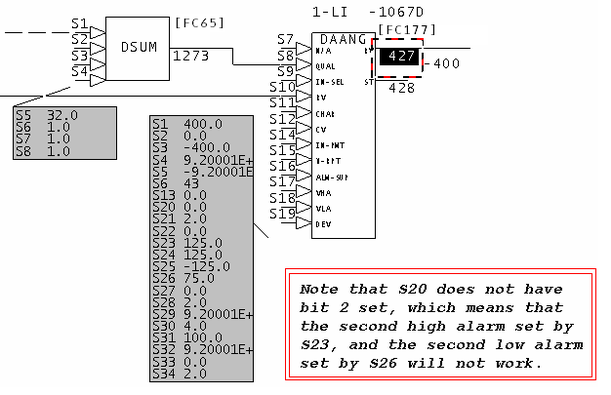
We infer that the second and/or third alarm limits are intended to be used by comparing them (if not zero) to the span of the block. If they are less than or equal to the span, we assume that the the extra alarm status checking might be desired.
This message is likely to show an error in the system configuration. It should be reviewed. The issue raised may be in unused logic or graphics, or have other realities that make it a non-issue.
This error type was originally reported in error file DBDOC DAANG SPECS.ERR. Most errors can now be viewed in the Hyperview Error Browser.
Multiple slave FCs [ERROR 153]
Multiple slave FCs on Module 1,01,02 slave 3: see slave report (Module 1,01,02 Header) for details
This message means that DBDOC's analysis of the configuration of your slave FC specs suggests that there may be a problem with too many slaves chained together or with more than one slave on the same channel.
In the example, you can see that Channel 17 has a problem. Two pairs of DIGRP: Digital Input Group [FC84] blocks (blocks 720/730 and 740/750) have the same slave address 17. 18 and higher are unused, so the solution probably involves configuring the second pair to be the next slave.
--Module 31,30,04 Slave Report
Multiple slave FCs on Module 31,30,04 channel 17: see slave report for details.
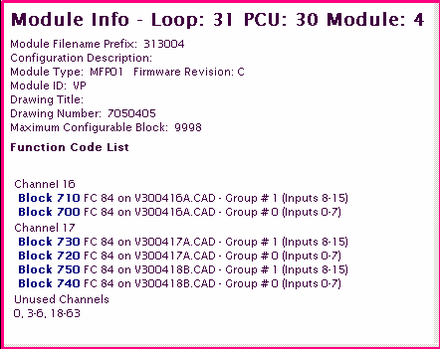
This message is likely to show an error in the system configuration. It should be reviewed. The issue raised may be in unused logic or graphics, or have other realities that make it a non-issue.
This error type was originally reported in error file DBDOC SLAVE CONFIGURATION.ERR. Most errors can now be viewed in the Hyperview Error Browser.
Multiple slave FCs: Too many FC 132's [ERROR 155]
Multiple slave FCs on Module 1,01,02 slave 10: 4 FC 132's, limit is 3 (Module 1,01,02 Header)
DBDOC's analysis of the configuration of your slave specs suggests that there are too many slaves on an AIS/FBS: Analog Input/Slave [FC132] block.
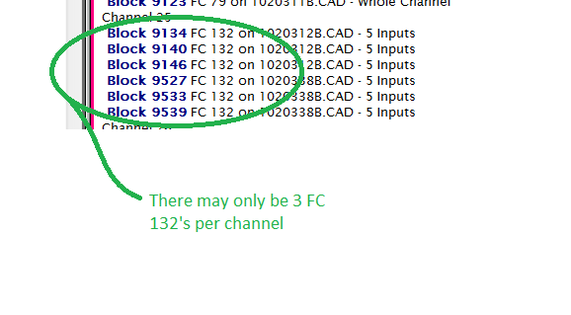
This message is likely to show an error in the system configuration. It should be reviewed. The issue raised may be in unused logic or graphics, or have other realities that make it a non-issue.
This error type was originally reported in error file DBDOC SLAVE CONFIGURATION.ERR. Most errors can now be viewed in the Hyperview Error Browser.
Multiple slave FCs: Too many FC 149's [ERROR 154]
Multiple slave FCs on Module 1,01,02 slave 15: 3 FC 149's, limit is 2 (Module 1,01,02 Header)
DBDOC's analysis of the configuration of your slave specs suggests that there are too many slaves on an ASO: Analog Output/Slave [FC149] block.
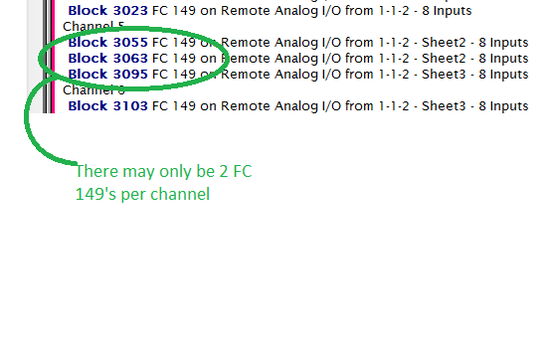
This message is likely to show an error in the system configuration. It should be reviewed. The issue raised may be in unused logic or graphics, or have other realities that make it a non-issue.
This error type was originally reported in error file DBDOC SLAVE CONFIGURATION.ERR. Most errors can now be viewed in the Hyperview Error Browser.
Multiple targets [ERROR 328]
Shortcut graphic name GraphicNickname has 2 targets: targets
Nicknamed vector shortcut has multiple targets.
This message is likely to show an error in the system configuration. It should be reviewed. The issue raised may be in unused logic or graphics, or have other realities that make it a non-issue.
This error type was originally reported in error file DBDOC-INTERNAL UNDOCUMENTED.ERR. Most errors can now be viewed in the Hyperview Error Browser.
Multiple TSTALM [ERROR 084]
Multiple TSTALM: Module 1,01,02 Block 1001 is tested multiple times (mode 2)
When multiple TSTALM blocks test the same block, it usually indicates an error in cloning the logic. If this is the case then a block that is intended to be tested will have been missed.
Specifically, Spec S1 is can be missed when the block numbers are changed in copied logic.
Multiple TSTALM: Module 1,27,02 Block 21160 is tested multiple times (mode 2)
Module 6,70,03 Block 1529 is tested by multiple TSTALM blocks (mode 2).
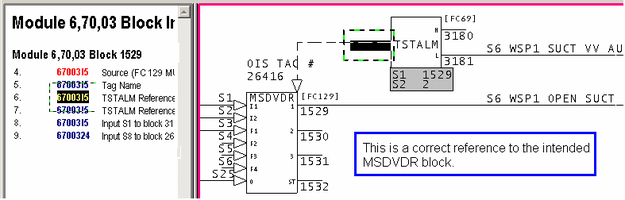
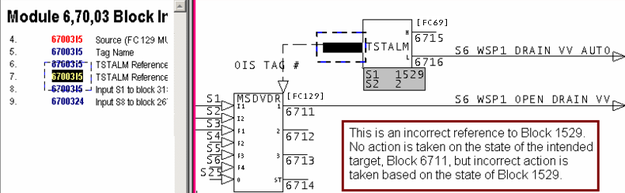
This message is likely to show an error in the system configuration. It should be reviewed. The issue raised may be in unused logic or graphics, or have other realities that make it a non-issue.
This error type was originally reported in error file DBDOC TSTALM.ERR. Most errors can now be viewed in the Hyperview Error Browser.
Multiple wires at source: assuming connector [COSMETIC 219]
Multiple wires at a source: assuming a connector at 4400,2700
There are often a few places worth checking with WinCAD. They represent unusual wiring, but we cannot tell if they show a problem. We would welcome feedback on what you find this message to really mean.
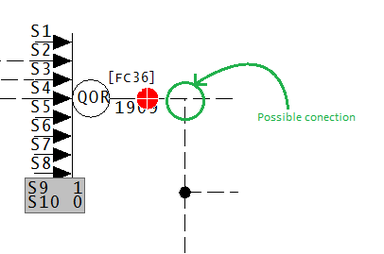
This point has multiple wires in a single location.
This message shows a cosmetic issue that is probably not an error. It may be used to make the system tidier.
This error type was originally reported in error file DBDOC-COSMETIC MULTIPLE WIRES.ERR. Most errors can now be viewed in the Hyperview Error Browser.
Negative block number [CHECK 037]
Negative block number Module 2,02,05 Block -7 encountered (1020105 #1) [Module 2,02,05: 1020105]
Negative block numbers should not be encountered in your CLD or CAD files, it is an indication of a module that will not compile. If you run into them in a DBDOC build, it means either that you are building a prototype module that is not actually in the process, or that block numbers from a prototype CLD or CAD sheet have been missed.
Example:
--Scanning drawing 1020105
Negative block number Module 2,02,05 Block -7 encountered (1020105 #1)
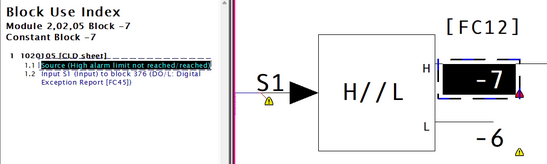
This message shows a potential error in the system configuration, although most such errors prove to be harmless. It should be reviewed and hidden, unless it shows an issue that should be addressed.
This error type was originally reported in error file DBDOC-CHECK NEGATIVE BLOCK.ERR. Most errors can now be viewed in the Hyperview Error Browser.
Negative string length [INFO 10041]
Negative string length -5 -- changing to 0
The CLD being processed is corrupted. No CAD sheet will be synthesized.
The CLD being processed is corrupted. We only have found this situation in files from one client. In that set of data, 27 CLD files are skipped with the message "Non-local exit called", suggesting that we do not have a good set of CLD files.
The user should examine any CLD with this message using Composer.
No CAD sheet will be synthesized.
This message reports system information that is otherwise difficult or impossible to find.
This error type was originally reported in error file DBDOC-INTERNAL NON-LOCAL EXIT.ERR. Most errors can now be viewed in the Hyperview Error Browser.
Nested inhibit [CHECK 069]
Nested inhibit: tag CZRCH100 is inhibited by CXPCH100 but also inhibits 2 other tags: CITCH100, CSTCH100
Nested alarm inhibits have been detected. In the database for a graphics system, alarms on a tag are inhibited by one tag, but at the same time the tag is set to inhibit alarms on another tag. Alarm inhibit action may be unpredictable.
Unreliable operation of alarm inhibits is not desirable for the operators.
DBDOC lists up to 10 other tags:
--Scanning database file B7_TAGDATA_TAGDATA.DBF
Nested inhibit: tag GI41Q-9137 is inhibited by HS41Q-8106
but also inhibits 8 other tags: UI41Q-9118L, UI41Q-9118M,
UI41Q-9119L, UI41Q-9119M, UI41Q-9120L, UI41Q-9120M, UI41Q-9121L, UI41Q-9121M
This message shows a potential error in the system configuration, although most such errors prove to be harmless. It should be reviewed and hidden, unless it shows an issue that should be addressed.
This error type was originally reported in error file DBDOC-CHECK NESTED INHIBIT.ERR. Most errors can now be viewed in the Hyperview Error Browser.
Never found library file [COSMETIC 011]
Never found library file sample.lbr
This message says that a CLD/CAD sheet called for a user library that was not found. This is a cosmetic issue because no shapes are actually called from the library.
The message probably appears because the root path for the library location was used.
To make DBDOC use the user libraries located in the modules, start from the Wizard and mark the user library query as omitted. If you do this, then DBDOC uses the same rules as WinCAD – it looks in the module folder for the library requested, moving up the tree to the root. This will catch the libraries where the INFI 90 system compilation finds them.
This message shows a cosmetic issue that is probably not an error. It may be used to make the system tidier.
This error type was originally reported in error file DBDOC-COSMETIC LIBRARY NOT FOUND.ERR. Most errors can now be viewed in the Hyperview Error Browser.
No SHAPE.LBR was found [BUILD 012]
CAD files were specified in configuration, but no SHAPE.LBR was found. All further CAD files will be skipped.
This message means CLD/CAD files were specified in the configuration, but no SHAPE.LBR file was found.
To resolve this problem, rebuild your project specifying a SHAPE.LBR file.
This message usually shows an error in the build setup. Contact us for assistance configuring your build.
This error type was originally reported in error file DBDOC-BUILD SKIPPING.ERR. Most errors can now be viewed in the Hyperview Error Browser.
No source: Other [ERROR 113]
No source: Other: Module 1,01,02 Block 1001 used - configuration built
A block appears with this message if it appears not to have a source and is not in any of the other documented "source not found" categories.
If you build a project with no configuration (CLD, CAD or LAD files), this message tells you that no checking could be done to verify that blocks used have sources. Tags, for example, cannot be verified if you do not have the configuration built.
This message is likely to show an error in the system configuration. It should be reviewed. The issue raised may be in unused logic or graphics, or have other realities that make it a non-issue.
This error type was originally reported in error file DBDOC NO SOURCE OTHER.ERR. Most errors can now be viewed in the Hyperview Error Browser.
No source: Verify [COSMETIC 112]
No source: Verify: Module 1,01,02 Block 1001 used - module built
A block appears with this message if it appears not to have a source, and is only in a Verify file. This means that the verification resulted in the block being eliminated.
Note that if the verify file has not been resolved, and you get this message, it means the block does exist.
We build verify files into DBDOC to make it easier for you to do the verifications as the links to the blocks are very useful. However, sometimes the DBDOC build happened after the corrections were made, which means that all the offending blocks have been fixed. If this is the case then the message can be ignored.
In particular, if a block is only mentioned in a verify file, and the block is not in the CLD/CAD sheets (the only way to get this message) it means that the verification resulted in the block being eliminated. Note that if the verify file has not been resolved, and you get this message, it simply tells you what you already know - the block does exist.
This message shows a cosmetic issue that is probably not an error. It may be used to make the system tidier.
This error type was originally reported in error file DBDOC-COSMETIC NO SOURCE VERIFY.ERR. Most errors can now be viewed in the Hyperview Error Browser.
No tag database specified for console [BUILD 108]
No tag database specified for chapter DIRECT.DRS
This message indicates that you have not chosen a tag database for a graphics chapter. Without a tag database, neither tag name nor tag index keyed systems will be linked to anything. Your graphics may look okay, but they will not have any links.
Your DBDOC project should be rebuilt to include a database.
Note that DBDOC compiles other files, including .ab, .rtu and .x, that can generate block links for which the source ought to be found.
This message usually shows an error in the build setup. Contact us for assistance configuring your build.
This error type was originally reported in error file DBDOC-BUILD NO TAG DATABASE.ERR. Most errors can now be viewed in the Hyperview Error Browser.
No valid sections found in XDC file [BUILD 109]
No valid sections found in XDC file System.XDC: possibly corrupt/invalid
This message indicates that the .XDC file used had no information in it that we could analyze. This can happen when a bad file copy occurs, resulting in a corrupt .XDC file.
It is possible to have a problem in the DBDOC Configuration Wizard where you think you should find an .xdc file, but none is presented to you. If that happens, it means that DBDOC did not accept the structure of the file. Please zip it for us to maintain full information about it, and try to extract another copy. Send both to us so we can see them and try to explain what has gone wrong.
This message usually shows an error in the build setup. Contact us for assistance configuring your build.
This error type was originally reported in error file DBDOC-BUILD NO XDC FILE.ERR. Most errors can now be viewed in the Hyperview Error Browser.
No wired input [COSMETIC 097]
No wired input: Module 1,01,02 Block 1001 FC 66
This message means that a block has been found that has no input attached to it. You normally can ignore these messages as a cosmetic issue.
We have seen that this condition can be caused in WinCAD and DOS CADEWS by connecting a source to a F(x) block, then deleting the line. The result is that S1 has a value 0. Composer restores the value to 5.
With some older firmware revisions, it is possible that the configuration will compile cleanly, but will not run when it is loaded into the module.
As of "DBDOC 11.2 Feature Update", this message is only generated when the build includes SODG graphics and a trend database.
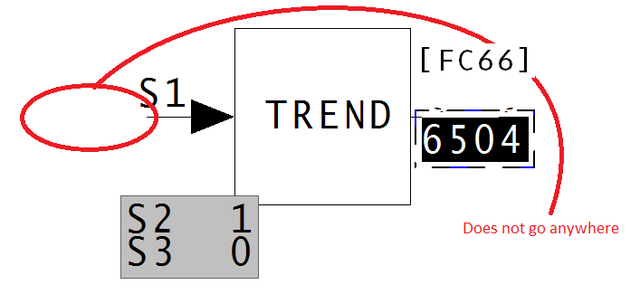
This message shows a cosmetic issue that is probably not an error. It may be used to make the system tidier.
This error type was originally reported in error file DBDOC-COSMETIC NO WIRED INPUT.ERR. Most errors can now be viewed in the Hyperview Error Browser.
Node out of range [ERROR 165]
Node 256 out of range (0-255) for Module 1,01,02 Block 1234 (FC 37)
This message means that the value of the node is smaller or larger than the allowed value range.
It is possible that a spec has been entered incorrectly.
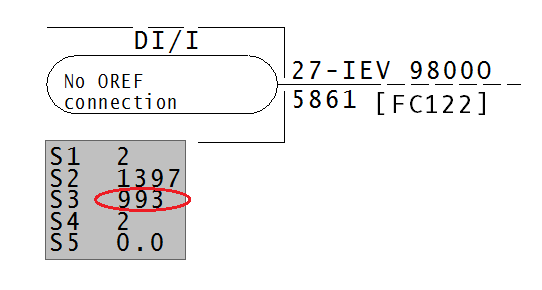
Node must be between 0-255.
This message is likely to show an error in the system configuration. It should be reviewed. The issue raised may be in unused logic or graphics, or have other realities that make it a non-issue.
This error type was originally reported in error file DBDOC SPEC OUT OF RANGE.ERR. Most errors can now be viewed in the Hyperview Error Browser.
Non-local exit called -- CLD resolution [INTERNAL 10043]
Non-local exit called -- CLD resolution of EBY1234.CLD
This message means that a file contains information that DBDOC cannot handle.
This message shows an issue that the DBDOC build process did not handle. It can be reported to G. Michaels Consulting Ltd. in case it can be fixed.
This error type was originally reported in error file DBDOC-INTERNAL NON-LOCAL EXIT.ERR. Most errors can now be viewed in the Hyperview Error Browser.
Non-local exit called at offset [INTERNAL 10042]
Non-local exit called at offset 4660
This message means that a file contains information that DBDOC cannot handle.
This message shows an issue that the DBDOC build process did not handle. It can be reported to G. Michaels Consulting Ltd. in case it can be fixed.
This error type was originally reported in error file DBDOC-INTERNAL NON-LOCAL EXIT.ERR. Most errors can now be viewed in the Hyperview Error Browser.
Non-local exit from file [INTERNAL 060]
Non-local exit from file sample.txt: error message at offset 0x00000100
This message means that a file contains information we cannot handle. Please send us examples with this error.
This message shows an issue that the DBDOC build process did not handle. It can be reported to G. Michaels Consulting Ltd. in case it can be fixed.
This error type was originally reported in error file DBDOC-INTERNAL NON-LOCAL EXIT.ERR. Most errors can now be viewed in the Hyperview Error Browser.
Non-orthogonal rotation [INTERNAL 038]
Non-orthogonal rotation: 45 degrees at 2300,1150
This message means that the CLD/CAD sheet or graphic contains an element rotated at an angle that is not a multiple of 90 degrees. Presently, we do not handle this. Please send us examples of how you use this feature.
This message shows an issue that the DBDOC build process did not handle. It can be reported to G. Michaels Consulting Ltd. in case it can be fixed.
This error type was originally reported in error file DBDOC-INTERNAL NON-ORTHOGONAL ROTATION.ERR. Most errors can now be viewed in the Hyperview Error Browser.
Non-orthogonal shear rotation [ERROR 327]
Non-orthogonal rotation: Shear(197.4325, 17.43246) degrees at 1827,400 on graphic
This message means that the graphic contains an element rotated at an angle that is not a multiple of 90 degrees. Presently, we do not handle this.
This message is likely to show an error in the system configuration. It should be reviewed. The issue raised may be in unused logic or graphics, or have other realities that make it a non-issue.
This error type was originally reported in error file DBDOC-INTERNAL NON-ORTHOGONAL ROTATION.ERR. Most errors can now be viewed in the Hyperview Error Browser.
Not enough inputs [ERROR 133]
Insufficient number of inputs (5 wired, 8 required) in FC 36 Module 1,01,02 Block 1001
The function block requires more inputs than have been provided. NOTE: DO NOT SET S9 to 0. If you do this, the output will be set to 1.
A usual example is of a QOR: Qualified OR (8-Input) [FC36] block used as an AND operator, with S9 greater than the number of inputs.
--Module 4,10,04 QOR Report
Insufficient number of inputs (2 wired, 3 required) in FC 36 Module 4,10,04 Block 1344.
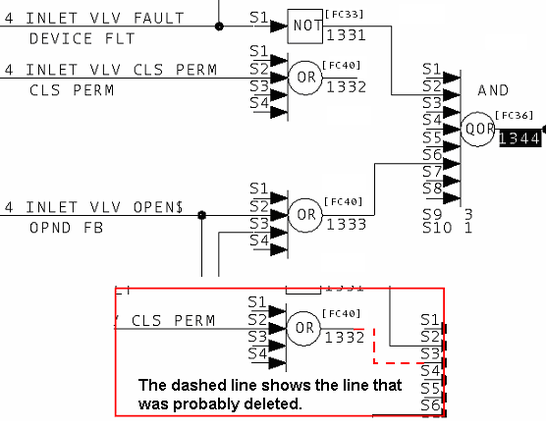
This message is likely to show an error in the system configuration. It should be reviewed. The issue raised may be in unused logic or graphics, or have other realities that make it a non-issue.
This error type was originally reported in error file DBDOC TOO FEW INPUTS.ERR. Most errors can now be viewed in the Hyperview Error Browser.
Only handling first tag [INFO 048]
Expression on P_ATCO_1BOILER_COOLDOWN.m1 has linked tag 1-TI-1594 but also contained other tags not linked. Expression: "1-TI-1594.PV/SIG - 1-TI-1199.PV/SIG" [graphics Process Portal B Graphics: P_ATCO_1BOILER_COOLDOWN.m1]
The graphical expression only has a link generated for the first tag in the expression. If there are other tags, there is no link to them.
Example:
Expression on P_ATCO_1BOILER_COOLDOWN.m1 has linked tag 1-TI-1594 but also contained other tags not linked. Expression: "1-TI-1594.PV/SIG - 1-TI-1199.PV/SIG" [graphics Process Portal B Graphics: P_ATCO_1BOILER_COOLDOWN.m1]
For this example, you have a link for 1-TI-1594, but none for the second tag, 1-TI-1199.
DBDOC does not evaluate graphical expressions in Conductor NT and PPB. The message allows you to make sure we have not missed any errors.
Scanning graphic 18_DECARBONATOR.M1 (number 1801)
Only handling first tag in expression: "19_HS_2105_RMC.EB_FB2_T == 19_HS_2105_RMC.EB_FB2LS1_T".
Only handling first tag in expression: "19_HS_2105_RMC.EB_FB2_T == 19_HS_2105_RMC.EB_FB2LS1_T".
This message reports system information that is otherwise difficult or impossible to find.
This error type was originally reported in error file DBDOC-CHECK GRAPHICAL EXPRESSION.ERR. Most errors can now be viewed in the Hyperview Error Browser.
OREFs differ in case only [CHECK 185]
The following OREFs differ in case only: da4ao498,DA4A0498
The IREFs and OREFs reported in this message do not work in DBDOC. While they would work with WinCAD they would not work with Composer. We suggest modifying these OREFs and IREFs to have the same case, using the DBDOC report as a guide. This way you do not leave a pitfall for yourself or someone else if a switch to Composer occurs.
Example:
--Module 1,04,02 OREF Report
The following OREFs differ in case only: da4ao498,DA4A0498
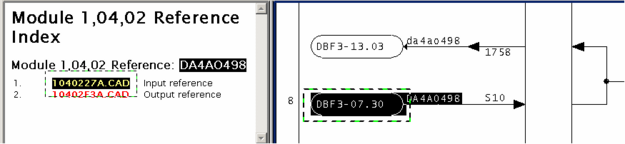
This message shows a potential error in the system configuration, although most such errors prove to be harmless. It should be reviewed and hidden, unless it shows an issue that should be addressed.
This error type was originally reported in error file DBDOC-CHECK CASE DIFFERENCE.ERR. Most errors can now be viewed in the Hyperview Error Browser.
Out of expected range [ERROR 10026]
Out of expected range -360..360: Module 1,01,02 Block 12345 (FC23 S3) integer value 720
This message means that a CLD file has a value for a specification that is apparently illegal. We have found this as uncorrected damage from early versions of Composer after the verify with update feature was used.
Most of these messages occur when you switch to Composer version 2.1. They can be ignored for the most part.
--Parsing file E:\PROJECT\ANC_CO~2\EBY0884.CLD...
Block 9399 S1 integer value 65534 (real value 0.000000) too big for short.
From the picture, you can see that somebody must have put 0.0 in S1 of block 9399 (a real number) instead of 0 (an integer). A real number does not have the same structure as an integer, so DBDOC tells you about it. We do not know if it works, but some errors of this type have found actual problems for clients.
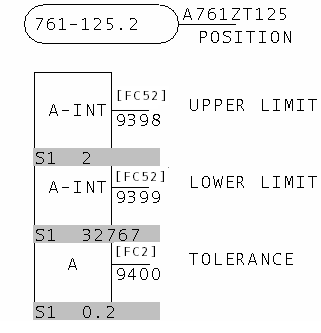
This message is likely to show an error in the system configuration. It should be reviewed. The issue raised may be in unused logic or graphics, or have other realities that make it a non-issue.
This error type was originally reported in error file DBDOC COMPOSER SPECS.ERR. Most errors can now be viewed in the Hyperview Error Browser.
Outdated file format [INTERNAL 206]
Outdated file format for FCConstraints.txt - has obsolete format: obsolete = 1
This message means that the DBDOC file is in an outdated file format. Contact us to get a new file.
This message shows an issue that the DBDOC build process did not handle. It can be reported to G. Michaels Consulting Ltd. in case it can be fixed.
This error type was originally reported in error file DBDOC-INTERNAL UNDOCUMENTED.ERR. Most errors can now be viewed in the Hyperview Error Browser.
Override on input [INFO 122]
Override on input LABEL, Module 1,01,02 Block 1001: value forced to 1
In a ladder system, this message shows that the configuration loads the variable shown as being in override. This may not be a problem, but gives you a checklist.
In a CAD or Composer system, this message is generated by our rung block processing. You will want to verify that the logic makes sense.
Example:
Override on input S10, Module 1,11,02 Block 6265: value forced to 1
This message tells you that a rung block input has been overridden to make its value 0 or 1. This is not an error, but a checklist. The people responsible for the plant usually want to keep track of all overrides. This report exists for that purpose, so the overrides are not forgotten and invisible.
You can see from the example that this can just be a simple means to avoid setting the controlling spec to the correct value. In the example, specifications 11 through 21 should be set to 000, which would disable the unwired inputs.
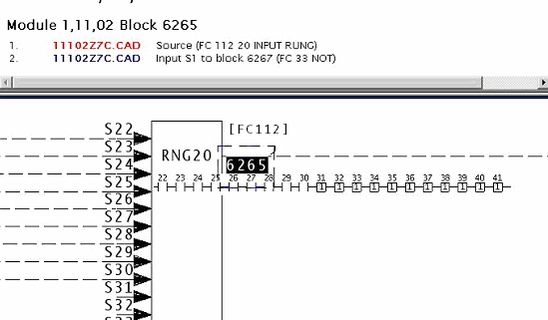
Note how Hyperview shows overridden inputs with the value they are set to. In this case, the unwired inputs are set to "1", so the AND chain will work.
This message reports system information that is otherwise difficult or impossible to find.
This error type was originally reported in error file DBDOC-INFO OVERRIDE.ERR. Most errors can now be viewed in the Hyperview Error Browser.
Override on output: forced to a constant [INFO 151]
Override on output: ladder rung Module 1,01,02 Block 1001 output is forced to 1
The indicated rung block has its output forced to 0 or 1. The logic will not respond to changes in the inputs.
This is not an error, but a checklist. The people responsible for the plant usually want to keep track of all overrides.
Example:
--Post Processing drawing 1020881C.CAD
Override on output: ladder rung Module 1,42,02 Block 6224 output is forced to 0.
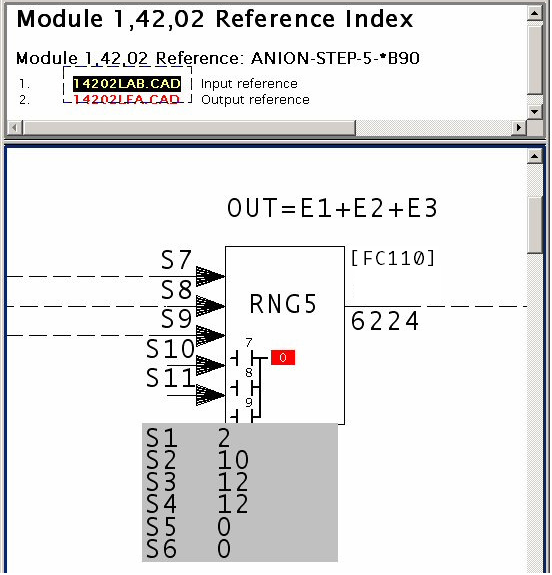
This message reports system information that is otherwise difficult or impossible to find.
This error type was originally reported in error file DBDOC-INFO OVERRIDE ON OUTPUT.ERR. Most errors can now be viewed in the Hyperview Error Browser.
Override on output: held [INFO 150]
Override on output: ladder rung Module 1,01,02 Block 1001 output is held
The indicated rung block has its output forced to hold its value. DBDOC indicates this as an H for hold. The logic will not respond to changes in the inputs.
This is not an error, but a checklist. The people responsible for the plant usually want to keep track of all overrides.
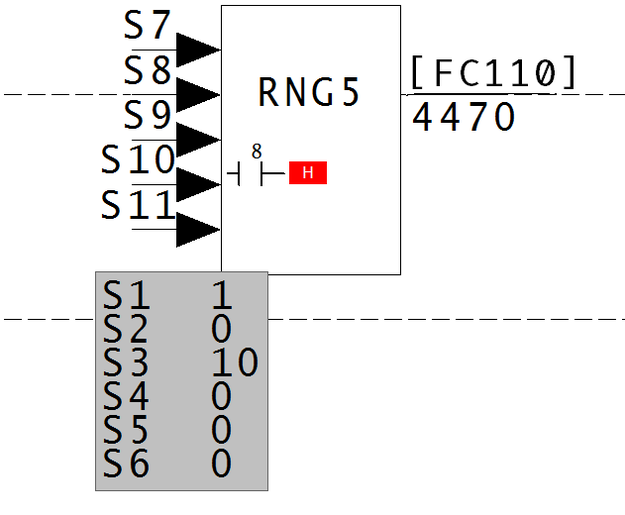
This message reports system information that is otherwise difficult or impossible to find.
This error type was originally reported in error file DBDOC-INFO OVERRIDE ON OUTPUT.ERR. Most errors can now be viewed in the Hyperview Error Browser.
Override on output: invalid code [INFO 152]
Override on output: ladder rung Module 1,01,02 Block 1001 output has invalid code 4
The indicated rung block has its output forced to an invalid code. The logic will not respond to changes in the inputs.
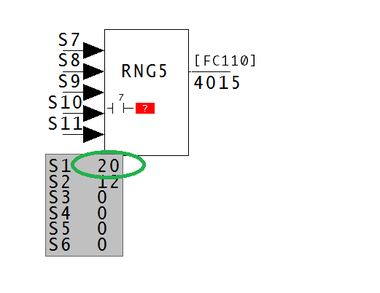
This message reports system information that is otherwise difficult or impossible to find.
This error type was originally reported in error file DBDOC-INFO OVERRIDE ON OUTPUT.ERR. Most errors can now be viewed in the Hyperview Error Browser.
Parse error in file [INTERNAL 115]
Parse error in file attributes.txt, reverting to static
This means there is a problem with one of DBDOC's text files. You will need to contact us to get a new version of the file.
This message shows an issue that the DBDOC build process did not handle. It can be reported to G. Michaels Consulting Ltd. in case it can be fixed.
This error type was originally reported in error file DBDOC-INTERNAL BAD DBDOC FILE.ERR. Most errors can now be viewed in the Hyperview Error Browser.
PDF security prevents embedding [BUILD 324]
Cannot embed PDF file due to PDF security settings: sample.pdf
The security settings in the PDF file prevent DBDOC from embedding it in your system snapshot. You can still add it to your project as a linked/external PDF file.
This message usually shows an error in the build setup. Contact us for assistance configuring your build.
This error type was originally reported in error file DBDOC-INTERNAL MESSAGE.ERR. Most errors can now be viewed in the Hyperview Error Browser.
PID block uses derivative with PV from discontinuous input [ERROR 307]
PID Module 1,01,02 Block 1002 uses derivative with PV from discontinuous input Module 1,01,02 Block 1003 PID Module 4,02,02 Block 1425 uses derivative with PV from discontinuous input Module 4,02,02 Block 6188. Intermediate blocks: Module 4,02,02 Block 1403 [40202G6]
This PID (or APID) block has a non-zero derivative spec and input from a discontinuous source.
These messages are generated if FC18 or FC19 have S8 adapted or not equal to 0, or FC 156 has S14 adapted or not equal to 0, and tracing back the source of S1 through up to 6 intermediate blocks, there are potential discontinuous sources such as FC26, FC47, FC93, FC114, FC121, FC137, FC165, or FC178.
PID and APID algorithms should never use a derivative term if the PV is affected by an exception-reported input PV.
This message is likely to show an error in the system configuration. It should be reviewed. The issue raised may be in unused logic or graphics, or have other realities that make it a non-issue.
This error type was originally reported in error file DBDOC-INFO PID GAIN-SPAN.ERR. Most errors can now be viewed in the Hyperview Error Browser.
PID Controller has all active tuning constants zero [ERROR 173]
PID Controller Module 1,01,02 Block 1001 has all active tuning constants zero
A controller has its gain constants all zero, which will force the output to be 0.0.
- APID: Advanced PID Controller [FC156]
- S11 is the overall gain multiplier K and must never be 0.
- S12, S13 and S14 are the KP, KI and KD constants and must never all be 0 (unless one or more of these specs are adapted, in which case there will be no message).
- S12 must never be 0 if the algorithm is "classical", not "noninteracting", that is, if S18 ends in 0 or 2.
- PID: PID Error Input [FC18] and DEL PID: PID Control (PV and SP) [FC19]
- S5 is the overall gain multiplier K and must never be 0.
- S6, S7 and S8 are the KP, KI and KD constants and must never all be 0 (unless one or more of these specs are adapted, in which case there will be no message).
The effect of either of the above sets of conditions is that the output is 0.00.
This message is likely to show an error in the system configuration. It should be reviewed. The issue raised may be in unused logic or graphics, or have other realities that make it a non-issue.
This error type was originally reported in error file DBDOC TUNING CONSTANTS.ERR. Most errors can now be viewed in the Hyperview Error Browser.
PID Controller has primary gain spec zero [ERROR 172]
PID Controller Module 4,14,03 Block 4222 has primary gain spec S12 zero
A controller has its overall gain spec set to zero, which will force the output to be 0.0 unless it is tracking.
- APID: Advanced PID Controller [FC156]
- S11 is the overall gain multiplier K and must never be 0.
- S12, S13 and S14 are the KP, KI and KD constants and must never all be 0 (unless one or more of these specs are adapted, in which case there will be no message).
- S12 must never be 0 if the algorithm is "classical", not "noninteracting", that is, if S18 is 0, 2, 10 or 12.
- PID: PID Error Input [FC18] and DEL PID: PID Control (PV and SP) [FC19]
- S5 is the overall gain multiplier K and must never be 0.
- S6, S7 and S8 are the KP, KI and KD constants and must never all be 0 (unless one or more of these specs are adapted, in which case there will be no message).
The effect of either of the above sets of conditions is that the output is 0.00.
Note that the output is not 0.0 under the following conditions for FC 156 (APID).
- S4 is wired (this is the TR tracking input)
- S5 is wired and has a value 1 (this is the TS track switch input)
The image shows live data when tracking is switched on.
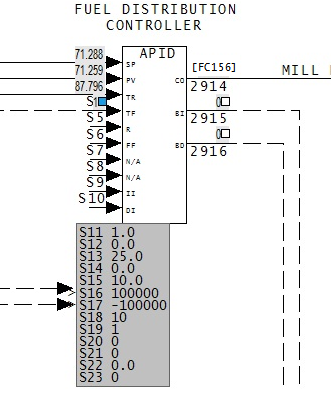
This message is likely to show an error in the system configuration. It should be reviewed. The issue raised may be in unused logic or graphics, or have other realities that make it a non-issue.
This error type was originally reported in error file DBDOC TUNING CONSTANTS.ERR. Most errors can now be viewed in the Hyperview Error Browser.
PID lag spec zero [CHECK 177]
PID Controller Module 1,01,02 Block 1001 has derivative lag spec S15 zero -- derivative component will be ignored
This message means that a PID Controller block has its derivative lag spec S15 set to zero. The derivative term will be applied directly.
If S15 is 0.0, the value 1.0 will be used internally. Also of S14 is 0.0, S15 is ignored.
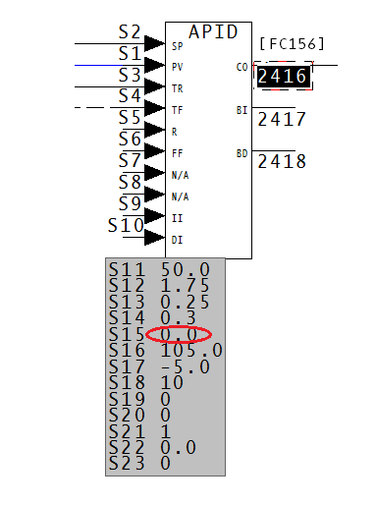
With S15 as 0.0, the value of S14 is divided by 1, and the derivative is applied all at once. Therefore There is no lag in effect.
This message shows a potential error in the system configuration, although most such errors prove to be harmless. It should be reviewed and hidden, unless it shows an issue that should be addressed.
This error type was originally reported in error file DBDOC-INTERNAL UNDOCUMENTED.ERR. Most errors can now be viewed in the Hyperview Error Browser.
Point has no description [COSMETIC 251]
Point EXPANA1 has no description
The referenced tag is in the Honeywell PNT database only. There is no corresponding tag in the INFI 90 database. The point has an empty description field.
This message shows a cosmetic issue that is probably not an error. It may be used to make the system tidier.
This error type was originally reported in error file DBDOC-COSMETIC MISSING PNT TAG.ERR. Most errors can now be viewed in the Hyperview Error Browser.
Possibly corrupt GPI mdb File [ERROR 315]
Possibly corrupt GPI file 12405_CORMON.mdb -- skipping
The .mdb file does not contain a table with a BlockNumber or Tag column.
This message is likely to show an error in the system configuration. It should be reviewed. The issue raised may be in unused logic or graphics, or have other realities that make it a non-issue.
This error type was originally reported in error file '. Most errors can now be viewed in the Hyperview Error Browser.
Possibly corrupt HGS mdb File [CHECK 320]
Possibly corrupt HGS file 12405_CORMON.mdb -- skipping
The .mdb file does not contain a table with a BlockNumber or Tag column.
This message shows a potential error in the system configuration, although most such errors prove to be harmless. It should be reviewed and hidden, unless it shows an issue that should be addressed.
This error type was originally reported in error file '. Most errors can now be viewed in the Hyperview Error Browser.
Possibly corrupt HPG mdb File [CHECK 321]
Possibly corrupt HPG file 12405_CORMON.mdb -- skipping
The .mdb file does not contain a table with a BlockNumber or Tag column.
This message shows a potential error in the system configuration, although most such errors prove to be harmless. It should be reviewed and hidden, unless it shows an issue that should be addressed.
This error type was originally reported in error file DBDOC-INTERNAL MESSAGE.ERR. Most errors can now be viewed in the Hyperview Error Browser.
Problem communicating with dongle [INTERNAL 045]
Repeated problems communicating with hardware key (dongle)
DBDOC has encountered repeated problems communicating with hardware key (dongle).
This message shows an issue that the DBDOC build process did not handle. It can be reported to G. Michaels Consulting Ltd. in case it can be fixed.
This error type was originally reported in error file DBDOC-INTERNAL UNDOCUMENTED.ERR. Most errors can now be viewed in the Hyperview Error Browser.
QOR forced to 1 [INFO 135]
QOR output forced to 1 (5 wired, 8 required) in FC 36 Module 1,01,02 Block 1001
A QOR output has been forced to 1. The message is intended to encourage documentation of forced logic.
A QOR block functions in such a way that if the value of S10 is 0, then the output is 1 if the number of logic 1 inputs is greater than or equal to the value of S9. With the value of S9 at 0 as well, the number of input 1's will always be greater than or equal to 0. therefore the output value of the block will always be 1.
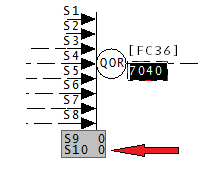
This message reports system information that is otherwise difficult or impossible to find.
This error type was originally reported in error file DBDOC-INFO QOR OUTPUT FORCED.ERR. Most errors can now be viewed in the Hyperview Error Browser.
QOR used as a NOR [INFO 134]
QOR being used as a NOR: possibly unintended in FC 36 Module 1,01,02 Block 1001
This QOR gives a logical 1 only if all inputs are 0. This might be unintended.
The DBDOC build has found logic that is unexpected.
QOR being used as a NOR: possibly unintended in FC 36 Module 1,11,02 Block 2999.
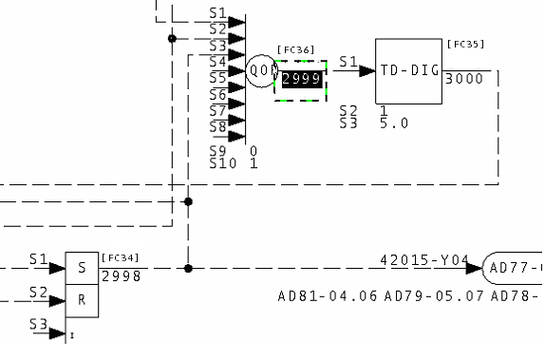
This message reports system information that is otherwise difficult or impossible to find.
This error type was originally reported in error file DBDOC-INFO QOR USED AS NOR.ERR. Most errors can now be viewed in the Hyperview Error Browser.
Record failed to find matching format [INTERNAL 210]
Record 26: Failed to find matching format for 30FQI170RS, defaulting to first format
This message means we have had some failure in creating a format template for the tag named (this relates to the .fmt files created by DBDOC in the project folder). Please call this to our attention.
This message shows an issue that the DBDOC build process did not handle. It can be reported to G. Michaels Consulting Ltd. in case it can be fixed.
This error type was originally reported in error file DBDOC-INTERNAL MISSING FMT.ERR. Most errors can now be viewed in the Hyperview Error Browser.
REDAI both inputs same block [CHECK 072]
REDAI Module 20,03,02 Block 4673 with both inputs from same block Module 20,03,02 Block 452 cannot synthesize quality
When a REDAI block has both inputs from same block, the block does nothing because the output tracks the input value and quality. If the input has quality, so will the output. However, if the input does not have quality, the output will never be changed to bad quality, so testing it is misleading. The specifications allow bad quality to be introduced on detection of a rate of change problem. If both S5 and S6 are reasonable, the quality will be set bad if the rate of change (units per second) of the inputs exceeds the sum of S5 and S6 (the deadband parameter). Clearly, the deadband should be less than the rate of change limit. If you see this message with what looks like a valid value of S5, you will find that S6 is not a valid deadband value.
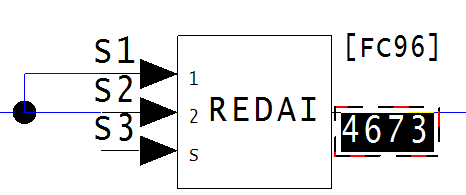
This message shows a potential error in the system configuration, although most such errors prove to be harmless. It should be reviewed and hidden, unless it shows an issue that should be addressed.
This error type was originally reported in error file DBDOC-CHECK REDAI REDDI.ERR. Most errors can now be viewed in the Hyperview Error Browser.
REDAI deadband exceeds rate limit [CHECK 075]
REDAI Module 1,01,02 Block 1000 has deadband S6 larger than rate limit S5
If the deadband exceeds the rate limit, the change to bad quality can not be reversed reasonably.
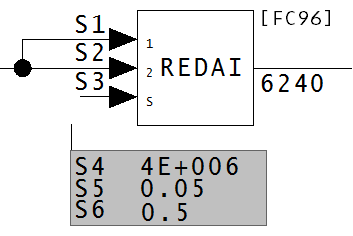
This message shows a potential error in the system configuration, although most such errors prove to be harmless. It should be reviewed and hidden, unless it shows an issue that should be addressed.
This error type was originally reported in error file DBDOC-CHECK REDAI REDDI.ERR. Most errors can now be viewed in the Hyperview Error Browser.
REDAI invalid deviation S4 [CHECK 074]
REDAI Module 1,01,02 Block 1000 has invalid deviation limit S4
The REDAI deviation limits may not be 0.0 or a negative value.
S4 is the deviation limit, which has the same units as S1 and S2.
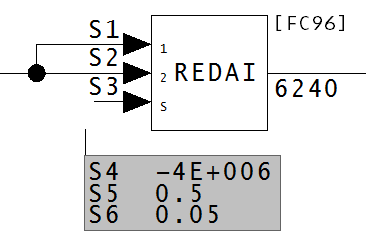
This message shows a potential error in the system configuration, although most such errors prove to be harmless. It should be reviewed and hidden, unless it shows an issue that should be addressed.
This error type was originally reported in error file DBDOC-CHECK REDAI REDDI.ERR. Most errors can now be viewed in the Hyperview Error Browser.
REDAI quality is never tested [ERROR 175]
REDAI Module 1,01,02 Block 1000 reports or synthesizes quality but quality is never tested
This message is most important when the quality synthesized is not ever used in a tag that is displayed. Bad quality may be alarmed, but it has no direct effect in the configuration.
DBDOC does not necessarily track the quality all the way to its use, so it is possible that the block is eventually wired into a test quality block. This can be checked relatively easily by following the path to the places the quality is eventually lost. If a test quality block is found somewhere along the path, then this error is false, and we would recommend hiding it in the error browser.
On the other hand, it is possible that the quality is lost. This can lead to very wrong data being used in your system, so it is definitely worth looking into.
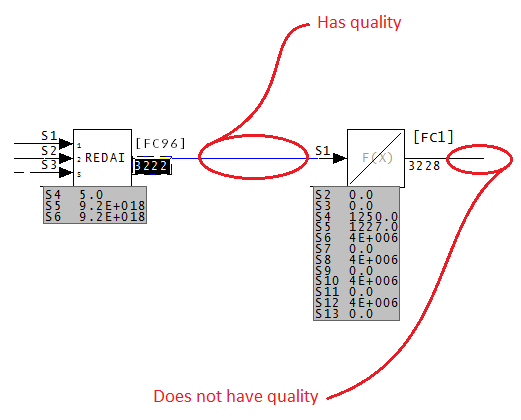
In this case, the REDAI block gives quality to the output value, and as it is entered into the F(X) block, it loses that quality.
This causes the values to be very wrong.
This message is likely to show an error in the system configuration. It should be reviewed. The issue raised may be in unused logic or graphics, or have other realities that make it a non-issue.
This error type was originally reported in error file DBDOC-CHECK REDAI REDDI.ERR. Most errors can now be viewed in the Hyperview Error Browser.
REDAI select input hardwired [CHECK 073]
REDAI Module 1,01,02 Block 1000 has select input S3 wired from constant block Module 1,01,02 Block 1001
The select input is designed to switch between two inputs. When it is wired to a constant, no switching is possible. This is why DBDOC draws this to your attention.
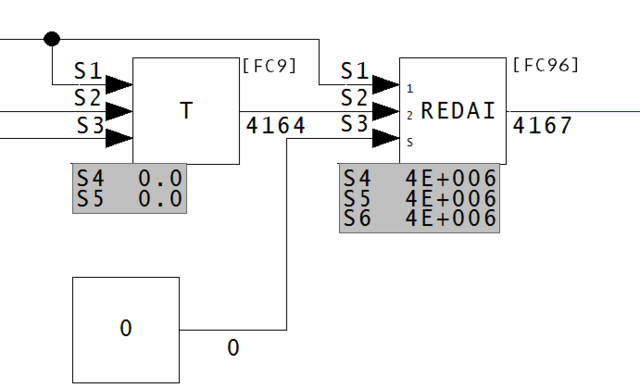
This message shows a potential error in the system configuration, although most such errors prove to be harmless. It should be reviewed and hidden, unless it shows an issue that should be addressed.
This error type was originally reported in error file DBDOC-CHECK REDAI REDDI.ERR. Most errors can now be viewed in the Hyperview Error Browser.
REDAI select input wired but ignored [CHECK 079]
REDAI Module 1,01,02 Block 1000 has select input S3 wired from Module 1,01,02 Block 1001 but ignored
This means that the only effect of the block might be to switch an unconnect (0) value into the output.
A REDAI: Redundant Analog Input [FC96] block switches between S1 and S2 values based on the value of the S3 input. When S1 and S2 come from the same block, however, this block has no effect. As this block is doing nothing, it could be made spare.
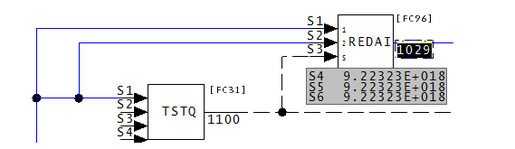
This message shows a potential error in the system configuration, although most such errors prove to be harmless. It should be reviewed and hidden, unless it shows an issue that should be addressed.
This error type was originally reported in error file DBDOC-CHECK REDAI REDDI.ERR. Most errors can now be viewed in the Hyperview Error Browser.
REDDI both inputs from same block [CHECK 076]
REDDI Module 20,09,02 Block 2462 has both inputs from same block Module 20,09,02 Block 1525
A REDDI block that has both inputs from same block does nothing.
This message shows a potential error in the system configuration, although most such errors prove to be harmless. It should be reviewed and hidden, unless it shows an issue that should be addressed.
This error type was originally reported in error file DBDOC-CHECK REDAI REDDI.ERR. Most errors can now be viewed in the Hyperview Error Browser.
REDDI select input hardwired [CHECK 077]
REDDI Module 1,01,02 Block 1000 has select input S3 wired from constant block Module 1,01,02 Block 1001
The select input is designed to switch between two inputs. When it is wired to a constant, no switching is possible. This is why DBDOC draws this to your attention.
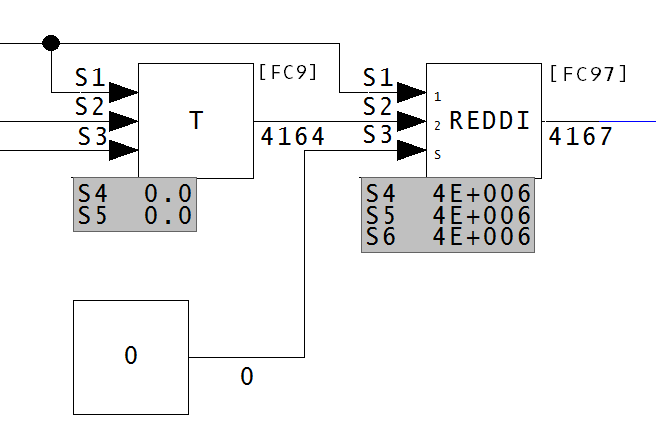
This message shows a potential error in the system configuration, although most such errors prove to be harmless. It should be reviewed and hidden, unless it shows an issue that should be addressed.
This error type was originally reported in error file DBDOC-CHECK REDAI REDDI.ERR. Most errors can now be viewed in the Hyperview Error Browser.
Referenced M1 display file not found [CHECK 194]
M1 display file TR101 (ref'd as graphic:8101) not found (not configured) in TLINK
The graphic calls for another graphic which was not found. This is not really an error, but is a weakness for the operators using the graphic system.
This message shows a potential error in the system configuration, although most such errors prove to be harmless. It should be reviewed and hidden, unless it shows an issue that should be addressed.
This error type was originally reported in error file DBDOC-CHECK MISSING DISPLAYS.ERR. Most errors can now be viewed in the Hyperview Error Browser.
Regex compilation error [INTERNAL 039]
Regex compilation error: Compilation failed
DBDOC encountered a regex compilation error - the compilation failed.
This message shows an issue that the DBDOC build process did not handle. It can be reported to G. Michaels Consulting Ltd. in case it can be fixed.
This error type was originally reported in error file DBDOC-INTERNAL UNDOCUMENTED.ERR. Most errors can now be viewed in the Hyperview Error Browser.
Regex execution error [INTERNAL 040]
Regex execution error: Execution failed
DBDOC has encountered a regex execution error - the execution failed.
This message shows an issue that the DBDOC build process did not handle. It can be reported to G. Michaels Consulting Ltd. in case it can be fixed.
This error type was originally reported in error file DBDOC-INTERNAL UNDOCUMENTED.ERR. Most errors can now be viewed in the Hyperview Error Browser.
REMSET limits out of order [ERROR 261]
REMSET limits out of order: Module 1,40,31 Block 24520 S3 low limit 1.0 greater than S2 high limit value 20.0 (adapted)
This message means that the REMSET: Remote Manual Set Constant [FC68] block has an S3 low limit greater than the S2 high limit value.
This may indicate a problem.
In the image below, the S3 value greater than an S2 value. Because of this, the range of acceptable values does not exist.
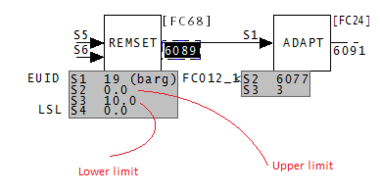
This block allows an operator to enter a constant to the control scheme. S2 and S3 are the limits of the range of values the operator can enter.
This message is likely to show an error in the system configuration. It should be reviewed. The issue raised may be in unused logic or graphics, or have other realities that make it a non-issue.
This error type was originally reported in error file DBDOC REMSET LIMITS OUT OF ORDER.ERR. Most errors can now be viewed in the Hyperview Error Browser.
Requested color index out of range [INTERNAL 193]
Requested color index Test Font out of range (0 - 255)Test
This message means that a file appears to use a color or font index outside the range that we know how to handle. Note that a strange number might also mean that you have a version of graphics that we need to learn more about.
This message shows an issue that the DBDOC build process did not handle. It can be reported to G. Michaels Consulting Ltd. in case it can be fixed.
This error type was originally reported in error file DBDOC-INTERNAL REQUESTED INDEX.ERR. Most errors can now be viewed in the Hyperview Error Browser.
RESTR block order wrong [ERROR 065]
RESTR block Module 1,04,03 Block 159 not greater than input Module 1,04,03 Block 516
A RESTR: Restore [FC140] block that is out of order will save the previous value of the block it supports. This is an invalid practice and can be an error.
The restore block must be located at a block number greater than the function block being restored (S1).
The restore function code saves and restores values. However, the restore block must come after (be a higher block number) than the block being restored. If it precedes the block it is told to backup, the value restored will be that from the last cycle. This will cause all restored values to be false.
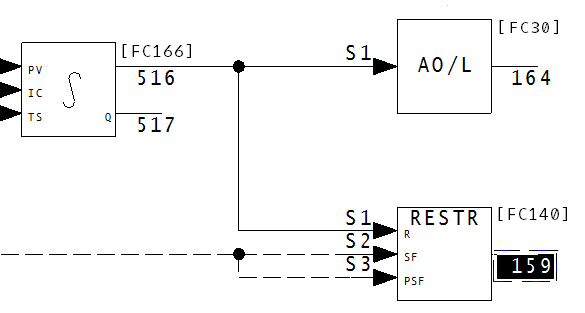
This message is likely to show an error in the system configuration. It should be reviewed. The issue raised may be in unused logic or graphics, or have other realities that make it a non-issue.
This error type was originally reported in error file DBDOC RESTORE BLOCK.ERR. Most errors can now be viewed in the Hyperview Error Browser.
RESTR block will never save [ERROR 309]
RESTR block Module 1,01,02 Block 1000 will *never* save because S2 is unwired and S3 is wired to constant 0
This RESTR has one or both of S2 and S3 unwired or wired to constant logic 0. This block will never save
A RESTR block will perform the save operation if, and only if, there is a logic 1 on both S2 and S3. If this never happens then when the restore operation is performed, the value restored will likely not be useful.
For best results, logic should be used to set S2 and S3 at times appropriate for a save operation. This might be on a time schedule, or when the value to be saved has changed (or changed enough) to make it useful to save.
This message is likely to show an error in the system configuration. It should be reviewed. The issue raised may be in unused logic or graphics, or have other realities that make it a non-issue.
This error type was originally reported in error file DBDOC RESTORE BLOCK.ERR. Most errors can now be viewed in the Hyperview Error Browser.
RESTR block will update to NVRAM every cycle [INFO 308]
RESTR block Module 1,01,02 Block 1000 will update to NVRAM every cycle
This RESTR has S2 and S3 both wired to constant logic 1, so that it will update every cycle.
Depending on what function code a RESTR block is saving, and on the hardware you are using, a single RESTR block can take up to a few milliseconds to execute. If all of your RESTR blocks execute every cycle, you may experience poor performance. The worst example we have seen had a set of RESTR blocks that took 480 milliseconds to execute, but they were being run on a 250 millisecond cycle. As a result, the cycle was not completing before being run again.
It will be better to use logic to stagger the execution of your RESTR blocks. The usual method would be to execute the RESTR block only when you know that the value has changed, or has changed enough for you to care about.
This message reports system information that is otherwise difficult or impossible to find.
This error type was originally reported in error file '. Most errors can now be viewed in the Hyperview Error Browser.
Rung block did not use all inputs to compute output [ERROR 127]
Rung block Module 1,01,02 Block 1001 did not use all inputs to compute output
Rung blocks can have parameters that appear incorrect. The logic implied by the specifications may appear to be in error.
Example:
--Post Processing drawing 1010274C.CAD
Rung block Module 1,42,02 Block 3093 did not use all inputs to compute output.
This message means that the calculations have not been specified properly. A partial result has been created, but not used.
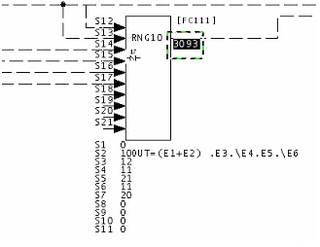
This message is likely to show an error in the system configuration. It should be reviewed. The issue raised may be in unused logic or graphics, or have other realities that make it a non-issue.
This error type was originally reported in error file DBDOC RUNG BLOCK.ERR. Most errors can now be viewed in the Hyperview Error Browser.
Rung block spec is unwired but used [ERROR 125]
Rung block Module 1,01,02 Block 1001 S3 is unwired but used by S8 value 031
Rung blocks can have parameters that appear incorrect. Unwired inputs may have non-zero parameter values, as if they were to be used. The logic implied by the specifications may appear to be in error.
Messages like these can often be ignored. They usually mean that the person doing the work left inputs drawn in, but unused, but sometimes it means there are controlling specs operating on empty inputs.
For example,
--Post Processing drawing 14004Q4
Rung block Module 10,40,04 Block 8510 S18 is unwired but used by S8 value 022
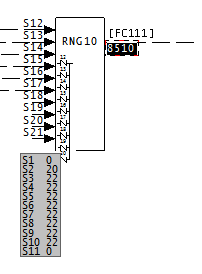
When a block has both this error 125 and "Error 124: Rung block spec is wired but unused", it usually means the source was connected to the wrong input, or the specification values need to be changed:
--Post Processing drawing 10902D2
Rung block Module 20,09,02 Block 5057 S7 is unwired but used by S2 value 010
Rung block Module 20,09,02 Block 5057 S8 is wired (block 1055) but unused by S3 value 000
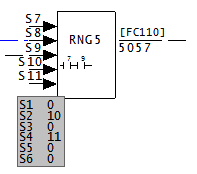
This message is likely to show an error in the system configuration. It should be reviewed. The issue raised may be in unused logic or graphics, or have other realities that make it a non-issue.
This error type was originally reported in error file DBDOC RUNG BLOCK.ERR. Most errors can now be viewed in the Hyperview Error Browser.
Rung block spec is wired but unused [ERROR 124]
Rung block Module 1,01,02 Block 1001 S3 is wired (block 1234) but unused by S8 value 032
These are always worth checking, as they mean that the input looks like it is used, but it is not. This may be what is intended, in which case the line should probably be deleted. Otherwise, it could show you a potential problem. In the case of block 0, a logical 0 constant is wired into the rung block but it is not needed because the controlling specification is 0. If you tidy this up, the CLD/CAD sheets will be easier to understand.
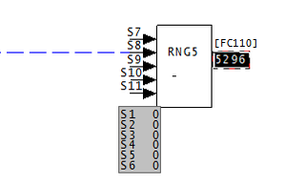
When a block has both this error 125 and "Error 125: Rung block spec is unwired but used", it usually means the source was connected to the wrong input, or the specification values need to be changed:
--Post Processing drawing 10902D2
Rung block Module 20,09,02 Block 5057 S7 is unwired but used by S2 value 010
Rung block Module 20,09,02 Block 5057 S8 is wired (block 1055) but unused by S3 value 000
This message is likely to show an error in the system configuration. It should be reviewed. The issue raised may be in unused logic or graphics, or have other realities that make it a non-issue.
This error type was originally reported in error file DBDOC RUNG BLOCK.ERR. Most errors can now be viewed in the Hyperview Error Browser.
Rung block spec is wired from constant [ERROR 126]
Rung block Module 1,01,02 Block 1001 S3 is wired from constant block 1
This message is a warning about unusual logic.
Rung blocks can have parameters that appear incorrect. Wired inputs may have controlling parameter values of 0, so they are unused. The logic implied by the specifications may appear to be in error.
We have not found any instances of this error in any of our test builds. If you should get this error, please contact GMCL. This will allow us to test the error in greater detail, and help identify the problems you may be having. Thank you for your patience.
This message is likely to show an error in the system configuration. It should be reviewed. The issue raised may be in unused logic or graphics, or have other realities that make it a non-issue.
This error type was originally reported in error file DBDOC RUNG BLOCK.ERR. Most errors can now be viewed in the Hyperview Error Browser.
Rung stack not initialized [ERROR 306]
Rung block Module 3,14,15 Block 926 logic invalid because S2 is an OR operation
A Rung Block stack was not initialized before the first OR operation
GMCL has determined that the execution of each Rung Block starts with a 1 on the stack. If the first operation is an OR, the result of the operation is always 1, regardless of the input to the OR operation. The first operation should never be OR. Use PUT (xx0) instead.
This message is likely to show an error in the system configuration. It should be reviewed. The issue raised may be in unused logic or graphics, or have other realities that make it a non-issue.
This error type was originally reported in error file DBDOC RUNG BLOCK.ERR. Most errors can now be viewed in the Hyperview Error Browser.
Same-bus input cannot read value in other loop [ERROR 10016]
Same-bus input Module 1,01,02 Block 12455 (FC 45) attempts to read value in other loop 3
This message tells you that an IREF (Input Reference) exists in the Composer project. However, the function block cannot import it, because it is outside the scope of what it can import.
For example, if an AI/L or DI/L import block has an IREF that exists only in another Loop, you will see this message. The reference cannot tell what is being imported, because these functions cannot import from another loop, only the same one.
--Parsing file H:\...\EBY45EB.CLD... CAD Names: 2300251A.CAD
External output reference is unreachable for IREF **1AOIK CB CLSD on Module 2,30,02 Block 1652:
cannot import from Loop 2 PCU 20.
Here is the actual source, as determined by the specifications.
Here is the source that the input reference indicates.
--Parsing file H:\...\EBY3DAC.CLD... CAD Names: 2320454A.CAD
External output reference is unreachable for IREF L30D_MSG on Module
2,32,04 Block 1584: cannot import from Loop 2 PCU 22."
Here is the block that is being imported.
Here is the source indicated by the input reference L30D_MSG.
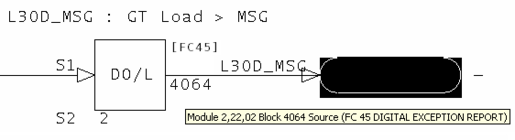
It is possible to see how Composer, in being robust enough to import files from WinCAD, also allows errors to persist in the input references.
This message is likely to show an error in the system configuration. It should be reviewed. The issue raised may be in unused logic or graphics, or have other realities that make it a non-issue.
This error type was originally reported in error file DBDOC UNREACHABLE OREF.ERR. Most errors can now be viewed in the Hyperview Error Browser.
Same-bus input cannot read value in other PCU [ERROR 10017]
Same-bus input Module 1,01,02 Block 12455 (FC 45) attempts to read value in other PCU 3
This message tells you that an IREF (Input Reference) exists in the Composer project. However, the function block cannot import it, because it is outside the scope of what it can import.
For example, if a Bus Import (AI/B, DI/B, AIL/B or DIL/B function) has a refererence in a different PCU, you will see this error. These functions can only import blocks from the same PCU, so the reference text is flawed if it in a different PCU.
--Parsing file H:\...\EBY45EB.CLD... CAD Names: 2300251A.CAD
External output reference is unreachable for IREF **1AOIK CB CLSD on Module 2,30,02 Block 1652:
cannot import from Loop 2 PCU 20.
Here is the actual source, as determined by the specifications.
Here is the source that the input reference indicates.
--Parsing file H:\...\EBY3DAC.CLD... CAD Names: 2320454A.CAD
External output reference is unreachable for IREF L30D_MSG on Module
2,32,04 Block 1584: cannot import from Loop 2 PCU 22."
Here is the block that is being imported.
Here is the source indicated by the input reference L30D_MSG.
It is possible to see how Composer, in being robust enough to import files from WinCAD, also allows errors to persist in the input references.
This message is likely to show an error in the system configuration. It should be reviewed. The issue raised may be in unused logic or graphics, or have other realities that make it a non-issue.
This error type was originally reported in error file DBDOC UNREACHABLE OREF.ERR. Most errors can now be viewed in the Hyperview Error Browser.
Same-loop input attempts to read value in other loop [ERROR 10018]
Same-loop input Module 1,01,02 Block 12455 (FC 45) attempts to read value in other loop 3
This message tells you that an IREF (Input Reference) exists in the Composer project. However, the function block cannot import it, because it is outside the scope of what it can import.
For example, if an AI/L or DI/L import block has an IREF that exists only in another Loop, you will see this message. The reference cannot tell what is being imported, because these functions cannot import from another loop, only the same one.
--Parsing file H:\...\EBY45EB.CLD... CAD Names: 2300251A.CAD
External output reference is unreachable for IREF **1AOIK CB CLSD on Module 2,30,02 Block 1652:
cannot import from Loop 2 PCU 20.
Here is the actual source, as determined by the specifications.
Here is the source that the input reference indicates.
--Parsing file H:\...\EBY3DAC.CLD... CAD Names: 2320454A.CAD
External output reference is unreachable for IREF L30D_MSG on Module
2,32,04 Block 1584: cannot import from Loop 2 PCU 22."
Here is the block that is being imported.
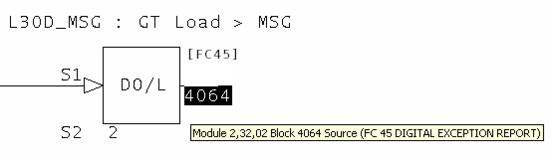
Here is the source indicated by the input reference L30D_MSG.
It is possible to see how Composer, in being robust enough to import files from WinCAD, also allows errors to persist in the input references.
This message is likely to show an error in the system configuration. It should be reviewed. The issue raised may be in unused logic or graphics, or have other realities that make it a non-issue.
This error type was originally reported in error file DBDOC UNREACHABLE OREF.ERR. Most errors can now be viewed in the Hyperview Error Browser.
Segment control block auto-sequencing enabled [INFO 302]
Segment Control Block Module 197,23,03 Block 1234 S15=1 has auto-sequencing enabled
Function blocks will not be executed in block number order.
The Function Code User Manual says:
- S15 – SEQUEN
- (Auto sequencing signal: 0 = off, 1 = on) If this specification equals one, the module finds and saves the most logical execution order of the function blocks and will execute them in that order, despite block numbers. Auto sequencing helps prevent loopbacks. Loopbacks occur when a block requires the output of a higher numbered block to complete its execution. The segment must then go through two or more execution cycles before the output of the first block is correct. If the auto sequencing function is off (zero), blocks are executed in ascending numerical order.
This message reports system information that is otherwise difficult or impossible to find.
This error type was originally reported in error file DBDOC-INFO SEGMENT CONTROL BLOCKS.ERR. Most errors can now be viewed in the Hyperview Error Browser.
Segment control block bad priority [ERROR 300]
Segment Control Block Module 197,23,03 Block 1234 priority S3=314 is not in the range 0..255
Segment priority S3 must be in the range 0–255.
The Function Code User Manual says:
- S3 – SPRI
- (Segment priority) Assigns execution priorities to up to eight active segments. An active segment is one that is ready to run or is running. If two or more segments are active, the processor will run the highest priority segment. Segment priorities should be selected from zero to seven with zero being the lowest priority segment.
In spite of this recommendation, segment priorities up to 255 are permitted.
This message is likely to show an error in the system configuration. It should be reviewed. The issue raised may be in unused logic or graphics, or have other realities that make it a non-issue.
This error type was originally reported in error file DBDOC ILLEGAL SPEC VALUE.ERR. Most errors can now be viewed in the Hyperview Error Browser.
Segment control block check cycle time [ERROR 303]
Segment Control Block Module 197,23,03 Block 1234 S2=0.1 minutes is greater than 2 seconds
Cycle time is unusually short or long.
The Function Code User Manual says this:
- S2 – CYCTIM
- Sets the target segment execution cycle in time units selected with the ones digit of S1. In each segment, blocks execute in a predefined order, selected with S15. A cycle consists of one execution of the blocks plus any idle time (cycle time remaining after the cycle has been executed). Cycle time is the length of time from the start of one cycle to the start of the next cycle.
This message is likely to show an error in the system configuration. It should be reviewed. The issue raised may be in unused logic or graphics, or have other realities that make it a non-issue.
This error type was originally reported in error file DBDOC ILLEGAL SPEC VALUE.ERR. Most errors can now be viewed in the Hyperview Error Browser.
Segment control block checkpoint period is too small [ERROR 304]
Segment Control Block Module 197,23,03 Block 1234 S4=3 times S2=.0001 minutes is less than 20 milliseconds
The checkpoint period S4 times the cycle time S2 must be greater than 20 milliseconds. The Function Code User Manual has information about how to calculate a value for S4.
This message is likely to show an error in the system configuration. It should be reviewed. The issue raised may be in unused logic or graphics, or have other realities that make it a non-issue.
This error type was originally reported in error file DBDOC ILLEGAL SPEC VALUE.ERR. Most errors can now be viewed in the Hyperview Error Browser.
Segment control block duplicate priority [ERROR 301]
Segment Control Block Module 197,23,03 Block 1234 S3=7 but Module 197,23,03 Block 1233 already has that priority
Another Segment Control Block in this module specifies the same priority. (The two blocks have the same value of S3.)
The Function Code User Manual says:
- S3 – SPRI
- (Segment priority) Assigns execution priorities to up to eight active segments. An active segment is one that is ready to run or is running. If two or more segments are active, the processor will run the highest priority segment. Segment priorities should be selected from zero to seven with zero being the lowest priority segment.
So it does not explicitly prohibit two segments with the same priority, but neither does it say exactly what happens when two have the same priority.
This message is likely to show an error in the system configuration. It should be reviewed. The issue raised may be in unused logic or graphics, or have other realities that make it a non-issue.
This error type was originally reported in error file DBDOC ILLEGAL SPEC VALUE.ERR. Most errors can now be viewed in the Hyperview Error Browser.
Skipping file: Error parsing submodel [INTERNAL 055]
Error parsing submodel sample.m2, skipping
This message identifies a file that we cannot process. Please send us a copy of it if it has no apparent problems in your system.
This message shows an issue that the DBDOC build process did not handle. It can be reported to G. Michaels Consulting Ltd. in case it can be fixed.
This error type was originally reported in error file DBDOC-INTERNAL SKIPPING.ERR. Most errors can now be viewed in the Hyperview Error Browser.
Skipping file: File contains no records [INTERNAL 059]
File NSTAT051.DIS contains no records
This message identifies a file that DBDOC believes contains no records. Please send us a copy of it if the file does contain records.
Example:
File x contains no records -- skipping
File x contains no records
This message shows an issue that the DBDOC build process did not handle. It can be reported to G. Michaels Consulting Ltd. in case it can be fixed.
This error type was originally reported in error file DBDOC-INTERNAL SKIPPING.ERR. Most errors can now be viewed in the Hyperview Error Browser.
Skipping file: File too short [INTERNAL 058]
File NSTAT051.DIS too short -- skipping
This message identifies a file that we cannot process because the file appears to be too short. Please send us a copy of it if it has no apparent problems in your system.
This message shows an issue that the DBDOC build process did not handle. It can be reported to G. Michaels Consulting Ltd. in case it can be fixed.
This error type was originally reported in error file DBDOC-INTERNAL SKIPPING.ERR. Most errors can now be viewed in the Hyperview Error Browser.
Skipping file: OpenDesign Exception [INTERNAL 052]
OpenDesign Exception: Sample Exception - skipping
This message identifies a file that we cannot process. Please send us a copy of it if it has no apparent problems in your system.
This message shows an issue that the DBDOC build process did not handle. It can be reported to G. Michaels Consulting Ltd. in case it can be fixed.
This error type was originally reported in error file DBDOC-INTERNAL SKIPPING.ERR. Most errors can now be viewed in the Hyperview Error Browser.
Skipping file: Possibly corrupt A/B PLC file [INTERNAL 057]
Possibly corrupt A/B PLC file -- skipping
This message identifies an Allen-Bradley PLC file that we cannot process, and may possibly be corrupt. Please send us a copy of it if it has no apparent problems in your system.
This message shows an issue that the DBDOC build process did not handle. It can be reported to G. Michaels Consulting Ltd. in case it can be fixed.
This error type was originally reported in error file DBDOC-INTERNAL SKIPPING.ERR. Most errors can now be viewed in the Hyperview Error Browser.
Skipping file: Unable to read file [INTERNAL 054]
Unable to read file SAMPLE.DWG: C:\DIR1\DIR2\SAMPLE.DWG - skipping
This message identifies a file that we cannot process. Please send us a copy of it if it has no apparent problems in your system.
This message shows an issue that the DBDOC build process did not handle. It can be reported to G. Michaels Consulting Ltd. in case it can be fixed.
This error type was originally reported in error file DBDOC-INTERNAL SKIPPING.ERR. Most errors can now be viewed in the Hyperview Error Browser.
Skipping file: Unknown M1/M2 file type [INTERNAL 056]
Unknown M1/M2 file type -- skipping file sample.m2
This message identifies a M1/M2 file that we cannot process. Please send us a copy of it if it has no apparent problems in your system.
This message shows an issue that the DBDOC build process did not handle. It can be reported to G. Michaels Consulting Ltd. in case it can be fixed.
This error type was originally reported in error file DBDOC-INTERNAL SKIPPING.ERR. Most errors can now be viewed in the Hyperview Error Browser.
SODG aliasing error [ERROR 160]
SODG aliasing error: Tag name TAGNAME is alias for GUID {12345678-ABCD-EF01-2345-6789} (tag TAGNAME2) not found in database DB1.DBF
This is a rare message that indicates a Composer database issue.
This message is likely to show an error in the system configuration. It should be reviewed. The issue raised may be in unused logic or graphics, or have other realities that make it a non-issue.
This error type was originally reported in error file DBDOC TAG NAME NOT FOUND.ERR. Most errors can now be viewed in the Hyperview Error Browser.
Source in same module [ERROR 157]
Source in same module: AI/I Reference Module 1,01,02 Block 1001 (Tagname) [Alias, Alias2]
This message means that an exception report input is being attempted from the local module. In INFI 90 Loop, this might cause an "NPMError" when the module is started. Since there was no error in Plant Loop, this has at times been a significant problem.
Example:
--Generating index: Module 1,34,02 Block Index
Source in same module DI/L Reference MM0310A Module 1,34,02 Block 3365 DOSING EAST MAIN CONTROL

A bit of searching for block 3365 shows that the problem is that S1 should be 4, not 2. Module 1,34,04 Block 3365 is the intended source.
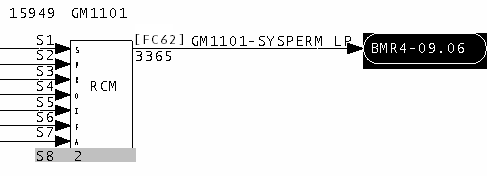
This message is likely to show an error in the system configuration. It should be reviewed. The issue raised may be in unused logic or graphics, or have other realities that make it a non-issue.
This error type was originally reported in error file DBDOC SOURCE IN SAME MODULE.ERR. Most errors can now be viewed in the Hyperview Error Browser.
Source wired to another source [ERROR 158]
Source may be wired to another source: Module 1,01,02 Block 1001
This message shows a wiring error. We find it when sources appear to be wired together.
Example:
--Scanning drawing 3100399 PAF A AUX LOGIC (3/3)
Source may be wired to another source: IREF (PAF A FAN BRG 2 VIB H H).
Source may be wired to another source: IREF (PAF A FAN BRG 1 VIB H HH).
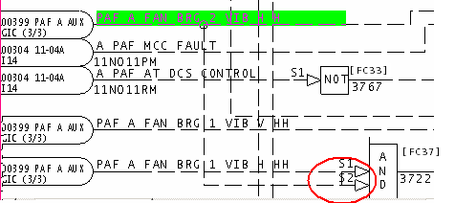
The circled area shows an incorrect connection between S1 and S2 of block 3722.
This message is likely to show an error in the system configuration. It should be reviewed. The issue raised may be in unused logic or graphics, or have other realities that make it a non-issue.
This error type was originally reported in error file DBDOC SOURCE TO SOURCE.ERR. Most errors can now be viewed in the Hyperview Error Browser.
Span is zero for dynamic bar [COSMETIC 231]
Span is zero for dynamic bar BLANK TAG_1 on CHOCOLATE FACTORY OVERVIEW -- suppressing
This message means that the dynamic bar cannot be displayed by DBDOC because the span is zero. A non-zero value is required to display a bar graph.
This message shows a cosmetic issue that is probably not an error. It may be used to make the system tidier.
This error type was originally reported in error file DBDOC-COSMETIC DYNAMIC BAR SPAN ZERO.ERR. Most errors can now be viewed in the Hyperview Error Browser.
Spare block used in downstream wiring [CHECK 168]
Spare block imported by Module 1,01,02 Block 1001 and then used in downstream wiring
A spare block is apparently used in the logic. This is usually an oversight.
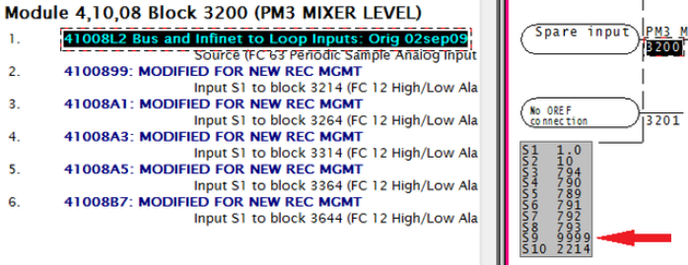
The block 3200, on the right, is a spare input, as is shown by the specs below, (S9 is 9999). However it is still connected to all the blocks listed on the left. This message is also generated for FC205 and FC206 when S5=31999.
This message shows a potential error in the system configuration, although most such errors prove to be harmless. It should be reviewed and hidden, unless it shows an issue that should be addressed.
This error type was originally reported in error file DBDOC-CHECK SPARE BLOCK USED.ERR. Most errors can now be viewed in the Hyperview Error Browser.
Spec input index out of range [ERROR 018]
Spec input index out of range for Module 1,11,30 Block 2522 (FC 2): 0
This message means that we cannot process the function code correctly at this time.
This is a rare message. When we have encountered it, the CLD/CAD files have been corrupted. We would be appreciate getting copies of any CLD/CAD files that show this problem.
Note, however, that the usual reason for this message appearing is that there are duplicate sources for a block. Our processing gets confused because the specs we find are attached to the wrong block. Thus, you should first check to make sure that there is only one "Source" entry in the block index.
If more than one exist, the problem is that you have not included only the functioning CLD/CAD files for the module. You should fix the build to eliminate the duplicate sources and probably get rid of these message at the same time.
This message is likely to show an error in the system configuration. It should be reviewed. The issue raised may be in unused logic or graphics, or have other realities that make it a non-issue.
This error type was originally reported in error file DBDOC SPEC INPUT INDEX.ERR. Most errors can now be viewed in the Hyperview Error Browser.
Spec is illegally adapted [ERROR 083]
Spec is illegally adapted: Adapt block Module 1,01,02 Block 1001 modifies S5 of Module 1,01,02 Block 1234 (FC 30)
This message means that illegal targets are being used for adapt blocks, specifically specs that exist but that are documented as not being adaptable.
This usage can seem harmless, because the problem is latent. Once the adapt block has been configured and loaded, it will work until a cold reload.
Impact:
If you compile these blocks, you will get no errors. Also, if the block already is in the redundant module, you can reload with no problem. However, when you download a module with this logic in it for the first time and change mode to Execute, the module will go into Error mode (flashing Green status LED) showing one of these error indications:
- LED 1+3 ON. Module Status Report: Config Error - Undefined Block, or
- LED 2+3 ON. Module Status Report: Config Error - Input Data Type Incorrect,
- with xx = Block # Making Reference (xx = Block Number of the Adapt).
Solution: Change mode to Configure and correct the error, compile and download again. Of course, take care of all errors of this class first.
Note: Some of these messages can be especially difficult to comprehend. We had clients experiment with an adapt block that was applied to an alarm specification, documented as illegal. Here were the results:
- If the adapt situation already existed, the redundant module could be loaded and the module would go into execute properly.
- If the adapt situation was new, as when the logic was cloned on another sheet, it would compile and load. However, in the new situation, the module would fail to go into execute mode.
This message is likely to show an error in the system configuration. It should be reviewed. The issue raised may be in unused logic or graphics, or have other realities that make it a non-issue.
This error type was originally reported in error file DBDOC ADAPT EXECUTE ERROR.ERR. Most errors can now be viewed in the Hyperview Error Browser.
Specification out of valid range [ERROR 299]
Module 3,07,03 Block 850 FC45 S2 value 5 is out of the valid range [0,2]
The specification is not in the documented range.
Specifications are tested against documented ranges. Also, invalid values can be allowed because their use appears to be innocuous. Some messages definitely show blocks that do not function. Please let us know of any messages that apply to valid usage, even though it is not documented. The same applies to feedback about real errors that are detected.
Example 1 DO/L block with illegal alarm state value:
Module 5,03,02 Block 3835 FC45 S2 value 3 is out of the valid range [0,2]
You can see the error, and also how a simple search finds the complementary tag, with a valid specification value.
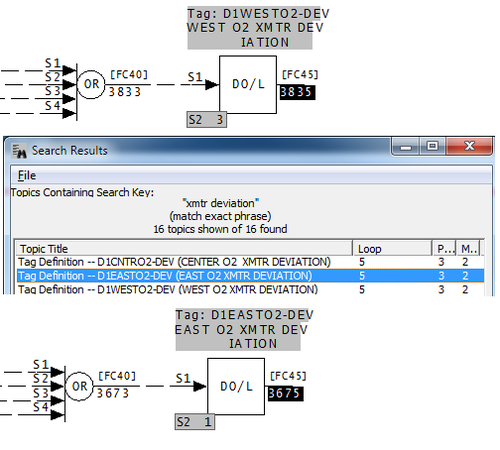
Example 2 Rung block with illegal override specification:
Module 1,01,02 Block 13567 FC111 S1 value 10 is out of the valid range [0,3]
We flag the bad specification as some sort of overridden output, but the new message is simple and direct. In any event, it is absolutely clear that the problem here is that S2 should be 10, and S1 simply 0.
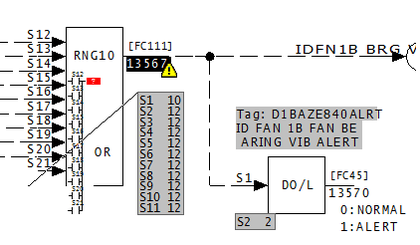
This block does not do what it is supposed to.
Example 3 Tens digit of S2 must be 0 for FC35
Module 2,01,04 Block 2500 FC35 S2 value 011 is out of the valid range [000,102]
For FC35, S2 can be within the range 000 to 102, but the tens digit must be 0.
This message is likely to show an error in the system configuration. It should be reviewed. The issue raised may be in unused logic or graphics, or have other realities that make it a non-issue.
This error type was originally reported in error file DBDOC ILLEGAL SPEC VALUE.ERR. Most errors can now be viewed in the Hyperview Error Browser.
SQLite bind error [INTERNAL 208]
SQLite bind error (0): bind error
Our programs use SQLite in internal processing. These messages are indications that our compiler encountered data that violated our programming assumptions.
We might need to ask for files that cause these messages for analysis.
This message shows an issue that the DBDOC build process did not handle. It can be reported to G. Michaels Consulting Ltd. in case it can be fixed.
This error type was originally reported in error file DBDOC-INTERNAL SQLITE MESSAGE.ERR. Most errors can now be viewed in the Hyperview Error Browser.
SQLite error [INTERNAL 081]
SQLite step error: out of memory at Bailey.c line 1234
Our programs use SQLite in internal processing. These messages are indications that our compiler encountered data that violated our programming assumptions.
We might need to ask for files that cause these messages for analysis.
This message shows an issue that the DBDOC build process did not handle. It can be reported to G. Michaels Consulting Ltd. in case it can be fixed.
This error type was originally reported in error file DBDOC-INTERNAL SQLITE MESSAGE.ERR. Most errors can now be viewed in the Hyperview Error Browser.
SQLite error [INTERNAL 207]
SQLite step error: out of memory
Our programs use SQLite in internal processing. These messages are indications that our compiler encountered data that violated our programming assumptions.
We might need to ask for files that cause these messages for analysis.
This message shows an issue that the DBDOC build process did not handle. It can be reported to G. Michaels Consulting Ltd. in case it can be fixed.
This error type was originally reported in error file DBDOC-INTERNAL SQLITE MESSAGE.ERR. Most errors can now be viewed in the Hyperview Error Browser.
SQLite FTS Indexing Batch Failed [ERROR 313]
SQLite FTS indexing failed on 1 topics, beginning with TOC
SQLite FTS Indexing Batch search Failed on database
This message is likely to show an error in the system configuration. It should be reviewed. The issue raised may be in unused logic or graphics, or have other realities that make it a non-issue.
This error type was originally reported in error file '. Most errors can now be viewed in the Hyperview Error Browser.
SQLite FTS Indexing Failed [ERROR 312]
SQLite FTS single-query indexing failed, trying to index searchable topics in batches
SQLite FTS Indexing search Failed on database
This message is likely to show an error in the system configuration. It should be reviewed. The issue raised may be in unused logic or graphics, or have other realities that make it a non-issue.
This error type was originally reported in error file '. Most errors can now be viewed in the Hyperview Error Browser.
ST parse error [INTERNAL 346]
Unsupported ST syntax at line 15 (could not parse expression)
This message indicates a failure of our Structured Text program parser at the given point in the document. Likely this is due to us not handling the syntax used.
This message shows an issue that the DBDOC build process did not handle. It can be reported to G. Michaels Consulting Ltd. in case it can be fixed.
This error type was originally reported in error file DBDOC-INTERNAL UNDOCUMENTED.ERR. Most errors can now be viewed in the Hyperview Error Browser.
Station span * PID gain greater than 125.0 [INFO 179]
Station Module 1,01,02 Block 1001 span 20.0 [S10] and APID Module 1,01,02 Block 1501 gain 6.5 [S11] product 130.0 is greater than 125.0
The overall gain constant of a PID (FC 18 or 19) or APID (FC 156) controller is designed to scale PV / SP values into a range of 100%. When this is done, the proportional gain constant, in particular, is 1.0 for a gain of one control algorithm.
These messages show where that situation does not exist. These blocks can be tuned, but the tuning constants will not be "normalized" and thus will be subject to misinterpretation.
The product of S11 on the APID and the S10 on the M/A MFC/P must fall in the range of 80 to 125. This error occurs when the product is below that range.
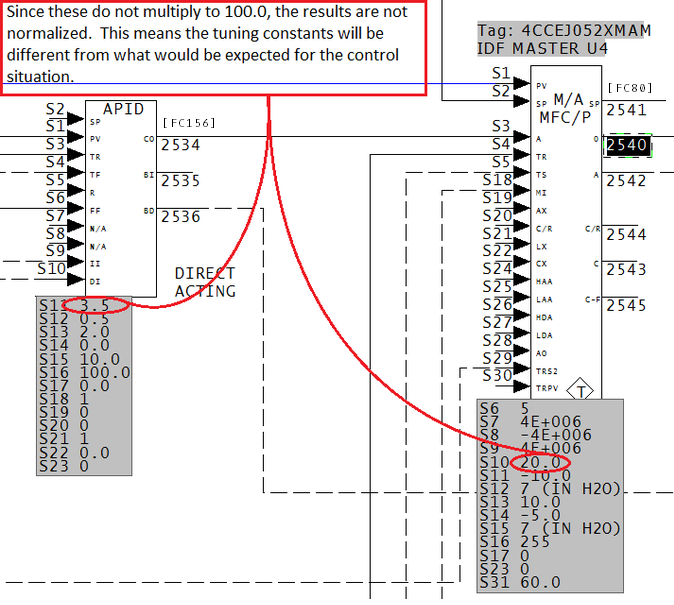
This message reports system information that is otherwise difficult or impossible to find.
This error type was originally reported in error file DBDOC-INFO PID GAIN-SPAN.ERR. Most errors can now be viewed in the Hyperview Error Browser.
Station span * PID gain less than 80.0 [INFO 178]
Station Module 1,01,02 Block 1001 span 20.0 [S10] and APID Module 1,01,02 Block 1501 gain 3.5 [S11] product 70.0 is less than 80.0
The overall gain constant of a PID (FC 18 or 19) or APID (FC 156) controller is designed to scale PV / SP values into a range of 100%. When this is done, the proportional gain constant, in particular, is 1.0 for a gain of one control algorithm.
These messages show where that situation does not exist. These blocks can be tuned, but the tuning constants will not be "normalized" and thus will be subject to misinterpretation.
The product of S11 on the APID and the S10 on the M/A MFC/P must fall in the range of 80 to 125. This error occurs when the product is below that range.
This message reports system information that is otherwise difficult or impossible to find.
This error type was originally reported in error file DBDOC-INFO PID GAIN-SPAN.ERR. Most errors can now be viewed in the Hyperview Error Browser.
Symbol flag detection failed [INTERNAL 287]
Symbol flag detection failed during tokenization in ABC12345.G
The DBDOC build system was unable to tell whether this file was a symbol or a graphic. When this happens, the build system treats the file as a graphic.
If you see this error, we would appreciate it if you contact us with details so that we can improve DBDOC's ability to tell the difference between symbols and graphics.
This message shows an issue that the DBDOC build process did not handle. It can be reported to G. Michaels Consulting Ltd. in case it can be fixed.
This error type was originally reported in error file DBDOC-INTERNAL SPLUS-PGP.ERR. Most errors can now be viewed in the Hyperview Error Browser.
System error total exceeded [BUILD 60001]
System maximum error count exceeded: Further error messages are suppressed
The build contains a very large number (>20000) of error messages. Because of this, not all of them are shown in the error browser.
(We believe no one would walk through the whole list, but they are listed in DBDOC_SUMMARY.ERR and DBDOC.ERR.)
This message usually shows an error in the build setup. Contact us for assistance configuring your build.
This error type was originally reported in error file DBDOC-BUILD ERRORS LIMITED.ERR. Most errors can now be viewed in the Hyperview Error Browser.
Tag atom not upper case [CHECK 264]
Tag atom UndefTag should be upper case
The INFI 90 graphics packages are based on Microsoft Access techniques using tagnames as keys, which must be all in uppercase. When they are not all upper case, DBDOC treats them as undefined, and places them in the Index of Undefined Tags. They may not work as expected.
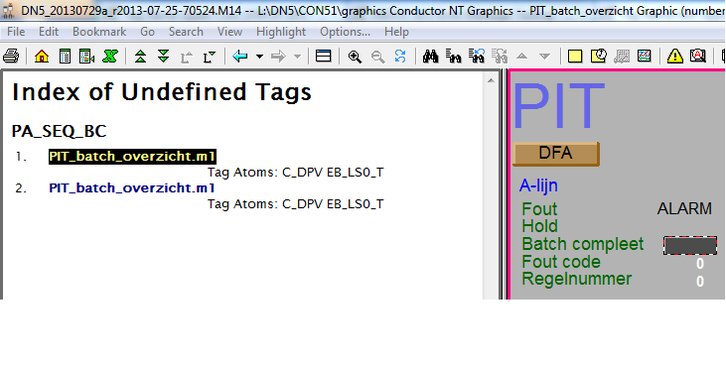
This message shows a potential error in the system configuration, although most such errors prove to be harmless. It should be reviewed and hidden, unless it shows an issue that should be addressed.
This error type was originally reported in error file DBDOC-CHECK UNKNOWN ATOM.ERR. Most errors can now be viewed in the Hyperview Error Browser.
Tag failed to find matching format [INTERNAL 209]
Tag '30FQI170RS' Failed to find matching format for RCM, defaulting to first format (Record 26)
This message means we have had some failure in creating a format template for the tag named. Please call this to our attention.
This message shows an issue that the DBDOC build process did not handle. It can be reported to G. Michaels Consulting Ltd. in case it can be fixed.
This error type was originally reported in error file DBDOC-INTERNAL MISSING FMT.ERR. Most errors can now be viewed in the Hyperview Error Browser.
Tag index not found [ERROR 159]
Tag index not found in ANALOGA: 149 at 4710,2320 on ANALOGA [PCX410- PCX420 - EBY3BF.tmp Graphics: ANALOGA (ANALOGA.DIS)]
This is a message that should always be investigated. It means that graphics are being controlled by a tag index with blank tagnames (except in OIS 20 and MCS systems). This is dangerous because maintaining a correct set of tag index values proves difficult over the long run.
In most SODG systems, any tag index message means that the tagname is blank. You should consider this to be worth a lot of attention, as it means that you can lose the connection to the intended tag easily.
The value of this message for pop-ups is substantial, as it is the easiest way to find out that pop-ups that have been keyed by index refer to tags that no longer exist.
DBDOC has techniques for finding and eliminating blank tagnames.
--Scanning graphic AACRT003.DIS
Tag index not found in AACRT003.DIS: 640
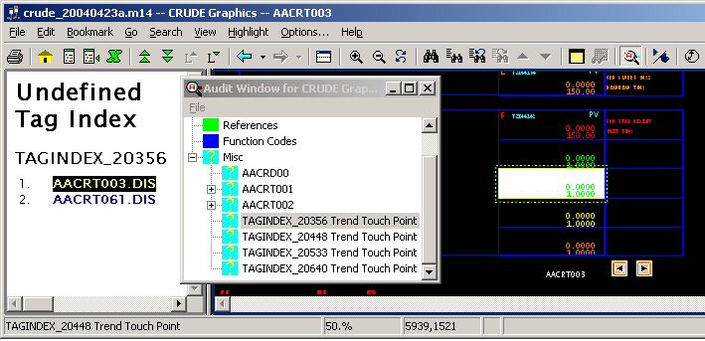
This means that a display element references a blank tagname with tag index 640, but no tag with index 640 was found in the database. That part of the graphic simply does not work. DBDOC cannot tell you what tag index 640 is supposed to be. You have to find that in your archives. The message tells you that the tag index is used in at least one graphic, and it does not exist in the database.
However, searching for places that the undefined tag TAG_00640 is used might be useful. In the image, that is not the case, because you can see that the problem is simply in a trend group. If you find the tag index used on a graphic that gives you some additional clues, it might help resolve it. DBDOC links directly to all of them. In the example, you might find that graphic AACRT061.DIS contains enough information for you to identify the problem and correct it.
It is for this reason that DBDOC synthesizes an undefined tag TAG_00640 (in the example) and creates the links to it – it might help sort it out.
In INFI 90, a SODG graphic can be controlled either by the tagname or the tag index.
The latter method (tag index) is the only way for OIS 20 and MCS consoles to display graphics. For these graphics, the tag index MUST relate to an entry in the tag database that is meaningful. In those old systems, graphics could be cloned by directly changing the tag index, so that it was no longer related to the tagname in the graphic .DR (or symbol .DY) file. This resulted in many graphics and symbols with mismatched tag names and index values.
In the case of Conductor VMS, WinLDG (WinTools SODG graphics) and PCView / LAN90, the tagname is the correct key to what is displayed. In fact, in PCView / LAN90, the tag index has no meaning as a concept.
When tag index keyed versions of SODG graphics were upgraded, and the tagname did not match the tag index in the .DR or .DY file, some procedures blanked the tagname. From that point on, only the tag index was in the file to tell what tag to display at that position.
The tag index, however, is subject to re-indexing. If this is done, any graphic using tag index only will be affected negatively.
Note, also, that even a few of these errors might show you that a serious problem exists. If index values are not correct for a few that come out here, it can mean that many more values are wrong. There is no message because the tag index points to a tag that exists, but that tag is no longer the correct one. Consider a simple example with tag index values 2 to 5000 in use. If the index values get corrected to be 1 to 4999, all graphics will have been broken.
Finding tags with blank tagname
In a SODG graphics system, search for the text "blank tagname" (without the quotes). If you find any, you know that your system has graphics links being made by tag index instead of tag name. This is not stable in the long term.
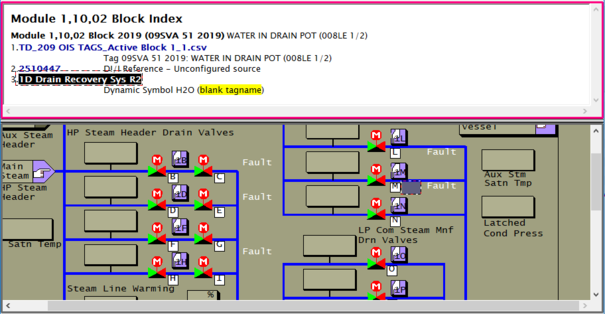
This message is likely to show an error in the system configuration. It should be reviewed. The issue raised may be in unused logic or graphics, or have other realities that make it a non-issue.
This error type was originally reported in error file DBDOC TAG INDEX.ERR. Most errors can now be viewed in the Hyperview Error Browser.
Tag index not found [ERROR 272]
Tag index 423 not found in 3ls1045-.dt at 1942,3444
This message means that a symbol has a tag index that is not found in the tag (or trend) database. The name of the tag might be blank or not found in the database either.
The value of this message for pop-ups is significant, as it is the easiest way to find out that pop-ups that have been keyed by index refer to tags that no longer exist.
This message can be important in conversion of SODG systems to Symphony Plus.
Note that tag index values 1, 6 and 100 are built into ABB standard symbols, so must be ignored if they show up.
The conversion of SODG graphics, even ones using names as keys, is done using tag index values in .DT text files. Any errors in tag name to index mapping will cause problems.
This message can be found in unused symbols. The recommended technique is to use DBDOC builds to remove unused symbols iteratively, so that it is clear that errors apply to symbols that are used.
DBDOC has techniques for finding and eliminating blank tagnames.
This message is likely to show an error in the system configuration. It should be reviewed. The issue raised may be in unused logic or graphics, or have other realities that make it a non-issue.
This error type was originally reported in error file DBDOC TAG INDEX.ERR. Most errors can now be viewed in the Hyperview Error Browser.
Tag index not found in database [ERROR 123]
Tag name TAGINDEX_06554 not found in database in MSDD31.DY
This message says that a tag was only identified by tag index, and that tag index was not found in the tag database. It can also refer to TRENDINDEX_nnnnn with the same sense. In both cases, there is no tag name to use, only a numerical index value that was not found in the assigned database.
This message should only apply to MCS and OIS SODG graphics, the most archaic form. PCView, WinTools and Conductor VMS all use tagname and trendname to make links.
However, the conversion from any SODG graphics system to Symphony Plus appears to need correct tag index values, so this error is very important if graphics are being cleaned up for conversion.
Example:
--Scanning graphic AC-T1 AIR COMPRESSOR TRND (AC-T1)
Tag name TAGINDEX_07631 not found in database  in trndpvfl.DY
This message is closely related to Build error 67: Tag name not found in any database
This message is likely to show an error in the system configuration. It should be reviewed. The issue raised may be in unused logic or graphics, or have other realities that make it a non-issue.
This error type was originally reported in error file DBDOC TAG NAME NOT FOUND.ERR. Most errors can now be viewed in the Hyperview Error Browser.
Tag mismatch [ERROR 101]
Tag mismatch for 16HY570: REJECTS.WATER_EXTRACTOR._16HS570 in AC 800M; REJECTS.WATER_EXTRACTOR._16HS570a in AC 800M; Tag mismatch for TAG1: Module 1,01,02 Block 1234 in DB1.DBF, DB2.DBF; Module 1,01,02 Block 1235 in DB3.DBF
This message may indicate multiple AC 800M elements with the same tag name.
Or during the scanning of the various databases, a tag was found that was defined with different combinations of loop, PCU, module and block. DBDOC depends on a unique tagname corresponding to a unique block number in a module.
Often, you will find that Composer or WinCAD actually have the correct definition of the tag. The reason for this is that they automatically generate a tag definition when an exception report block is created. In the console, on the other hand, the correct parameters have to be entered manually.
This message is likely to show an error in the system configuration. It should be reviewed. The issue raised may be in unused logic or graphics, or have other realities that make it a non-issue.
This error type was originally reported in error file DBDOC TAG MISMATCH.ERR. Most errors can now be viewed in the Hyperview Error Browser.
Tag name not found in any database [ERROR 067]
Tag name UNDEFTAG not found in any database
This message means that a tag name was found in the graphics file but was not in any database. These undefined tags represent "deadspots" in the graphics - places where you would expect a tag to be displayed but it is not.
Sometimes this message happens when a graphic is brought from somewhere else, used as a prototype, and left on the system. In this case, you simply move the inappropriate files into another folder and ignore them in the DBDOC build. It also occurs when a tag is created in Composer or WinCAD, but is not moved into the tag database.
--Scanning graphic AACRD00.DIS
Tag name TC44165-CO not found in any database.
Tag name TC44165 not found in any database.
This graphic has one or more tags on it that are not in the database and do not work.
A message such as this indicates that the tag specified is referenced in a submodel included by another submodel:
--Scanning graphic 1-BA-U1ELECTRICALTABLE.M1
Tag name 1BAT10 CE031 not found in any database
in LYB_TagTextDescrip included by LYB_AnalogTableAOL.
When many tags are not found on a single graphic, it means that graphic is very much broken, and is probably not in use.
See how the Audit Window actually shows you the type of data being displayed for the undefined tag.
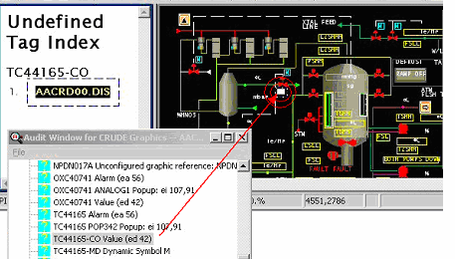
This message is likely to show an error in the system configuration. It should be reviewed. The issue raised may be in unused logic or graphics, or have other realities that make it a non-issue.
This error type was originally reported in error file DBDOC TAG NAME NOT FOUND.ERR. Most errors can now be viewed in the Hyperview Error Browser.
Tag name not upper case [ERROR 263]
Tag name UndefTag should be upper case
The INFI 90 graphics packages are based on Microsoft Access techniques using tagnames as keys, which must be all in uppercase. When they are not all upper case, DBDOC treats them as undefined, and places them in the Index of Undefined Tags. They may not work as expected.
This message is likely to show an error in the system configuration. It should be reviewed. The issue raised may be in unused logic or graphics, or have other realities that make it a non-issue.
This error type was originally reported in error file DBDOC TAG NAME NOT UPPER CASE.ERR. Most errors can now be viewed in the Hyperview Error Browser.
Tag not an exception report [ERROR 256]
Tagged but not exception-reported: Module 1,10,31 Block 22935 (19) is tagged 12LC0305O in TAGDATA.DBF
A tag name has been defined for a block output that does not generate an exception report, but the tag is not used on any graphic.
The tag should be corrected, as third-party HMI systems, alarming and history might depend on it. It cannot serve any purpose as it is.
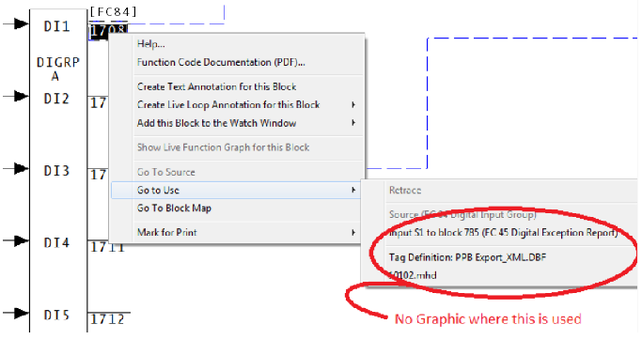
This message is likely to show an error in the system configuration. It should be reviewed. The issue raised may be in unused logic or graphics, or have other realities that make it a non-issue.
This error type was originally reported in error file DBDOC TAG NOT EXCEPTION REPORTED.ERR. Most errors can now be viewed in the Hyperview Error Browser.
Tag not found by name [INTERNAL 293]
Tag UNDEFTAG on DOCUMENT was not found by name, searching by index
DBDOC was unable to find an S+ tag by name.
In most cases, this error will not be generated. The error that is usually generated when an S+ tag is not found is Tag not found in any database [ERROR 284].
This message shows an issue that the DBDOC build process did not handle. It can be reported to G. Michaels Consulting Ltd. in case it can be fixed.
This error type was originally reported in error file DBDOC-INTERNAL SPLUS-PGP.ERR. Most errors can now be viewed in the Hyperview Error Browser.
Tag not found in any database [ERROR 284]
Tag UNDEFTAG on DOCUMENT not found in any database
This message means that a tag was found in the graphics file but was not in any database. These undefined tags represent "deadspots" in the graphics - places where you would expect a tag to be displayed but it is not.
This message is likely to show an error in the system configuration. It should be reviewed. The issue raised may be in unused logic or graphics, or have other realities that make it a non-issue.
This error type was originally reported in error file DBDOC TAG NAME NOT FOUND.ERR. Most errors can now be viewed in the Hyperview Error Browser.
Tag not found in correct database [ERROR 288]
Tag UNDEFTAG not found in database DB1.DBF (defined in DB2.DBF) in A.G included by B.G
The tag mentioned was not found in the database used with the graphic. It does not work. This message tells you that you likely have a definition of what the tag should be to guide you.
This can mean:
- Your build is flawed because the wrong database is associated with the console graphics.
- A tag was created in Composer but not moved into the tag database.
- In systems with multiple consoles and multiple taglists, it can indicate omitted tags that exist but that have not been added to the taglist where they are required. When individual taglists exist, you have to make sure that all tags you need in each console are in the taglist for that console.
This message is likely to show an error in the system configuration. It should be reviewed. The issue raised may be in unused logic or graphics, or have other realities that make it a non-issue.
This error type was originally reported in error file DBDOC TAG FOUND IN OTHER DATABASE.ERR. Most errors can now be viewed in the Hyperview Error Browser.
Tag not found where specified [ERROR 068]
Tag name UNDEFTAG not found in database DB1.DBF (defined in DB2.DBF) in A.DY included by B.DY
The tag name mentioned was not found in the database used with the graphic. The database mentioned has the tag needed but it was not associated with the console graphics.
This can mean:
- Your build is flawed because the wrong database is associated with the console graphics.
- A tag was created in Composer or WinCAD but not moved into the graphics database.
- In systems with multiple consoles and multiple taglists, it can indicate omitted tags that exist but that have not been added to the taglist where they are required. When individual taglists exist, you have to make sure that all tags you need in each console are in the taglist for that console.
This message is likely to show an error in the system configuration. It should be reviewed. The issue raised may be in unused logic or graphics, or have other realities that make it a non-issue.
This error type was originally reported in error file DBDOC TAG FOUND IN OTHER DATABASE.ERR. Most errors can now be viewed in the Hyperview Error Browser.
Tag referenced in PNT database has no LPMB info [COSMETIC 250]
Tag XXXXXXX referenced in PNT database has no LPMB info
The referenced tag is in the Honeywell PNT database only. There is no corresponding tag in the INFI 90 database. It has no loop, PCU, module or block data.
Example:
--Scanning block file 90103.BLK
Tag 2HC2016T referenced in PNT database has no LPMB info.
This message shows a cosmetic issue that is probably not an error. It may be used to make the system tidier.
This error type was originally reported in error file DBDOC-COSMETIC MISSING PNT TAG.ERR. Most errors can now be viewed in the Hyperview Error Browser.
Tag renames block [ERROR 144]
Tag Tagname 2 renames Module 1,01,02 Block 1001 (already named Tagname 1 in DB1.DBF)
We report if the same block has more than one tagname associated with it. This is not likely intended as it wastes a relatively limited resource.
When two tags define the same block in a single database, it can mean that the loop, PCU, module or block of one of the tags is incorrect. The usual meaning of this message when the databases are different is that one entry is obsolete and does not reflect a correction.
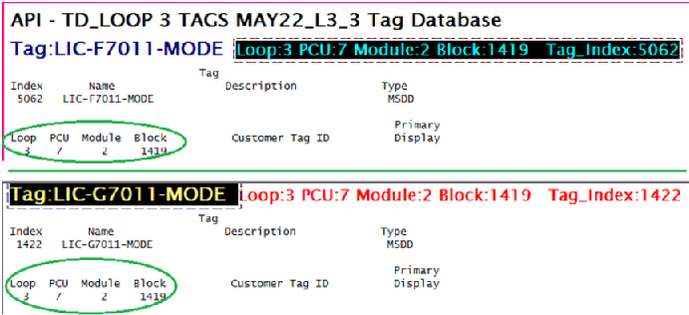
This message is likely to show an error in the system configuration. It should be reviewed. The issue raised may be in unused logic or graphics, or have other realities that make it a non-issue.
This error type was originally reported in error file DBDOC RENAMED BLOCK.ERR. Most errors can now be viewed in the Hyperview Error Browser.
Tag type mismatch [ERROR 102]
Tag type mismatch: Tag 1CME_STOP in taglist TAGDATA for Module 1,05,02 Block 7480 (FC 30) has mismatching type Digital Value [Tag: 1CME_STOP (1 Cement Mill Master Stop Operated)]
This tag is for a block whose function code implies a different tag type than the one specified. For example, an analog type might be specified for a digital block. Some types of mismatches may not be problems, but others are and the tag will not work for the operator.
Example:
--Generating index: Module 1,05,02 Block Index
Tag type mismatch: Tag 1CME_STOP in taglist TAGDATA for Module 1,05,02 Block 7480 (FC 30) has mismatching type Digital Value [Tag: 1CME_STOP (1 Cement Mill Master Stop Operated)]
These tags are in use, but are misdefined. They cannot be used on graphics, alarms or trends.
The snippet from the CLD/CAD sheet source shows that the block is a digital block but the tag definition says it is an ANALOG tag, which is why there is a note about a mismatch.
If an operator tries to make changes on a tag that is defined with the wrong type, those changes will not work.
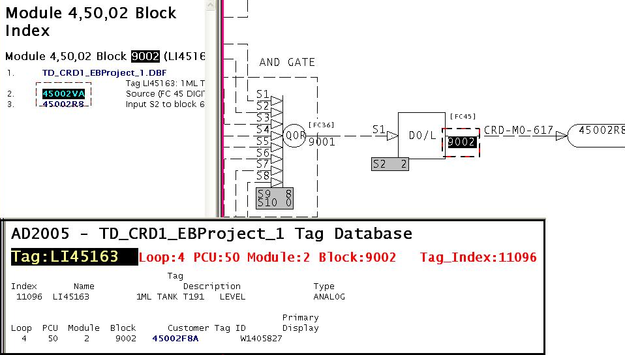
This message is likely to show an error in the system configuration. It should be reviewed. The issue raised may be in unused logic or graphics, or have other realities that make it a non-issue.
This error type was originally reported in error file DBDOC TAG TYPE MISMATCH.ERR. Most errors can now be viewed in the Hyperview Error Browser.
Tag used in graphic not exception-reported [ERROR 141]
Tag used in graphic but not exception-reported: Module 1,01,02 Block 1001 (FC 34) is tagged Tagname in DB4.DBF
This message tells you that a tag is defined with a block that is not an exception report block. The tag does not work if it is used on graphics, for alarming, or for history.
The primary function of the message is to show you tags that are on graphics, but not exception-reported.
However, this message includes cases where the only connection to a graphic comes because the tag definition has a primary display defined or alarm vectoring is implemented. You will want to make sure that there is not an operational problem caused by the fact that a desired or required alarm status will not get displayed. You might be counting on it, but it will never happen.
You may fix the tag by:
- making it an exception report,
- changing the block number, or
- deleting it.
Example:
--Generating index: Module 4,50,02 Block Index
Tag used in graphic but not exception-reported: Module 4,50,02 Block 3630 (FC 40)
is tagged LC45862-OVR in TAGDATA.DBF
For MSDVDR: Multistate Device Driver [FC129], only output block N is exception reported, other output blocks of FC 129 may generate this message.
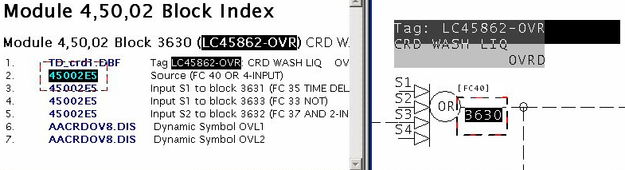
This message is likely to show an error in the system configuration. It should be reviewed. The issue raised may be in unused logic or graphics, or have other realities that make it a non-issue.
This error type was originally reported in error file DBDOC TAG NOT EXCEPTION REPORTED.ERR. Most errors can now be viewed in the Hyperview Error Browser.
Tag/trend mismatch [ERROR 105]
Tag/trend mismatch: tag TAGNAME (DB1.DBF) refers to Module 1,01,02 Block 1001 while trend refers to Module 1,01,02 Block 1005
This message means that during the scanning of the trend databases in a PCView SODG graphics system, a trend tag was found that was defined with a tag that did not match, or it does not have matching tag in any associated database.
In PCView, a trend tag is only meaningful if it is defined with the same block as its source tagname.
This message is likely to show an error in the system configuration. It should be reviewed. The issue raised may be in unused logic or graphics, or have other realities that make it a non-issue.
This error type was originally reported in error file DBDOC PCV TREND MISMATCH.ERR. Most errors can now be viewed in the Hyperview Error Browser.
Tag: no source, not used in a display [CHECK 350]
No source: Module 1,01,02 Block 1001 named in databases - module built
This error indicates a block is present in a tag database but does not have a source in configuration. The configuration for this module has been built.
This message shows a potential error in the system configuration, although most such errors prove to be harmless. It should be reviewed and hidden, unless it shows an issue that should be addressed.
This error type was originally reported in error file '. Most errors can now be viewed in the Hyperview Error Browser.
Tag: no source, not used in a display - module not built [CHECK 351]
Tag has no source: Module 1,01,02 Block 1001- module not built
This error indicates a block is present in a tag database but does not have a source in configuration. The configuration for this module has not been built.
This message shows a potential error in the system configuration, although most such errors prove to be harmless. It should be reviewed and hidden, unless it shows an issue that should be addressed.
This error type was originally reported in error file '. Most errors can now be viewed in the Hyperview Error Browser.
Tag: no source, used in a display [ERROR 111]
No source: Module 3,32,06 Block 958 (3COS-NOXOBJWT) used in display - module built
This message means that two things are true:
- The tag refers to a block that does not exist, but that should have been found in a module that was built.
- The tag is used on at least one graphic.
If there is, in fact, no source for these tags, the operator graphics cannot display a correct value for them.
Example:
No source: Module 4,50,02 Block 1703 (CRD-MO-618) used in display - module built
In this example, the tag named exists in the database, and was used on a graphic. However, the source block for the tag was not found on CLD or CAD sheets that were built.
The other possibility is that the module CAD or CLD files are simply a stub and there are no configuration drawings for the blocks. If the blocks actually exist, you can use BuildPlus/Tools/Project Options/Define Blocks with External Sources to define them and eliminate the error message.
This message is likely to show an error in the system configuration. It should be reviewed. The issue raised may be in unused logic or graphics, or have other realities that make it a non-issue.
This error type was originally reported in error file DBDOC TAG DISPLAYED SOURCE NOT FOUND.ERR. Most errors can now be viewed in the Hyperview Error Browser.
Tag: no source, used in a display - module not built [ERROR 266]
No source: Module 1,01,02 Block 1001 (TAGNAME, TAGNAME2) used in display - module not built
This message means that the tags indicated are used on graphics, but the source modules for them were not built from the CLD/CAD files.
This message is caused by:
- The block comes from an external source like PI or FDI that you have not defined to be external.
- The block comes from a module that was not built.
- Some element of the loop, PCU or module (and block), or a combination of these, defined for the tag is incorrect.
You should make sure that the blocks exist first. In the third case above, it is often the case that the error is in the definition of the tag and the block, in fact, does exist. Typing errors can be the cause of these messages. Also, you should check groups of blocks to make sure that the rules that define blocks that are external are being followed.
Note also that you can mark the blocks as being available for monitoring only in case 3. In cases 1 and 2, DBDOC cannot get a value for the block, which is the same as Composer and WinTools, because the source is not actually a module within a real PCU.
If there is no external source for these tags, the operator graphics cannot display a correct value for them.
Example:
 No source: Module 4,01,02 Block 133 (06-TC-5304) used in display - module not built
 No source: Module 4,01,02 Block 1001 (B12BREAKER) used in display - module not built
 No source: Module 4,01,02 Block 1002 (890STEAM) used in display - module not built
 No source: Module 4,01,02 Block 1003 (B1BREAKER) used in display - module not built
 No source: Module 4,01,02 Block 1004 (BBUSLESS) used in display - module not built
 No source: Module 4,01,02 Block 1005 (B11BREAKER) used in display - module not built
 No source: Module 4,01,02 Block 1006 (RCMLOADSHED) used in display - module not built
Here we can see that the first block is well off on its own, meaning it may be an orphan, and a potential error. The big section of consecutive blocks is probably correct, but should be checked anyway.
In BuildPlus, use Tools/Project Options/Define Blocks with External Sources to define blocks that do not exist to eliminate the messages if they are valid references. The dialog allows you to input the Loop, PCU, Module and Block Range info for external blocks that actually exist.
This message is likely to show an error in the system configuration. It should be reviewed. The issue raised may be in unused logic or graphics, or have other realities that make it a non-issue.
This error type was originally reported in error file DBDOC TAG DISPLAYED MODULE NOT BUILT.ERR. Most errors can now be viewed in the Hyperview Error Browser.
TagAtom mismatch [CHECK 229]
TagAtom mismatch: SIC9007.EB_ALMSTATUS is used in a Conductor NT systemSIC9007
This message means that a tagatom was encountered that does not match the graphics system built.
The tagatoms in Conductor NT and Process Portal are quite different from each other. If we are processing one type and run into tagatoms from the other form of graphics, we warn you. This could result from conversion of graphics or from the use of prototypes from a different system.
This message shows a potential error in the system configuration, although most such errors prove to be harmless. It should be reviewed and hidden, unless it shows an issue that should be addressed.
This error type was originally reported in error file DBDOC-CHECK TAGATOM MISMATCH.ERR. Most errors can now be viewed in the Hyperview Error Browser.
Tested block on different page [CHECK 211]
Tested block on different page: TSTALM block Module 1,07,31 Block 21423 on 10703I1 checks Module 1,07,31 Block 22255 on 1070321
If a block being tested by a TSTALM block is on a different page, it should be checked to make sure that the intended block is being tested.
These messages exist because they often point to an incorrect value of S1. If cloned logic was not completed, and the logic was cloned on another page, this message will occur along with a message saying the target is tested by multiple TSTALM blocks.
This message is cosmetic in that DBDOC makes TSTALM blocks easier to manage. However, the test is capable of finding errors that are not easily found any other way.
This message shows a potential error in the system configuration, although most such errors prove to be harmless. It should be reviewed and hidden, unless it shows an issue that should be addressed.
This error type was originally reported in error file DBDOC-CHECK TSTALM PAGE.ERR. Most errors can now be viewed in the Hyperview Error Browser.
Tokenization unrecognized [INTERNAL 269]
Tokenization Unrecognized Data in ABC12345 at 1: <Unrecognized Token Data>""
A token in a PGP/S+ file is unexpected/unrecognizable. The graphic may not work as expected.
This message shows an issue that the DBDOC build process did not handle. It can be reported to G. Michaels Consulting Ltd. in case it can be fixed.
This error type was originally reported in error file DBDOC-INTERNAL SPLUS-PGP.ERR. Most errors can now be viewed in the Hyperview Error Browser.
Too big for float [ERROR 10027]
Too big for float: Module 1,01,02 Block 12345 (FC23 S3) value 1.0
The parameter is bigger than the biggest legal floating point number.
The parameter is bigger than the biggest legal floating point number. Some constant has been noted as indicating a number greater than 9.2E+18. This usually means that an integer was put into a floating point field, making an illegal number.
This message is likely to show an error in the system configuration. It should be reviewed. The issue raised may be in unused logic or graphics, or have other realities that make it a non-issue.
This error type was originally reported in error file DBDOC COMPOSER SPECS.ERR. Most errors can now be viewed in the Hyperview Error Browser.
Too big for short: integer value [ERROR 10009]
Too big for short: Module 1,01,02 Block 12345 (FC23 S3) integer value 65536 (real value 1.0)
This message means that a CLD file has a value for a specification that is apparently illegal. We have found this as uncorrected damage from early versions of Composer after the verify with update feature was used.
Most of these messages occur when you switch to Composer version 2.1. They can be ignored for the most part.
--Parsing file E:\PROJECT\ANC_CO~2\EBY0884.CLD...
Block 9399 S1 integer value 65534 (real value 0.000000) too big for short.
From the picture, you can see that somebody must have put 0.0 in S1 of block 9399 (a real number) instead of 0 (an integer). A real number does not have the same structure as an integer, so DBDOC tells you about it. We do not know if it works, but some errors of this type have found actual problems for clients.
This message is likely to show an error in the system configuration. It should be reviewed. The issue raised may be in unused logic or graphics, or have other realities that make it a non-issue.
This error type was originally reported in error file DBDOC COMPOSER SPECS.ERR. Most errors can now be viewed in the Hyperview Error Browser.
Too big for unsigned short [ERROR 10024]
Too big for unsigned short: Module 1,01,02 Block 12345 (FC23 S3) integer value 65536 (real value 1.0)
This message means that a CLD file has a value for a specification that is apparently illegal. We have found this as uncorrected damage from early versions of Composer after the verify with update feature was used.
Most of these messages occur when you switch to Composer version 2.1. They can be ignored for the most part.
--Parsing file E:\PROJECT\ANC_CO~2\EBY0884.CLD...
Block 9399 S1 integer value 65534 (real value 0.000000) too big for short.
From the picture, you can see that somebody must have put 0.0 in S1 of block 9399 (a real number) instead of 0 (an integer). A real number does not have the same structure as an integer, so DBDOC tells you about it. We do not know if it works, but some errors of this type have found actual problems for clients.
This message is likely to show an error in the system configuration. It should be reviewed. The issue raised may be in unused logic or graphics, or have other realities that make it a non-issue.
This error type was originally reported in error file DBDOC COMPOSER SPECS.ERR. Most errors can now be viewed in the Hyperview Error Browser.
Too many fields [INTERNAL 223]
Fewer substitutions than fields: 0<1
DBDOC has encountered a situation where there are fewer substitutions than fields. This message indicates that the type of database processing that has been chosen is inappropriate in some way. Each type of special database processing depends on certain fields being found in the database. If they are not, the intended linking cannot work. Please check the database processing you have chosen. If it seems correct, send us the generated error.zip and a zipped copy of the database giving these messages. We regularly add to the things we support.
This message shows an issue that the DBDOC build process did not handle. It can be reported to G. Michaels Consulting Ltd. in case it can be fixed.
This error type was originally reported in error file DBDOC-BUILD DATABASE FIELD.ERR. Most errors can now be viewed in the Hyperview Error Browser.
Too many outputs [ERROR 137]
Too many outputs: expected 5 got 10 for Module 1,03,05 Block 1 FC 0 [10305 Ladder Program: Block 1]
This message means that a function code has been encountered that does not have the normal number of outputs. We have encountered this in the case of Ladder files.
The mismatch among versions of .LAD files probably means that files have been built that should not have been. DBDOC builds all the files of a particular extension in the folder, so you should move invalid ones into an ARCHIVE type subfolder. This will get them out of the DBDOC build, while keeping them available for study if needed.
This message is likely to show an error in the system configuration. It should be reviewed. The issue raised may be in unused logic or graphics, or have other realities that make it a non-issue.
This error type was originally reported in error file DBDOC TOO MANY OUTPUTS.ERR. Most errors can now be viewed in the Hyperview Error Browser.
Too many segment control blocks [ERROR 305]
Specification of Segment Control Block Module 197,23,03 Block 1234 exceeds maximum SEGCRM count of 8. Blocks 3141, 5926, 5358, 9793, 2384, 6264, 3383, and 2795 already specified.
The maximum number of Segment Control Blocks in a module is 8.
The Function Code Application Manual says:
- Each module can support up to eight segment control blocks.
This message is likely to show an error in the system configuration. It should be reviewed. The issue raised may be in unused logic or graphics, or have other realities that make it a non-issue.
This error type was originally reported in error file DBDOC ILLEGAL SPEC VALUE.ERR. Most errors can now be viewed in the Hyperview Error Browser.
Too many tag databases for tagmap [BUILD 249]
Too many (72) tag databases for tagmap; only the first 30 will be displayed
If you see this error, it means you have selected too many databases.
Take a look at your Composer or WinTools database selection with BuildPlus / Tools / Project Options / Database Selections. You should only choose large database taglists. Often, there are transfer lists of a small number of tags that should not be chosen. Also, there can be archived (dated) lists recording the state of the tags at some point. These should not be selected either.
This message usually shows an error in the build setup. Contact us for assistance configuring your build.
This error type was originally reported in error file DBDOC-BUILD TOO MANY TAG DATABASES.ERR. Most errors can now be viewed in the Hyperview Error Browser.
Too small for float [ERROR 10028]
Too small for float: Module 2,01,02 Block 100 (FC222 S3) value 2.47956E-039
This message says that the value of the indicated specification Sn is too small to be a legitimate floating point number.
It is probable that the INFI 90 system has no actual problem with this. The message is being investigated and might disappear.
This message is likely to show an error in the system configuration. It should be reviewed. The issue raised may be in unused logic or graphics, or have other realities that make it a non-issue.
This error type was originally reported in error file DBDOC COMPOSER SPECS.ERR. Most errors can now be viewed in the Hyperview Error Browser.
Too small for short [ERROR 10023]
Too small for short: Module 1,01,02 Block 12345 (FC23 S3) integer value -32768 (real value 1.0)
This message means that a CLD file has a value for a specification that is apparently illegal. We have found this as uncorrected damage from early versions of Composer after the verify with update feature was used.
Most of these messages occur when you switch to Composer version 2.1. They can be ignored for the most part.
--Parsing file E:\PROJECT\ANC_CO~2\EBY0884.CLD...
Block 9399 S1 integer value 65534 (real value 0.000000) too big for short.
From the picture, you can see that somebody must have put 0.0 in S1 of block 9399 (a real number) instead of 0 (an integer). A real number does not have the same structure as an integer, so DBDOC tells you about it. We do not know if it works, but some errors of this type have found actual problems for clients.
This message is likely to show an error in the system configuration. It should be reviewed. The issue raised may be in unused logic or graphics, or have other realities that make it a non-issue.
This error type was originally reported in error file DBDOC COMPOSER SPECS.ERR. Most errors can now be viewed in the Hyperview Error Browser.
Too small for unsigned short [ERROR 10025]
Too small for unsigned short: Module 1,01,02 Block 12345 (FC23 S3) integer value -32768 (real value 1.0)
This message means that a CLD file has a value for a specification that is apparently illegal. We have found this as uncorrected damage from early versions of Composer after the verify with update feature was used.
Most of these messages occur when you switch to Composer version 2.1. They can be ignored for the most part.
--Parsing file E:\PROJECT\ANC_CO~2\EBY0884.CLD...
Block 9399 S1 integer value 65534 (real value 0.000000) too big for short.
From the picture, you can see that somebody must have put 0.0 in S1 of block 9399 (a real number) instead of 0 (an integer). A real number does not have the same structure as an integer, so DBDOC tells you about it. We do not know if it works, but some errors of this type have found actual problems for clients.
This message is likely to show an error in the system configuration. It should be reviewed. The issue raised may be in unused logic or graphics, or have other realities that make it a non-issue.
This error type was originally reported in error file DBDOC COMPOSER SPECS.ERR. Most errors can now be viewed in the Hyperview Error Browser.
Trip on fault (defined I/O point bad) [ERROR 148]
Trip on fault: Module 1,01,02 Block 1001 (FC 79) has S19 with value 100 (slave bad if defined I/O point bad)
This message means that the value of the indicated specification will cause the module to trip if the slave has a fault, or if there is bad quality on any of the inputs.
In this case, a CISI/O: Control Interface Slave [FC79] value 100 will cause a trip if any defined I/O point is bad. Value 101 is used to mark the slave as bad if any defined I/O point is bad, but will not trip.
The "trip" specification controls if the module / controller should fail over to the redundant processor if a hardware fault is found. If the trip spec is set to "trip on fault", the module will stop working. If it is set to "continue operation" on fault, the module will smoothly transfer control to the redundant module. This is the normal mode of operation.
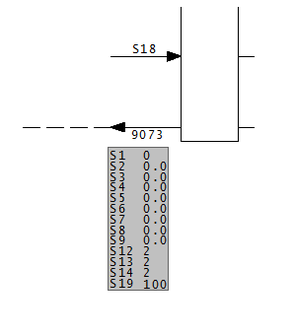
This message is likely to show an error in the system configuration. It should be reviewed. The issue raised may be in unused logic or graphics, or have other realities that make it a non-issue.
This error type was originally reported in error file DBDOC TRIP ON FAULT.ERR. Most errors can now be viewed in the Hyperview Error Browser.
Trip on fault (will trip on failure) [ERROR 147]
Trip on fault: Module 1,01,02 Block 1001 (FC 79) has S4 zero (will trip on failure)
This message means that the value of the indicated specification will cause the module to trip if the slave has a fault.
The "trip" specification controls if the module / controller should fail over to the redundant processor if a hardware fault is found. If the trip spec is set to "trip on fault", the module will stop working. If it is set to "continue operation" on fault, the module will smoothly transfer control to the redundant module. This is the normal mode of operation.
Anytime an input / output function is found that is set to "trip on fault", it indicates that the system could be negatively impacted when it is not expected. You should make sure that there really is no redundant hardware present when you see this message.
AIS/FBS: Analog Input/Slave [FC132] has its own realities. In FC 132, the block is handled as a "chain" of three blocks, controlled by the specifications of the first block in the chain. Thus, any garbage value can be in S3 of a FC 132 block with no effect, unless that block is the first one in the chain (for FC 132 blocks, these messages will sometimes appear in the error filter file DBDOC-CHECK_AIS-FBS_TRIP_ON_FAULT.ERR).
This message is likely to show an error in the system configuration. It should be reviewed. The issue raised may be in unused logic or graphics, or have other realities that make it a non-issue.
This error type was originally reported in error file DBDOC TRIP ON FAULT.ERR. Most errors can now be viewed in the Hyperview Error Browser.
TSTALM checks subsequent block [CHECK 212]
TSTALM Module 3,11,06 Block 24080 checks subsequent Block 24084
This message tells you that a TSTALM block has a lower block number than the block whose status it is testing. This may often be ignored, because there are ways of making the block processing not follow block numbers.
These messages exist because in a redundant module switchover, the first scan of the module may have indeterminate or incorrect values for the blocks being tested, as it will not have been executed.
When the TSTALM block has a lower block number than the block it is testing, it executes first in the cycle, therefore it will test the value of the block, taken in the previous cycle.
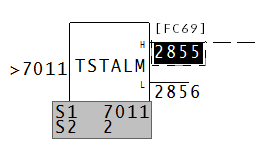
The test block, (2855), is before the block being tested, (in this case 7011).
This message shows a potential error in the system configuration, although most such errors prove to be harmless. It should be reviewed and hidden, unless it shows an issue that should be addressed.
This error type was originally reported in error file DBDOC-CHECK TSTALM SUBSEQUENT.ERR. Most errors can now be viewed in the Hyperview Error Browser.
TSTALM does not test base block [CHECK 310]
TSTALM Module 1,01,02 Block 1010 does not test base block at Module 1,01,02 Block 1000
A TSTALM block does not test block N of the target FC, but instead some block N+x.
Newer versions of S+ flag an error if a TSTALM block points to other than block N of the target block. In that case, the module will not complile and cannot be loaded.
This message shows a potential error in the system configuration, although most such errors prove to be harmless. It should be reviewed and hidden, unless it shows an issue that should be addressed.
This error type was originally reported in error file '. Most errors can now be viewed in the Hyperview Error Browser.
TSTQ on import quality only [CHECK 070]
TSTQ Module 1,01,02 Block 1000 tests communications quality only on Module 1,01,02 Block 1001 (FC 42)
TSTQ block inputs must have quality. If they do not have quality, the test will not work. Examine logic to make sure that bad quality source values will be detected if that is intended.
Import blocks have bad quality because either:
- The source has bad quality, or
- The import process has failed, because:
- Exception reports are not being generated or
- Bus imports have failed.
In some systems, there is systematic checking that imported values are being received reliably. Use the information in this report to verify that bad quality source data will be taken into account in the logic.
Function codes that have quality or propagate the quality of their input are listed at Function codes with quality.
This message shows a potential error in the system configuration, although most such errors prove to be harmless. It should be reviewed and hidden, unless it shows an issue that should be addressed.
This error type was originally reported in error file DBDOC-CHECK TSTQ COMMUNICATION ONLY.ERR. Most errors can now be viewed in the Hyperview Error Browser.
TSTQ tests block not propagating quality [ERROR 071]
TSTQ Module 1,01,02 Block 1000 tests Module 1,01,02 Block 1001 (FC 67), which is not propagating quality
This message tells you that a TSTQ: Test Quality [FC31] block is being used to test a signal that has no quality to propagate. The input will never be found to have bad quality and no action will happen that might be intended. This often shows a situation where an AO/L FC 30 block is being tested for quality, but the input signal has no quality to propagate.
Signals that have quality are represented in DBDOC as blue or purple lines on CAD and CLD diagrams. Function codes that have quality or propagate the quality of their input are listed at Function codes with quality.
This message sometimes appears where macros have been taken to implement logic, so it might not be an error. However, we often find such oversights as testing the quality of an Analog Transfer function block instead of its input, or the quality of a digital logic block rather than the inputs or outputs to the block.
--Generating Effective Quality report...
TSTQ Module 1,02,10 Block 6030 tests Module 1,02,10 Block 5615 (FC 67), which is not propagating quality
It is very important to note that this error will only cause a problem when a signal that is counted upon goes bad quality and the logic fails to detect that problem. It was missed in checkout and commissioning, or in subsequent work because it cannot be tested validly.
This message is likely to show an error in the system configuration. It should be reviewed. The issue raised may be in unused logic or graphics, or have other realities that make it a non-issue.
This error type was originally reported in error file DBDOC TSTQ.ERR. Most errors can now be viewed in the Hyperview Error Browser.
TSTQ tests block with no quality [ERROR 063]
TSTQ Module 1,01,02 Block 1001 tests Module 1,01,02 Block 1002 (FC 3 block N+1), which does not have quality
The TSTQ block inputs must have quality. If they do not, the test will not work. T: Analog Transfer [FC9] blocks and SQRT: Square Root [FC7] blocks are ones that are often tested in error.
This message tells you that a TSTQ: Test Quality [FC31] is being used to test a signal that does not have the Quality attribute, or the signal being tested has no quality to propagate. The input will never be found to have bad quality and no action will happen that might be intended.
Signals that have quality are represented in DBDOC as blue or purple lines on CAD and CLD diagrams. Function codes that have quality or propagate the quality of their input are listed at Function codes with quality.
This message sometimes appears where macros have been taken to implement logic, so it might not be an error. However, we often find such oversights as testing the quality of an Analog Tranfer function block instead of its intput, or the quality of a digital logic block rather than the inputs or outputs to the block.
--Post Processing drawing T CCW Pumps Auto Trip
TSTQ Module 1,02,10 Block 6031 tests Module 1,02,10 Block 5663 (FC 38), which does not have quality
It is very important to note that this error will only cause a problem when a signal that is counted upon goes bad quality and the logic fails to detect that problem. It was missed in checkout and commissioning, or in subsequent work because it cannot be tested validly.
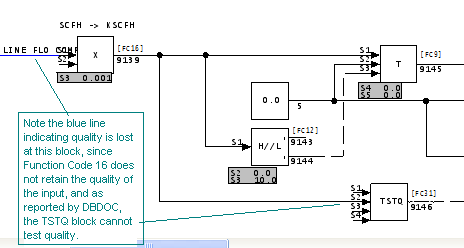
This message is likely to show an error in the system configuration. It should be reviewed. The issue raised may be in unused logic or graphics, or have other realities that make it a non-issue.
This error type was originally reported in error file DBDOC TSTQ.ERR. Most errors can now be viewed in the Hyperview Error Browser.
TSTQ tests executive block [CHECK 156]
TSTQ Module 1,01,02 Block 1001 tests quality on executive block Module 1,01,02 Block 3, which does not have quality
The TSTQ block inputs must have quality. If they do not, the test is useless. However, testing quality of executive constant blocks appears to be a common way of disabling unneeded logic.
Testing constants is generally visible and often intentional, acting as a simple place holder in multipurpose logic.
Function codes that have quality or propagate the quality of their input are listed at Function codes with quality.
TSTQ Module 20,09,31 Block 28552 tests quality on executive block 5,
which does not have quality [156]
TSTQ Module 1,06,31 Block 21464 tests quality on Module 1,06,31 Block 21333 (FC 52),
which does not have quality [156]
TSTQ Module 1,06,31 Block 21464 tests Module 1,06,31 Block 21333 (FC 50),
which does not have quality [156]
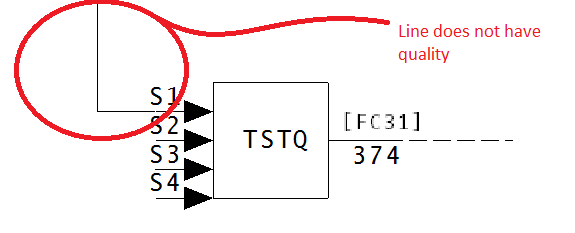
This message shows a potential error in the system configuration, although most such errors prove to be harmless. It should be reviewed and hidden, unless it shows an issue that should be addressed.
This error type was originally reported in error file DBDOC-CHECK TSTQ.ERR. Most errors can now be viewed in the Hyperview Error Browser.
Type code cannot be rendered [INTERNAL 278]
Type Code DB_INFO in FILE1234.G cannot be rendered
An unhandled variable type has been detected. Any hotspot links or live values related to a variable with this type will not be rendered.
This message shows an issue that the DBDOC build process did not handle. It can be reported to G. Michaels Consulting Ltd. in case it can be fixed.
This error type was originally reported in error file DBDOC-INTERNAL SPLUS-PGP.ERR. Most errors can now be viewed in the Hyperview Error Browser.
Unable to find bitmap [BUILD 100]
Unable to find bitmap missing.bmp: using default size (200x200)
This message means DBDOC could not find a bitmap when the graphic was being compiled. Our DBDOC picture of the graphic may not be valid if you have missing bitmaps.
We suggest you find these missing bitmaps and then rerun the wizard to include the symbols into the system.
If you end up with numerous missing bitmaps, it is probable that your build is not configured properly.
This message usually shows an error in the build setup. Contact us for assistance configuring your build.
This error type was originally reported in error file DBDOC-BUILD MISSING SYMBOL.ERR. Most errors can now be viewed in the Hyperview Error Browser.
Unable to find color [ERROR 355]
Unable to find color InvldCol on ABCD.G
This message means that a color was referenced on an SPO graphic that DBDOC could not resolve.
This message is likely to show an error in the system configuration. It should be reviewed. The issue raised may be in unused logic or graphics, or have other realities that make it a non-issue.
This error type was originally reported in error file '. Most errors can now be viewed in the Hyperview Error Browser.
Unable to parse node [INTERNAL 027]
Unable to parse node from file sample.txt
DBDOC was unable to parse the node.
This message shows an issue that the DBDOC build process did not handle. It can be reported to G. Michaels Consulting Ltd. in case it can be fixed.
This error type was originally reported in error file DBDOC-INTERNAL UNDOCUMENTED.ERR. Most errors can now be viewed in the Hyperview Error Browser.
Unconnected wire end [ERROR 339]
Unconnected wire end at (4896, 4608)
This messages indicates a wire is defined with a missing end.
This message is likely to show an error in the system configuration. It should be reviewed. The issue raised may be in unused logic or graphics, or have other realities that make it a non-issue.
This error type was originally reported in error file '. Most errors can now be viewed in the Hyperview Error Browser.
Unexpected function code [INTERNAL 017]
Unexpected function code 25
DBDOC encountered an unexpected function code.
This message shows an issue that the DBDOC build process did not handle. It can be reported to G. Michaels Consulting Ltd. in case it can be fixed.
This error type was originally reported in error file DBDOC-INTERNAL UNDOCUMENTED.ERR. Most errors can now be viewed in the Hyperview Error Browser.
Unhandled calculation [ERROR 326]
Unhandled calculation 12345 at 2300,1150
This calculation is not possible at build time.
This message is likely to show an error in the system configuration. It should be reviewed. The issue raised may be in unused logic or graphics, or have other realities that make it a non-issue.
This error type was originally reported in error file DBDOC-INTERNAL MESSAGE.ERR. Most errors can now be viewed in the Hyperview Error Browser.
Unhandled complex source configuration [INTERNAL 341]
Unhandled complex source configuration: 5 sources, 2 uses
This message shows an issue that the DBDOC build process did not handle. It can be reported to G. Michaels Consulting Ltd. in case it can be fixed.
This error type was originally reported in error file '. Most errors can now be viewed in the Hyperview Error Browser.
Unhandled data after record [INTERNAL 234]
Unhandled data after 0 record: 0 bytes
A record has been found in a file that we do not know how to handle. This usually occurs when an obscure and rarely used function is encountered, or when a new version of the graphics system introduces new functionality.
Please send us the file and any related documentation you can find.
This message shows an issue that the DBDOC build process did not handle. It can be reported to G. Michaels Consulting Ltd. in case it can be fixed.
This error type was originally reported in error file DBDOC-INTERNAL UNHANDLED ENTITY.ERR. Most errors can now be viewed in the Hyperview Error Browser.
Unhandled escape type [INTERNAL 236]
Unhandled Escape type: 0File A, File B
A record has been found in a file that we do not know how to handle. This usually occurs when an obscure and rarely used function is encountered, or when a new version of the graphics system introduces new functionality.
Please send us the file and any related documentation you can find.
This message shows an issue that the DBDOC build process did not handle. It can be reported to G. Michaels Consulting Ltd. in case it can be fixed.
This error type was originally reported in error file DBDOC-INTERNAL UNHANDLED ENTITY.ERR. Most errors can now be viewed in the Hyperview Error Browser.
Unhandled line [INTERNAL 237]
Failed to handle line 12345
DBDOC encountered a file error.
This message shows an issue that the DBDOC build process did not handle. It can be reported to G. Michaels Consulting Ltd. in case it can be fixed.
This error type was originally reported in error file DBDOC-INTERNAL UNDOCUMENTED.ERR. Most errors can now be viewed in the Hyperview Error Browser.
Unhandled LMM spec value [INTERNAL 235]
Unhandled LMM spec value 0
A record has been found in a file that we do not know how to handle. This usually occurs when an obscure and rarely used function is encountered.
Please send us the file and any related documentation you can find.
This message shows an issue that the DBDOC build process did not handle. It can be reported to G. Michaels Consulting Ltd. in case it can be fixed.
This error type was originally reported in error file DBDOC-INTERNAL UNHANDLED ENTITY.ERR. Most errors can now be viewed in the Hyperview Error Browser.
Unhandled pe header data [INTERNAL 233]
Unhandled pe header data: type 0 at offset 0
A record has been found in a file that we do not know how to handle. This usually occurs when an obscure and rarely used function is encountered, or when a new version of the graphics system introduces new functionality.
Please send us the file and any related documentation you can find.
This message shows an issue that the DBDOC build process did not handle. It can be reported to G. Michaels Consulting Ltd. in case it can be fixed.
This error type was originally reported in error file DBDOC-INTERNAL UNHANDLED ENTITY.ERR. Most errors can now be viewed in the Hyperview Error Browser.
Unknown AC 800M block type [INTERNAL 338]
Unknown AC 800M block type with color a66846 at 0,0
This message indicates an AC 800M block type was detected that is not currently handled by us.
This message shows an issue that the DBDOC build process did not handle. It can be reported to G. Michaels Consulting Ltd. in case it can be fixed.
This error type was originally reported in error file '. Most errors can now be viewed in the Hyperview Error Browser.
Unknown access code [INTERNAL 273]
Tokenization Unknown Access Code 0x1 in FILE1234.G at 0xABCD
An access code was encountered that is unknown to GMCL.
This error can trigger Dynamic Definition Undefined (277) errors in the same file.
This message shows an issue that the DBDOC build process did not handle. It can be reported to G. Michaels Consulting Ltd. in case it can be fixed.
This error type was originally reported in error file DBDOC-INTERNAL SPLUS-PGP.ERR. Most errors can now be viewed in the Hyperview Error Browser.
Unknown atom [CHECK 047]
Unknown atom C_FOO for tag TAGNAME
This message means that a tag atom was used in Conductor NT or Process Portal B that we do not know about. We regularly add new tag atoms as we run into them.
As of DBDOC 11.2 Feature Update, there are new messages for tagatoms starting with "_" and ones with specious ")" character dangling.
This message shows a potential error in the system configuration, although most such errors prove to be harmless. It should be reviewed and hidden, unless it shows an issue that should be addressed.
This error type was originally reported in error file DBDOC-CHECK UNKNOWN ATOM.ERR. Most errors can now be viewed in the Hyperview Error Browser.
Unknown Bin file touchpoint type [ERROR 332]
Unknown Bin File xmlFile.xml Touchpoint Type TypeCodeName
This message is likely to show an error in the system configuration. It should be reviewed. The issue raised may be in unused logic or graphics, or have other realities that make it a non-issue.
This error type was originally reported in error file '. Most errors can now be viewed in the Hyperview Error Browser.
Unknown Component Number [INTERNAL 270]
Tokenization Invalid Component Number 1 in ABC12345 at 1
A component number was encountered that is unknown to GMCL or invalid. The associated graphical element (polygon, circle, etc...) will not be rendered correctly.
This message shows an issue that the DBDOC build process did not handle. It can be reported to G. Michaels Consulting Ltd. in case it can be fixed.
This error type was originally reported in error file DBDOC-INTERNAL SPLUS-PGP.ERR. Most errors can now be viewed in the Hyperview Error Browser.
Unknown dynamic bar direction [INTERNAL 232]
Unknown dynamic bar direction -1 -- defaulting to left to rightFP_DYbargraph
Our understanding of dynamic bar graph display parameters in Conductor NT / Process Portal B graphics is incomplete.
If you get this message, please send us your .M1 files that generated this message with an explanation of what is special about the bar graph.
This message shows an issue that the DBDOC build process did not handle. It can be reported to G. Michaels Consulting Ltd. in case it can be fixed.
This error type was originally reported in error file DBDOC-INTERNAL DYNAMIC BAR.ERR. Most errors can now be viewed in the Hyperview Error Browser.
Unknown Exception [INTERNAL 053]
Unknown exception in file Broken.DWG -- skipping
This message identifies a file that we cannot process. Please send us a copy of it if it has no apparent problems in your system.
If the file DBDOC-CHECK_FILE_OPEN_FAILURE is generated, sometimes they may both be resolved if the project is rebuilt.
This message shows an issue that the DBDOC build process did not handle. It can be reported to G. Michaels Consulting Ltd. in case it can be fixed.
This error type was originally reported in error file DBDOC-INTERNAL SKIPPING.ERR. Most errors can now be viewed in the Hyperview Error Browser.
Unknown logic state type [INTERNAL 245]
Unknown logic state type 0
We do not understand this logic state. Please check the file with the appropriate graphics tools and send the file to us if it appears to be valid.
This message shows an issue that the DBDOC build process did not handle. It can be reported to G. Michaels Consulting Ltd. in case it can be fixed.
This error type was originally reported in error file DBDOC-INTERNAL UNKNOWN LOGIC STATE.ERR. Most errors can now be viewed in the Hyperview Error Browser.
Unknown mimic file touchpoint type [ERROR 330]
Unknown Mimic File xmlFile.xml Touchpoint Type ABC
This message is likely to show an error in the system configuration. It should be reviewed. The issue raised may be in unused logic or graphics, or have other realities that make it a non-issue.
This error type was originally reported in error file '. Most errors can now be viewed in the Hyperview Error Browser.
Unknown mimic file type code [ERROR 331]
Unknown Mimic File xmlFile.xml Type Code TypeCodeName
This message is likely to show an error in the system configuration. It should be reviewed. The issue raised may be in unused logic or graphics, or have other realities that make it a non-issue.
This error type was originally reported in error file '. Most errors can now be viewed in the Hyperview Error Browser.
Unknown picture type in ctx [INTERNAL 218]
Unknown picture type 2159955266 in VB.Image ctx at offset 0x000AC3DAUnknown Location
This message means that a call was found for a type of image that DBDOC does not yet support.
This message shows an issue that the DBDOC build process did not handle. It can be reported to G. Michaels Consulting Ltd. in case it can be fixed.
This error type was originally reported in error file DBDOC-INTERNAL UNKNOWN PICTURE TYPE.ERR. Most errors can now be viewed in the Hyperview Error Browser.
Unknown record type [INTERNAL 240]
Unknown record type 0 at offset 0
The file contains records we do not support at the present time. Please send us a copy of the symbol file or graphic and any other information to help us add the support needed.
This message shows an issue that the DBDOC build process did not handle. It can be reported to G. Michaels Consulting Ltd. in case it can be fixed.
This error type was originally reported in error file DBDOC-INTERNAL UNSUPPORTED RECORDS.ERR. Most errors can now be viewed in the Hyperview Error Browser.
Unknown shape (missing library) [ERROR 042]
Unknown shape MISSING ignored (missing library SAMPLE)
This message says that a CLD/CAD sheet requires a shape from a user library that was not found.
Rebuild your DBDOC project with the library specified in Wizard to correct this problem.
This report gives you a checklist of shapes that are lost.
This message is likely to show an error in the system configuration. It should be reviewed. The issue raised may be in unused logic or graphics, or have other realities that make it a non-issue.
This error type was originally reported in error file DBDOC UNKNOWN SHAPE.ERR. Most errors can now be viewed in the Hyperview Error Browser.
Unknown shape (no user library) [ERROR 041]
Unknown shape MISSING ignored (no user LBR specified)
This message means the CLD/CAD sheet did not specify a user library, but the CLD/CAD needs a shape from a library.
To resolve this message, either fix the CLD/CAD sheet or exclude it from the DBDOC build.
This message is likely to show an error in the system configuration. It should be reviewed. The issue raised may be in unused logic or graphics, or have other realities that make it a non-issue.
This error type was originally reported in error file DBDOC UNKNOWN SHAPE.ERR. Most errors can now be viewed in the Hyperview Error Browser.
Unknown shape (not in library) [ERROR 043]
Unknown shape MISSING ignored (not in library SAMPLE.LBR)
This means that a shape was required by a CLD/CAD file, but was not found in the library accessed by the build.
This can result either from:
- a lost shape
- a local copy of the user library being needed. Rerunning the Wizard and deselecting the user library specification will take care of this.
In Composer systems, this message can mean that multiple user macro libraries that had evolved under WinCAD were not consolidated when the project was imported into Composer. The information in the CLD files might be misleading or incorrect.
This report gives you a checklist of shapes that are lost.
This message is likely to show an error in the system configuration. It should be reviewed. The issue raised may be in unused logic or graphics, or have other realities that make it a non-issue.
This error type was originally reported in error file DBDOC UNKNOWN SHAPE.ERR. Most errors can now be viewed in the Hyperview Error Browser.
Unknown subtype for block ed 50 [INTERNAL 242]
Unknown subtype 0 for Block 000 ed 50 -- defaulting to left-to-right dynamic bar
The file contains records we do not support at the present time.
Please send us a copy of the symbol file or graphic and any other information to help us add the support needed.
This message shows an issue that the DBDOC build process did not handle. It can be reported to G. Michaels Consulting Ltd. in case it can be fixed.
This error type was originally reported in error file DBDOC-INTERNAL UNSUPPORTED RECORDS.ERR. Most errors can now be viewed in the Hyperview Error Browser.
Unknown subtype on line [INTERNAL 241]
Unknown subtype on line 0: ei 0,0
The file contains records we do not support at the present time. Please send us a copy of the symbol file or graphic and any other information to help us add the support needed.
This message shows an issue that the DBDOC build process did not handle. It can be reported to G. Michaels Consulting Ltd. in case it can be fixed.
This error type was originally reported in error file DBDOC-INTERNAL UNSUPPORTED RECORDS.ERR. Most errors can now be viewed in the Hyperview Error Browser.
Unknown tag type [INTERNAL 259]
Tag ABCDEF has unknown tag type RTU_SPARE
The reported tag has a tag type that we do not yet support.
Please let us know what function code it describes.
If DBDOC cannot support the type of tag in your system, please contact GMCL to have the problem looked into.
This message shows an issue that the DBDOC build process did not handle. It can be reported to G. Michaels Consulting Ltd. in case it can be fixed.
This error type was originally reported in error file DBDOC-INTERNAL UNKNOWN TAG TYPE.ERR. Most errors can now be viewed in the Hyperview Error Browser.
Unknown type code [INTERNAL 276]
Tokenization Unknown Type Code 0x1 in FILE1234.G at 0xABCD
In parsing a file, a type code was encountered that is unknown to GMCL.
This message shows an issue that the DBDOC build process did not handle. It can be reported to G. Michaels Consulting Ltd. in case it can be fixed.
This error type was originally reported in error file DBDOC-INTERNAL SPLUS-PGP.ERR. Most errors can now be viewed in the Hyperview Error Browser.
Unparsable XML Line [ERROR 329]
XML file xmlFile.xml could not parsed line </Name/>
This message indicates an internal failure to parse an XML file, please report this to GMCL.
This message is likely to show an error in the system configuration. It should be reviewed. The issue raised may be in unused logic or graphics, or have other realities that make it a non-issue.
This error type was originally reported in error file '. Most errors can now be viewed in the Hyperview Error Browser.
Unrecognized binary data [INTERNAL 274]
Tokenization Unrecognized Binary Data in ABC12345 at 1
Unexpected data was encountered while parsing a binary file.
This message shows an issue that the DBDOC build process did not handle. It can be reported to G. Michaels Consulting Ltd. in case it can be fixed.
This error type was originally reported in error file DBDOC-INTERNAL SPLUS-PGP.ERR. Most errors can now be viewed in the Hyperview Error Browser.
Unreferenced graphic file [INFO 214]
Unreferenced graphic: PERG_AREA14H.M1
This graphic is not linked from any other graphic in the chapter. It will not be called up by normal vectoring between graphics.
This shows that the graphic is present, just unconnected to other graphics in the chapter.
This message reports system information that is otherwise difficult or impossible to find.
This error type was originally reported in error file DBDOC-INFO UNREFERENCED GRAPHIC.ERR. Most errors can now be viewed in the Hyperview Error Browser.
Unreferenced graphic name [INFO 215]
Unreferenced graphic: M-PLANTA.DIS - M-GENERA1
The graphic is not linked to by any other graphic in the system. Unless its name is entered by hand, it cannot be called up.
When a graphic is called upon from the error browser, it fails to open to anything.
However, when the graphic is searched for, it opens without difficulty.
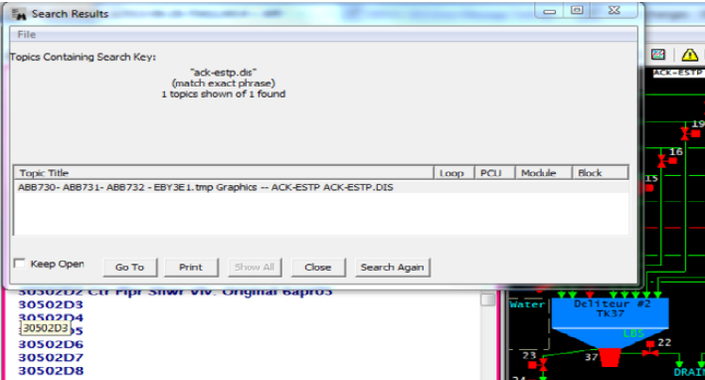
This shows that the graphic is present, just unconnected to anything.
This message reports system information that is otherwise difficult or impossible to find.
This error type was originally reported in error file DBDOC-INFO UNREFERENCED GRAPHIC.ERR. Most errors can now be viewed in the Hyperview Error Browser.
Unresolved connection [ERROR 344]
Unresolved connection to 11:_16M2080RUN.Out3
This message is likely to show an error in the system configuration. It should be reviewed. The issue raised may be in unused logic or graphics, or have other realities that make it a non-issue.
This error type was originally reported in error file '. Most errors can now be viewed in the Hyperview Error Browser.
Unsupported dynamic symbol subtype [INTERNAL 239]
Unsupported Dynamic Symbol subtype 0
The file contains records we do not support at the present time.
Please send us a copy of the symbol file or graphic and any other information to help us add the support needed.
This message shows an issue that the DBDOC build process did not handle. It can be reported to G. Michaels Consulting Ltd. in case it can be fixed.
This error type was originally reported in error file DBDOC-INTERNAL UNSUPPORTED RECORDS.ERR. Most errors can now be viewed in the Hyperview Error Browser.
Unsupported FC used in CFC [ 10045]
CFC MY_CFC contains FC91, which is not supported in CFCs.
This CFC contains a function code that is not supported by CFCs.
This error type was originally reported in error file '. Most errors can now be viewed in the Hyperview Error Browser.
Unsupported function [INTERNAL 238]
Unsupported function: Unknown Function
Data has been found in a file that we do not know how to handle. This usually occurs when an obscure and rarely used function is encountered, or when a new version of the graphics system introduces new functionality.
Send us the file and any related documentation.
This message shows an issue that the DBDOC build process did not handle. It can be reported to G. Michaels Consulting Ltd. in case it can be fixed.
This error type was originally reported in error file DBDOC-INTERNAL UNSUPPORTED FUNCTION.ERR. Most errors can now be viewed in the Hyperview Error Browser.
Unsupported graphic primitive [INTERNAL 217]
Unsupported graphic primitive ABBMSFlexGrid_TL.ABBOPCMSFG
This message means that a call was found for a graphic primitive that DBDOC does not yet support.
This message shows an issue that the DBDOC build process did not handle. It can be reported to G. Michaels Consulting Ltd. in case it can be fixed.
This error type was originally reported in error file DBDOC-INTERNAL GRAPHIC PRIMITIVE.ERR. Most errors can now be viewed in the Hyperview Error Browser.
Unsupported non-literal tag name [INTERNAL 343]
Unsupported non-literal tag name: ABC.XYZ.Name
This message shows an issue that the DBDOC build process did not handle. It can be reported to G. Michaels Consulting Ltd. in case it can be fixed.
This error type was originally reported in error file '. Most errors can now be viewed in the Hyperview Error Browser.
Unused extra inputs [INTERNAL 136]
Unused extra inputs for Module 1,01,02 Block 1001 FC 10: found 5, used 2
This message means that a function code has been encountered that does not have the normal number of inputs. We have encountered this in the case of Ladder files where there is a mismatch of .LAD file versions.
Example:
--Scanning LAD file 30603.LAD
Unused extra inputs for Module 3,06,03 Block 203 FC 151: found 6, used 4.
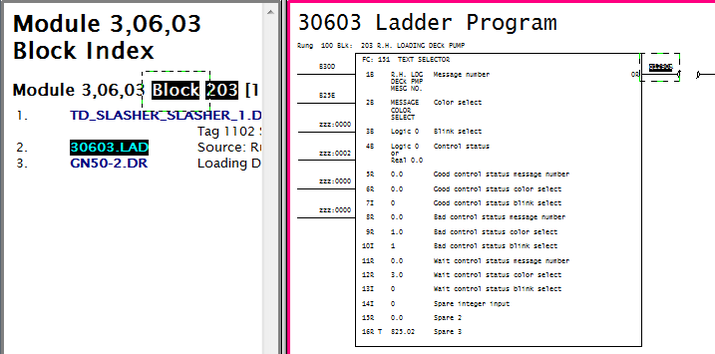
This message shows an issue that the DBDOC build process did not handle. It can be reported to G. Michaels Consulting Ltd. in case it can be fixed.
This error type was originally reported in error file DBDOC-INTERNAL UNUSED EXTRA INPUTS.ERR. Most errors can now be viewed in the Hyperview Error Browser.
User macro registered multiple times [INFO 10039]
User macro MACRO registered multiple times
This message is designed to improve the development of DBDOC by asking you to collaborate with us. We would like to better understand duplicated macros and shapes, so if you can explain how the messages for your system got there, and anything meaningful, please let us know.
This message reports system information that is otherwise difficult or impossible to find.
This error type was originally reported in error file DBDOC-INFO MULTIPLE MACROS.ERR. Most errors can now be viewed in the Hyperview Error Browser.
Vertical text on drawing [INFO 050]
Vertical text NASM02-0 on drawing DRAWG25A.CAD
The diagnostic command "log_vertical_text" was used in the build to find text written vertically so that it could be examined.
This message reports system information that is otherwise difficult or impossible to find.
This error type was originally reported in error file DBDOC-INFO VERTICAL TEXT.ERR. Most errors can now be viewed in the Hyperview Error Browser.
Wired gain spec is adapted [INFO 120]
Wired gain spec is adapted: S2 of Module 1,01,02 Block 1001 of 3 FC 1 adapted by Module 1,01,02 Block 1234
This message indicates that a wired gain spec is adapted. Verify that the intent of the logic is to have the gain controlled by an Adapt block.
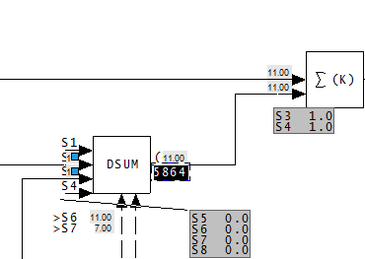
This message reports system information that is otherwise difficult or impossible to find.
This error type was originally reported in error file DBDOC-INFO GAIN SPEC ADAPTED.ERR. Most errors can now be viewed in the Hyperview Error Browser.
X coordinate adapted [INFO 029]
X-coordinate adapted - S2 (1.00) of Module 1,01,02 Block 1001
You may want to check that there are base or design values for the parameters of F(X): Function Generator [FC1] blocks that are adapted. If there are, the graph will be meaningful. Also, the order of processing (adapt block before function block) will not be as important.
This is not usually a significant error. We report them for these reasons:
- They are very hard to find and can be mysterious in operation.
- By making them visible to you, you can see if the actual implementation makes sense by looking at live data
- Since DBDOC will graph the function if the X and Y coordinates make sense, this file allows you to go to the work of finding good "design" values of the specifications so that the DBDOC presentation is useful to a user
- The intent of the adapted function generator should be documented, probably right there on the CLD or CAD sheet
- There might be an error in that a block number is wrong or was reused, with unintended consequences
Example:
--Scanning drawing 24305U8: As Shipped
X-coordinate adapted - S2 (-20.00) of Module 2,43,05 Block 2125
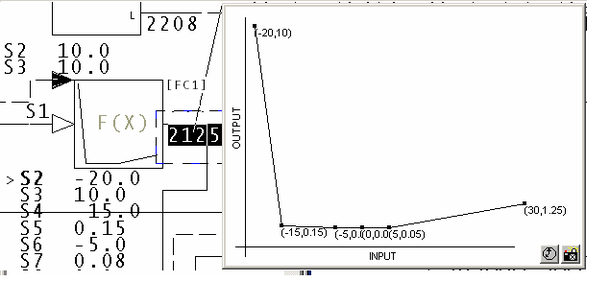
You can see that the default value of S2 will affect the way the function is documented.
We suggest that you should figure out default values for all adapted coordinates. That way, DBDOC can show you what the design function generator shape is supposed to be. Also, live data will then show you deviation from the design shape.
This message reports system information that is otherwise difficult or impossible to find.
This error type was originally reported in error file DBDOC-INFO ADAPTED COORDINATE.ERR. Most errors can now be viewed in the Hyperview Error Browser.
X coordinates out of order [ERROR 033]
X coordinates out of order for F(x) Module 1,01,02 Block 1001
This message means that your x coordinates are not in ascending order. This may lead to strange graphs.
You can see the x coordinates on the block by viewing the specification of the block. View specs by pressing the "s" key, or from the menu item: View - Specs.
This message means that coordinates may be out of order for certain function codes. The x coordinates S2, S4, S6 etc. should have values in ascending order. The function generator implementation in the "controller" (the logic in a module) is very simple-minded. Essentially, the algorithm, given successive (x,y) pairs (x1,y1), (x2,y2), (x3,y3), (x4,y4), (x5,y5), (x6,y6) is as follows:
- If input is less than x1, output is y1
- If input is less than x(i), output is the linearized value using the line (x(i-1),y(i-1)) , (x(i),y(i)), which does not give the result people expect if the x coordinates are not in ascending order.
- If input is greater than x6, output is y6.
For example:
X coordinates out of order for F(x) Module 12,52,05 Block 3503.
( S2, S3)          0.0        100.0
( S4, S5)         10.0        660.0
( S6, S7)         20.0        660.0
( S8, S9)        300.0        500.0
(S10,S11)         40.0        200.0
(S12,S13)         50.0        100.0
The F(x) looks like this:
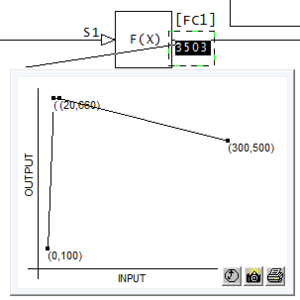
Here's another example:
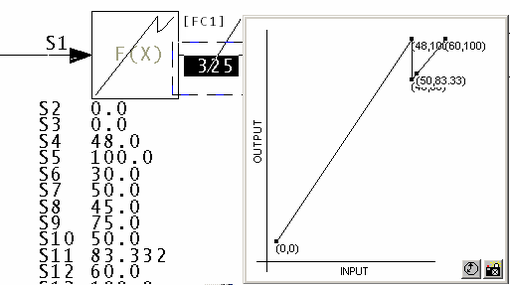
This message is likely to show an error in the system configuration. It should be reviewed. The issue raised may be in unused logic or graphics, or have other realities that make it a non-issue.
This error type was originally reported in error file DBDOC X COORDINATES OUT OF ORDER.ERR. Most errors can now be viewed in the Hyperview Error Browser.
XOR output forced to 0 [CHECK 281]
XOR output forced to 0 by duplicated input Module 1,01,02 Block 1001 fed twice into FC 101 Module 1,01,02 Block 1003
This block always outputs zero, because both its inputs are from the same source. It may not be clear that the logic has been disabled.
The message is intended to encourage documentation of forced logic, or removal of unused logic.
This message shows a potential error in the system configuration, although most such errors prove to be harmless. It should be reviewed and hidden, unless it shows an issue that should be addressed.
This error type was originally reported in error file DBDOC-CHECK FORCED OUTPUT.ERR. Most errors can now be viewed in the Hyperview Error Browser.
XOR output forced to 1 [CHECK 280]
XOR output forced to 1 in FC 101 Module 1,01,02 Block 1001
This block always outputs one, because its inputs are constant one and constant zero. It may not be clear that the logic has been disabled.
The message is intended to encourage documentation of forced logic, or removal of unused logic.
This message shows a potential error in the system configuration, although most such errors prove to be harmless. It should be reviewed and hidden, unless it shows an issue that should be addressed.
This error type was originally reported in error file DBDOC-CHECK FORCED OUTPUT.ERR. Most errors can now be viewed in the Hyperview Error Browser.
XOR output forced to complement input [CHECK 283]
XOR output forced to track NOT input Module 1,01,02 Block 1001 -- one input constant one to FC 101 Module 1,01,02 Block 1003
This block is acting like a NOT block, because one of its inputs is constant one. It may not be clear that the logic has been disabled.
The message is intended to encourage documentation of forced logic, or removal of unused logic.
This message shows a potential error in the system configuration, although most such errors prove to be harmless. It should be reviewed and hidden, unless it shows an issue that should be addressed.
This error type was originally reported in error file DBDOC-CHECK FORCED OUTPUT.ERR. Most errors can now be viewed in the Hyperview Error Browser.
XOR output forced to track input [CHECK 279]
XOR output forced to track input Module 1,01,02 Block 1001 -- only one input to FC 101 Module 1,01,02 Block 1003
This block's output is always the same as its input, because it only has one input. It may not be clear that the logic has been disabled.
The message is intended to encourage documentation of forced logic, or removal of unused logic.
This message shows a potential error in the system configuration, although most such errors prove to be harmless. It should be reviewed and hidden, unless it shows an issue that should be addressed.
This error type was originally reported in error file DBDOC-CHECK FORCED OUTPUT.ERR. Most errors can now be viewed in the Hyperview Error Browser.
XOR output forced to track input [CHECK 282]
XOR output forced to track input Module 1,01,02 Block 1001 -- one input constant zero to FC 101 Module 1,01,02 Block 1003
This block's output is always the same as one of its inputs, because the other input is constant zero. It may not be clear that the logic has been disabled.
The message is intended to encourage documentation of forced logic, or removal of unused logic.
This message shows a potential error in the system configuration, although most such errors prove to be harmless. It should be reviewed and hidden, unless it shows an issue that should be addressed.
This error type was originally reported in error file DBDOC-CHECK FORCED OUTPUT.ERR. Most errors can now be viewed in the Hyperview Error Browser.
Y coordinate adapted [INFO 030]
Y-coordinate adapted - S3 (1.00) of Module 1,01,02 Block 1001
You may want to check that there are base or design values for the parameters of F(X): Function Generator [FC1] blocks that are adapted. If there are, the graph will be meaningful. Also, the order of processing (adapt block before function block) will not be as important.
This is not usually a significant error. We report them for these reasons:
- They are very hard to find and can be mysterious in operation.
- By making them visible to you, you can see if the actual implementation makes sense by looking at live data
- Since DBDOC will graph the function if the X and Y coordinates make sense, this file allows you to go to the work of finding good "design" values of the specifications so that the DBDOC presentation is useful to a user
- The intent of the adapted function generator should be documented, probably right there on the CLD or CAD sheet
- There might be an error in that a block number is wrong or was reused, with unintended consequences
Example:
--Scanning drawing 24305U8: As Shipped
Y-coordinate adapted - S3 (10.00) of Module 2,43,05 Block 2125
You can see that the default value of S3 will affect the way the function is documented.
We suggest that you should figure out default values for all adapted coordinates. That way, DBDOC can show you what the design function generator shape is supposed to be. Also, live data will then show you deviation from the design shape.
This message reports system information that is otherwise difficult or impossible to find.
This error type was originally reported in error file DBDOC-INFO ADAPTED COORDINATE.ERR. Most errors can now be viewed in the Hyperview Error Browser.
Zero gain on input block [CHECK 262]
Zero gain value for S4 of Module Block 8143 FC 15 means that Block 8024 is being ignored
The indicated input block is being ignored because the gain applied to it is 0.0. It does not appear as though the block is doing nothing unless specs are viewed as well. This often indicates a value available for tuning that is currently unused, especially if the input block is a constant.
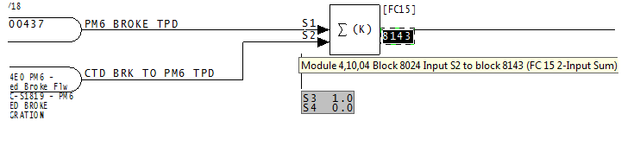
This message shows a potential error in the system configuration, although most such errors prove to be harmless. It should be reviewed and hidden, unless it shows an issue that should be addressed.
This error type was originally reported in error file DBDOC-CHECK BLOCK WITH ZERO GAIN.ERR. Most errors can now be viewed in the Hyperview Error Browser.
Other error checking techniques
Aside from error reporting, there are some techniques that can be used for system verification:
- Finding graphics links made by tag index instead of tag name
- Using WinMerge to compare build reports
- Using Config Parser
- Occasionally DBDOC_SUMMARY.ERR contains messages like
sqlite_step_exception in "E:\Project\EXPORTS\master.db" with 8,160,10,1620:
Step 11: database disk image is malformed
or
exportlookup.reset() returns 11 for E:\project\EXPORTS\master.db.
These messages are temporary, caused by changes in the structure of the master.db file, and after rebuilding the project, they are expected to disappear. For more information contact GMCL.
Finding graphics links made by tag index instead of tag name
In a SODG graphics system, search for the text "blank tagname" (without the quotes). If you find any, you know that your system has graphics links being made by tag index instead of tag name. This is not stable in the long term.
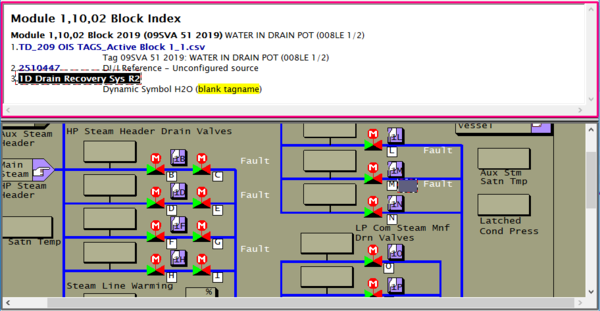
Using WinMerge to compare build reports
WinMerge is an open-source tool that allows you to specify two files or two directories and do a byte-for-byte file comparison. The result of the comparison is displayed in a window, showing you any changes that may exist between the two files or directories. This is a useful tool to compare differences in your error files between builds.
If you have WinMerge installed on your computer, BuildPlus will enable this option for you. You are given the choice to either Compare Files or Compare Directories. In either case, a dialog will appear where you can either type in or browse for the appropriate files/directories for comparison.
Note: Earlier versions of BuildPlus use WinDiff instead of WinMerge.
Compare Files
On the Tools menu, select Compare with WinMerge and click Compare Files.
(The default selections are the DBDOC_SUMMARY.ERR files of the two most recent builds.)
For each file you wish to compare, click Browse, navigate to the file, and click OK.
Once both file paths have been entered, click OK. This will launch WinMerge to show differences between the files.
Compare Directories
On the Tools menu, select Compare with WinMerge and click Compare Directories.
(The default selections are the error file folders for the two most recent successful builds.)
For each directory you wish to compare, click Browse, navigate to the folder, and click OK.
Once both directory paths have been entered, click OK. This will launch WinMerge and show which files are different within this folder. Double-clicking on the file name will show the differences within individual files.
DBDOC ©1996 - 2026 G. Michaels Consulting Ltd., all rights reserved. All other trademarks and registered trademarks are the property of their respective holders. Website source largely available under the terms of the AGPLv3.